

MintGum
-
Posts
37 -
Joined
-
Last visited
Content Type
Profiles
Forums
Gallery
Events
Everything posted by MintGum
-
Cutters, Choppers, Guillotines, Slicers
MintGum replied to MintGum's topic in Modeling tools and Workshop Equipment
The Micro Mark appears similar to the NWSL I & III. The DSPIAE appears similar to the RP TOOLZ. A question for those with the Ultimation Slicer, what size stock can be cut without having to do the extra square cut? In other words, if there are 300 - 80mm floor planks to cut, does each one have to be cut long and then squared on the opposite end? As opposed to the slide and cut motion of the razor blade type cutters. Also, does the Ultimation come with an extended fence? -
Cutters, Choppers, Guillotines, Slicers - call them what you will. I've been looking at the current marketplace for these and have found several. Looking for the original equipment manufacturer (OEM) is a challenge as there are many copies on the market. Each has it's pluses and minuses depening on what it will be used for. Some have replaceable cutting pads while others have a wooden cutting surface Some accomodate longer stock while others only accomodate shorter stock Some are made of metal while others are made of wood or plastic Some use custom blades while others use standard razor blades Some have bigger stock capacities while others can only accomodate smaller stock sizes My questions for those reading this are: 1.) Are there any other original equipment manufacturers (OEM's) of these types of devices? If so, would you leave a link and comment below. 2.) If you do own any of those listed can you comment on the pluses and minuses that you've noticed while using it? Artesania Latina - Multi Cutter - $27.99 NWSL - The Chopper - $41.95 NWSL - The Chopper II - $56.95 NWSL - The Chopper III - $49.95 Ultimation Modeling Tools - Slicer - $195.00 DSPIAE AT-CJ Precision Angle Cutting Station - $56.16 RP TOOLZ - RP-CUTR - $110 - $120 Micro-Mark Chop-It - $39.95 Amati - Master Cut - $27.43
-
Hull Planking Calculator
MintGum replied to MintGum's topic in Modeling tools and Workshop Equipment
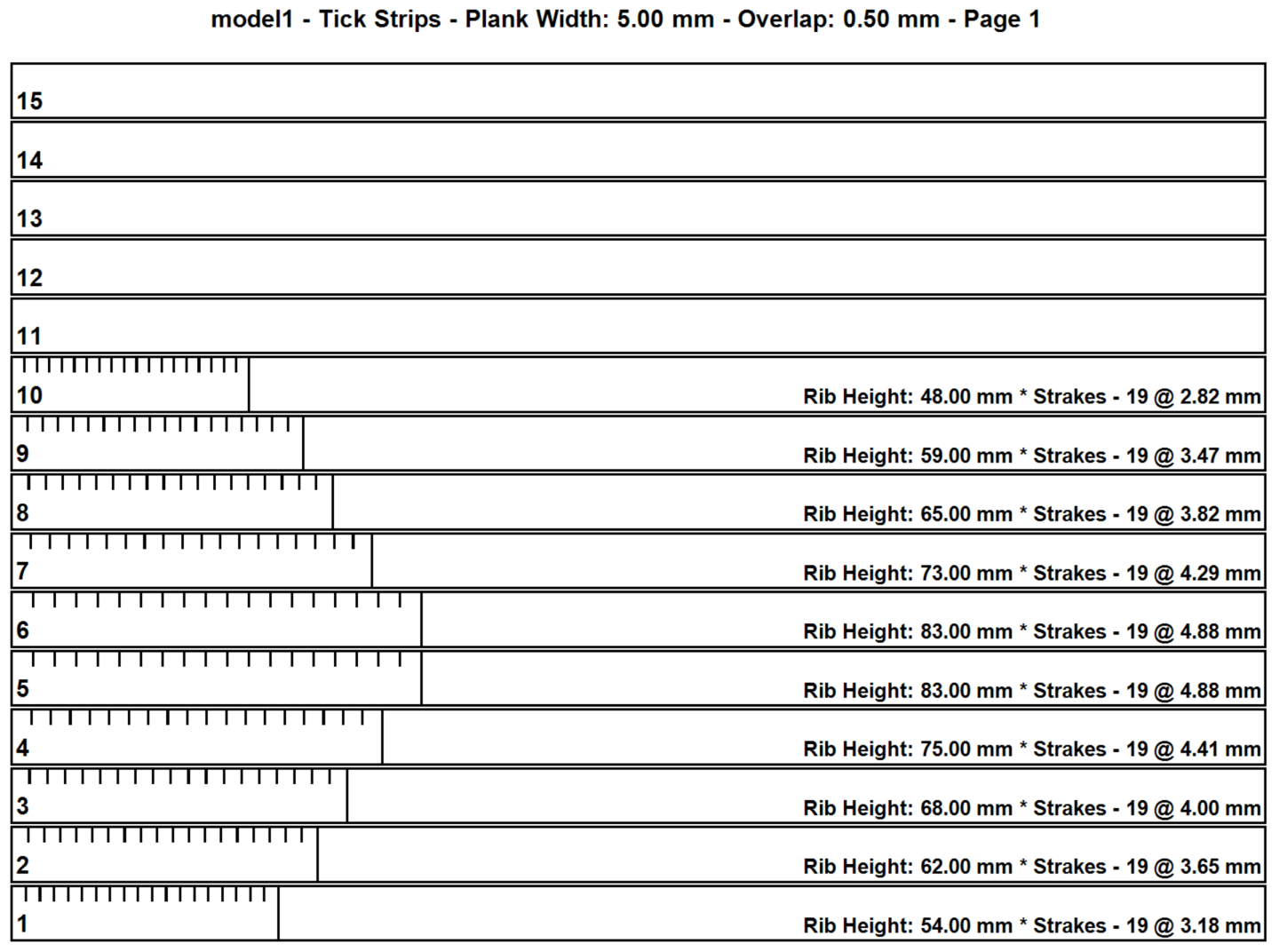
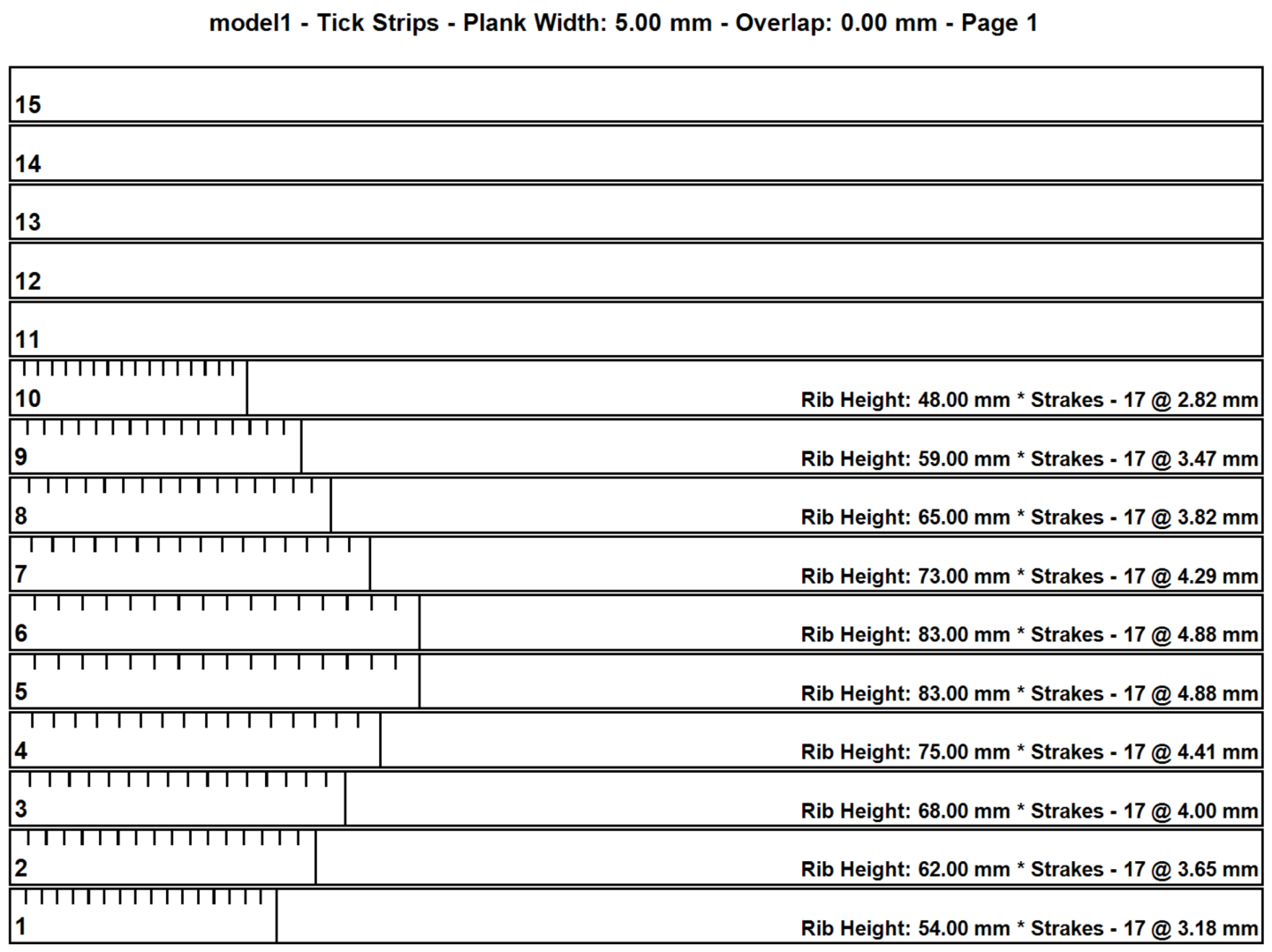
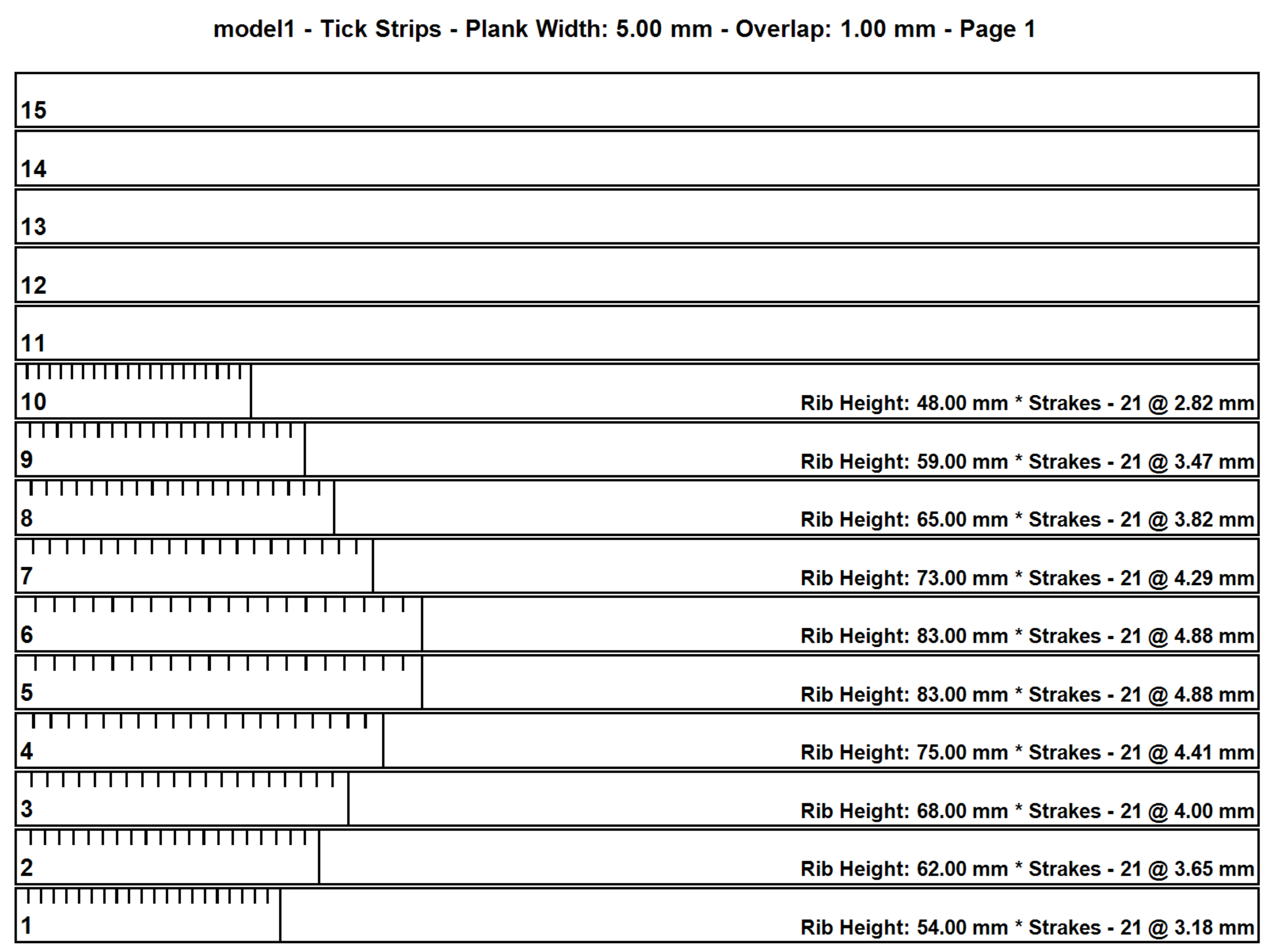
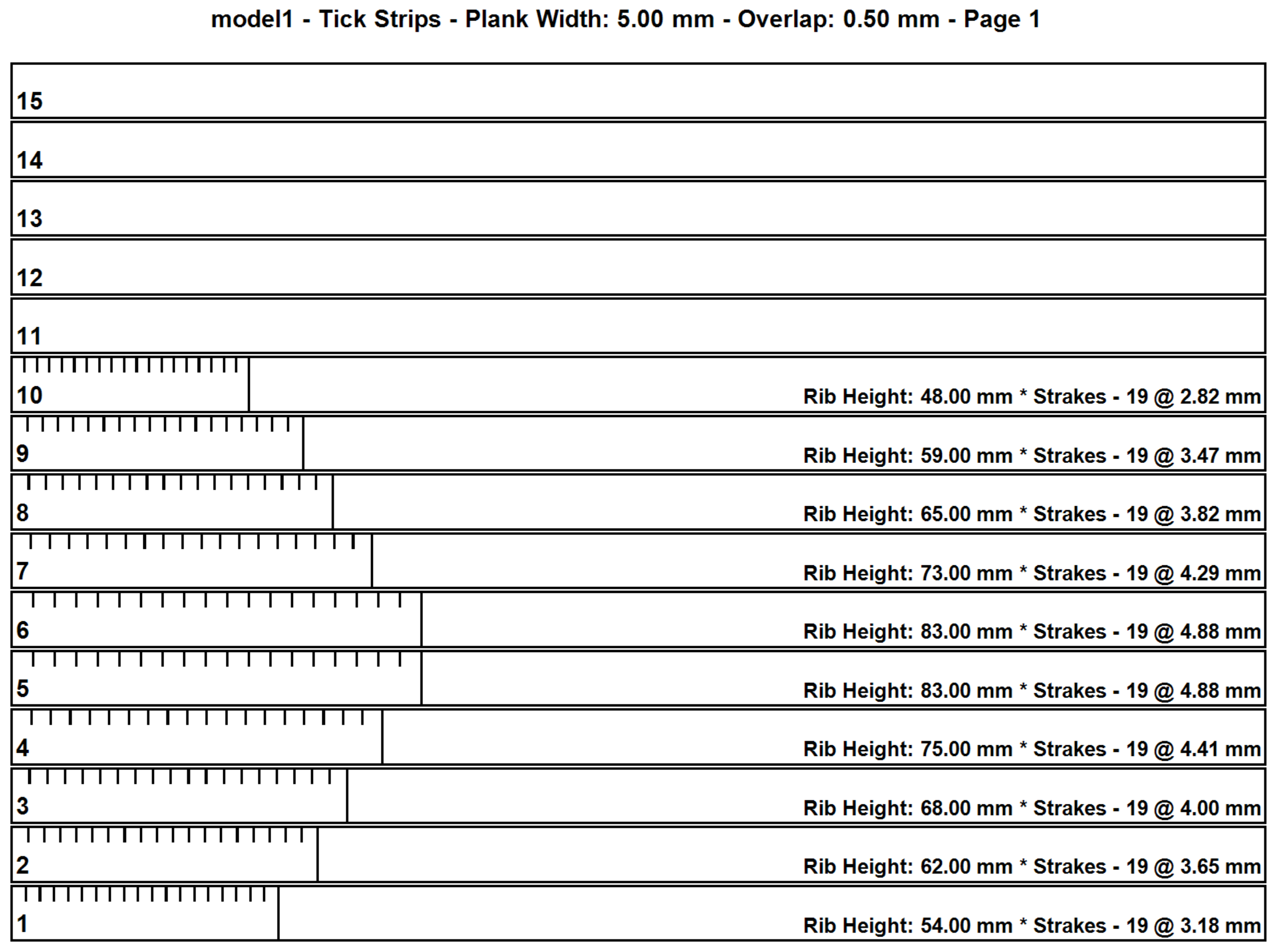
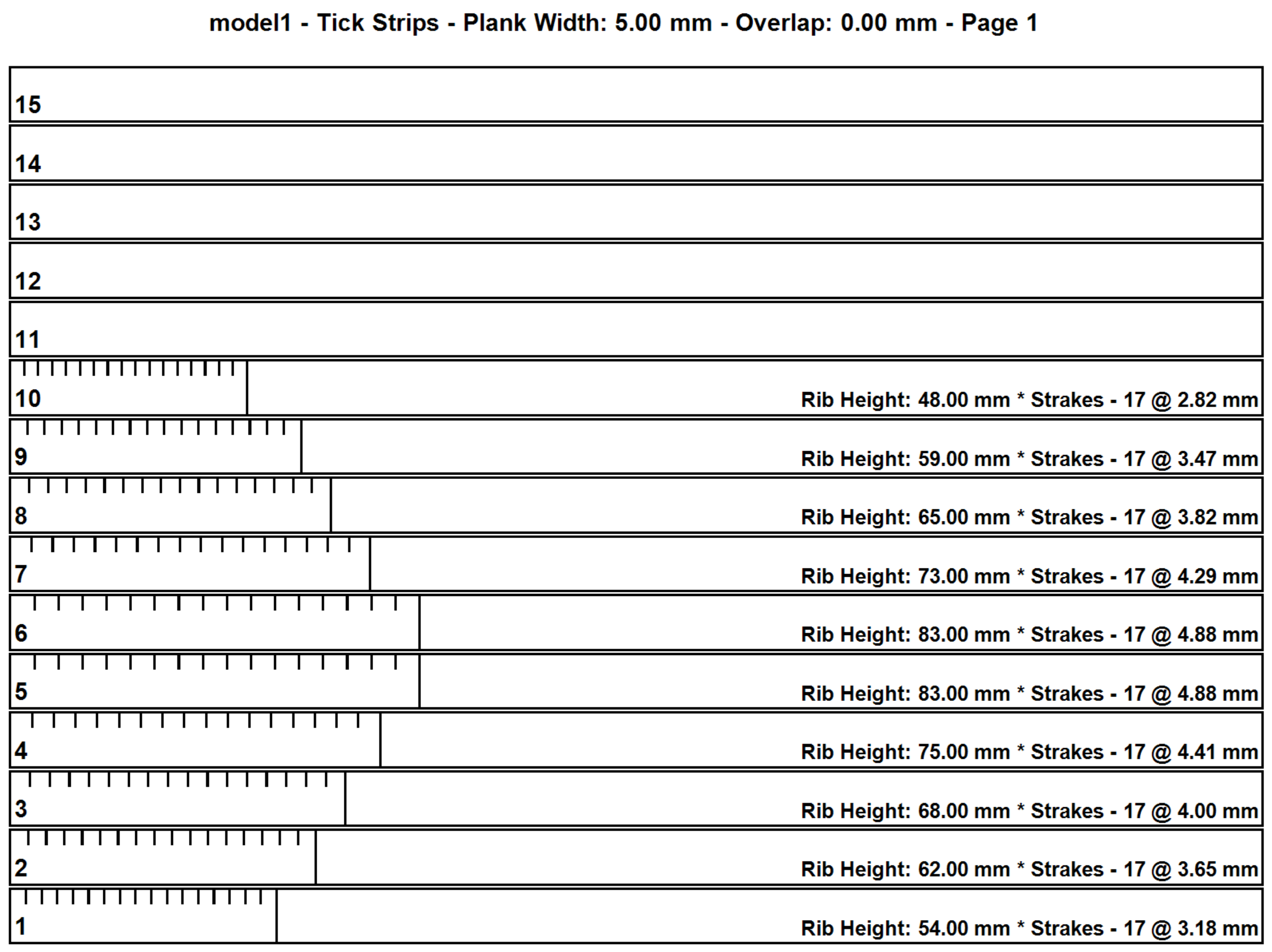
Version 1.2.0.0 is live and can be downloaded from the link in the first post. 12/26/2025 Added an overlap feature to support clinker/lapstrake planking. Removed access to the extend function. Extend values are retained for future use but set to 0 during hull calculations. Updated documentation. Comments: Note the difference in the tick strips below. The number of strakes increases with larger overlaps but the plank templates remain the same. Feedback is always welcome. Tick Strip - 0.0 mm overlap: Tick Strip - 0.5 mm overlap: Tick Strip - 1.0 mm overlap: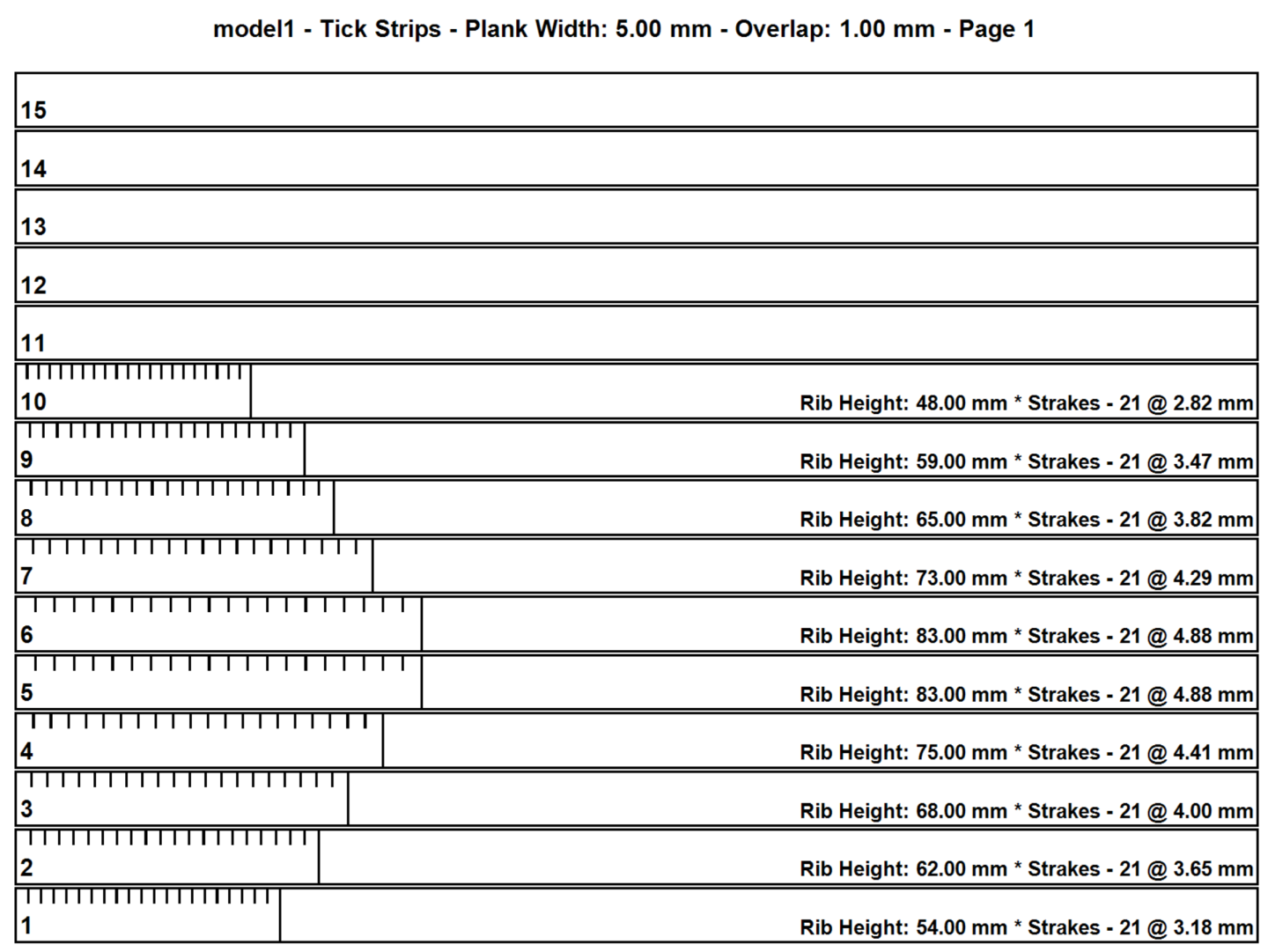

-
Hull Planking Calculator
MintGum replied to MintGum's topic in Modeling tools and Workshop Equipment
That diagram represents the arc length of the 3D Spline or Bezier curve formed by the plank, that I had eluded to in #9. Over the length of the hull, depending on the degree of curvature, true arc length could be several millimeters or more than the straight measure. After initial rib spacing measurements (on the diagonal), an iterative process adjusting the rib spacing by using the plank templates should get close to the actual arc length. This is best done per rib space as you mention in #12. The extend function distributing this extra length (or space) over the length of the plank would not represent the same curve. -
Hull Planking Calculator
MintGum replied to MintGum's topic in Modeling tools and Workshop Equipment
Ahh, that explains it. Adding or subtracting from the appropriate spacings until the plank lays properly would suffice. That would render the extend function obsolete or perhaps it has use elsewhere. I'll leave it in for now but may remove it on the next revision if no use can be found for it. -
Hull Planking Calculator
MintGum replied to MintGum's topic in Modeling tools and Workshop Equipment
No worries, friend. Leaving the extend field blank is akin to assigning it a value of zero. This is all fairly new to me and I too am curious as to the value of the extend function. It's intent was to elongate the plank for extreme curvatures at the bow or stern where the linear length from one rib to the next isn't enough to "make the curve". How well that works in practice remains to be seen. I appreciate your feedback and the resulting enhancements. -
Hull Planking Calculator
MintGum replied to MintGum's topic in Modeling tools and Workshop Equipment
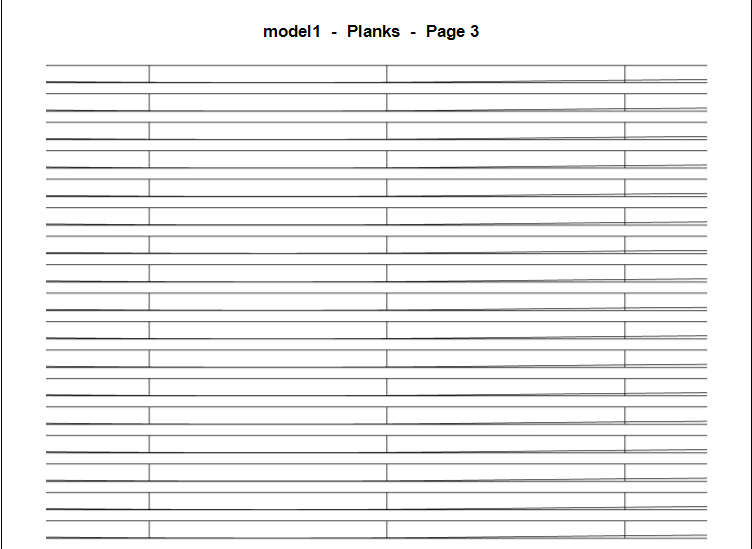
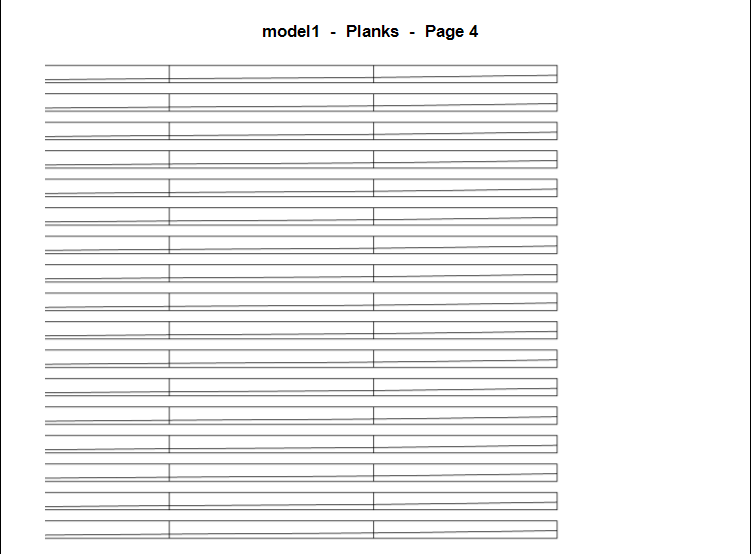
Version 1.1.0.0 is live and can be downloaded from the link in the first post. 12/22/2025 Landscape printing is now the default. Enabled printing All, Current or a Range of pages. Entering an "Extend" value should now distribute the space evenly along the entire strake. The bow and stern have been marked on the printed strake by the letters "B" and "S". Each rib on the printed strake is numbered, starting with 1, from bow to stern. Future features: Lapstrake/clicker planking Comments: The Extend feature elongates the strake by distributing the extend amount evenly along the entire length. Marked rib positions may no longer align when using the Extend feature. This feature takes the place of tediously measuring the height at each rib/plank intersection to facilitate the calculation of the arc length of a 3D Spline or Bezier curve. First page of plank template: Second page of plank template: Third page of plank template: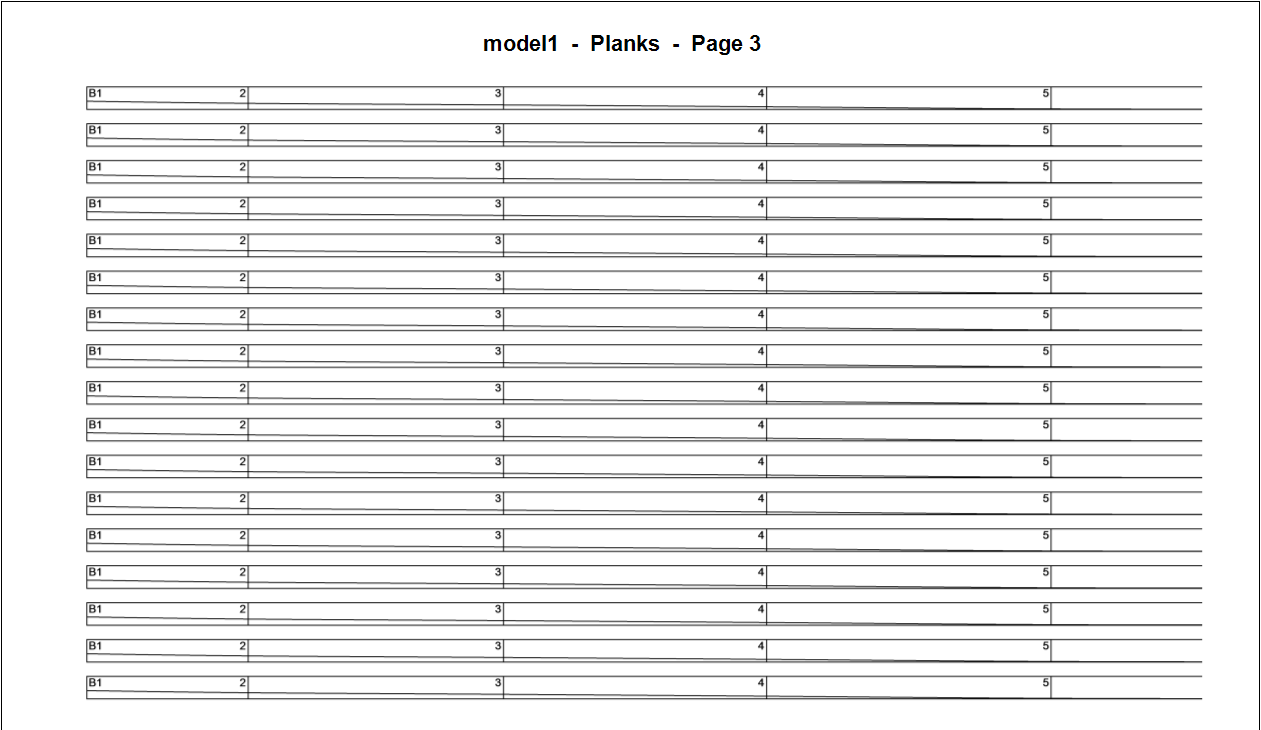
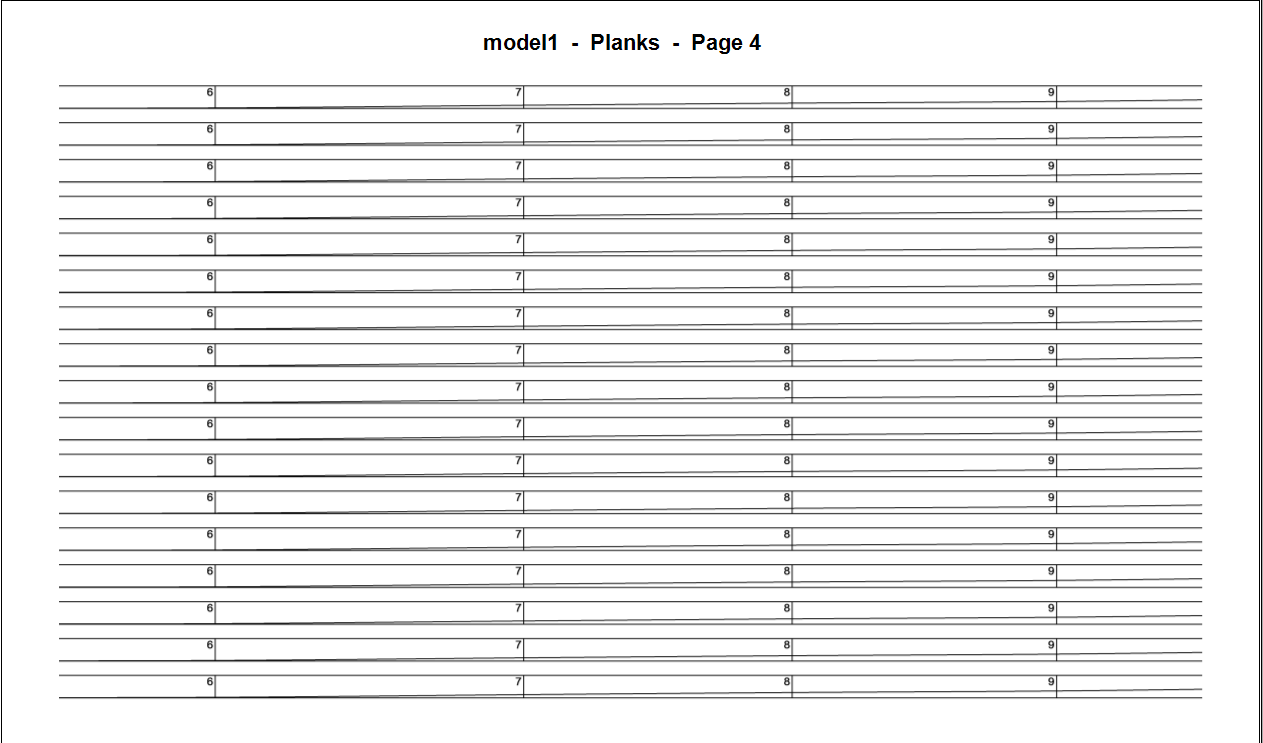
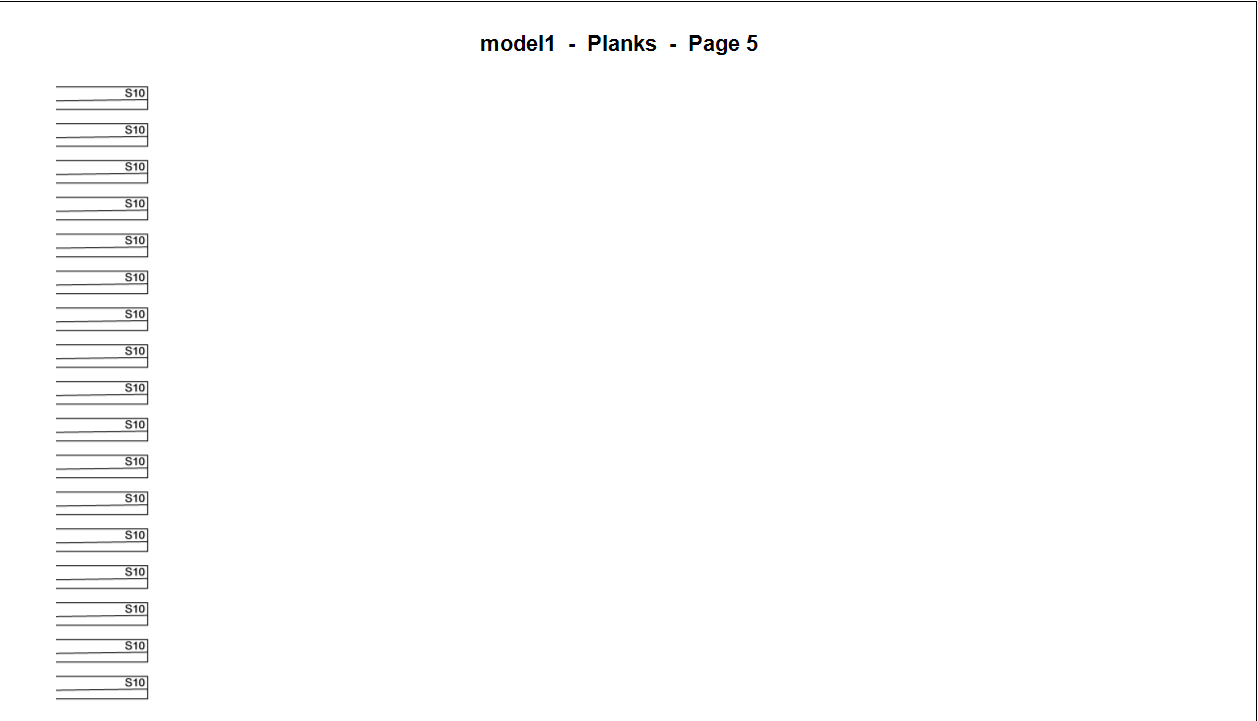
-
Hull Planking Calculator
MintGum replied to MintGum's topic in Modeling tools and Workshop Equipment
Thank you for putting the time in to test! It may be necessary to share the .hll file you're using to test if you continue to experience measurement issues. Strake length measurements without the extend feature were precise. The extend feature did have a bug which should be fixed in the update. Strake length measurements with extend should now be accurate. -
Hull Planking Calculator
MintGum replied to MintGum's topic in Modeling tools and Workshop Equipment
Great! Thanks for giving it a try. Hopefully those that try it out are able to give feedback (both pros and cons). -
Hull Planking Calculator
MintGum replied to MintGum's topic in Modeling tools and Workshop Equipment
Thank you! You are correct. This takes the place of a planking fan and the tedious transfer of the plank heights at each rib to the plank itself by providing printable tick strips and plank templates, allowing the modeler to concentrate on lane fitting/fairing and curving, shaping and fitting the planks for each lane. This is done by inputing the lane height at each rib (rib heights) and the space between each rib (rib spacing) in the lane being considered. "Lane" being a faired (i.e. smooth and evenly shaped) division of the entire hull height being planked. -
Hull Planking Calculator
MintGum replied to MintGum's topic in Modeling tools and Workshop Equipment
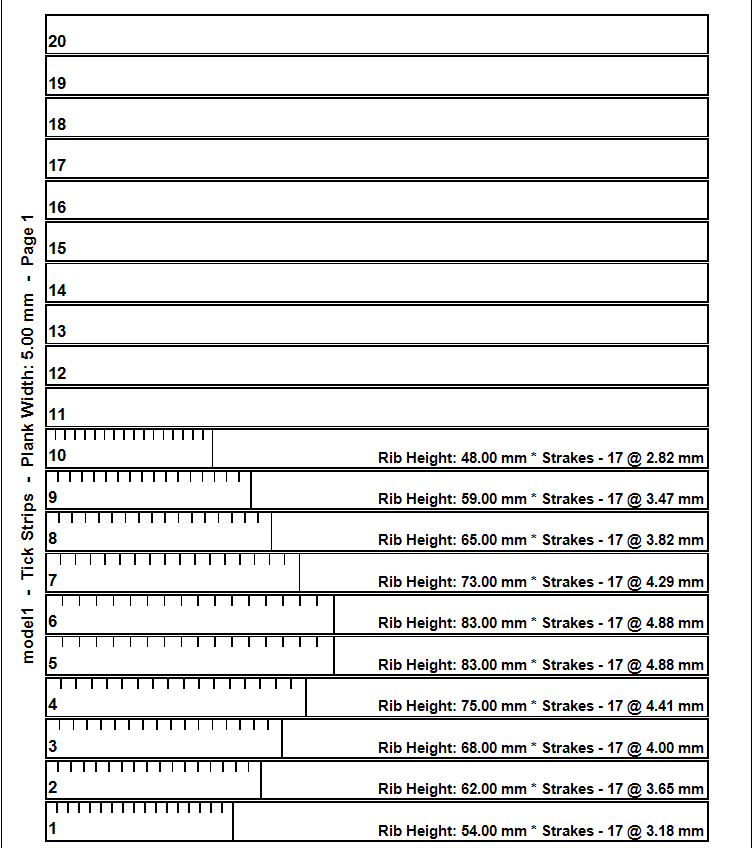
Here's an example hull and the generated tick strip and planking templates which can be printed on any standard home printer (Letter or A4 size paper): Tick Strip Page: First page of the plank template: Second page of the plank template: Third page of the plank template:
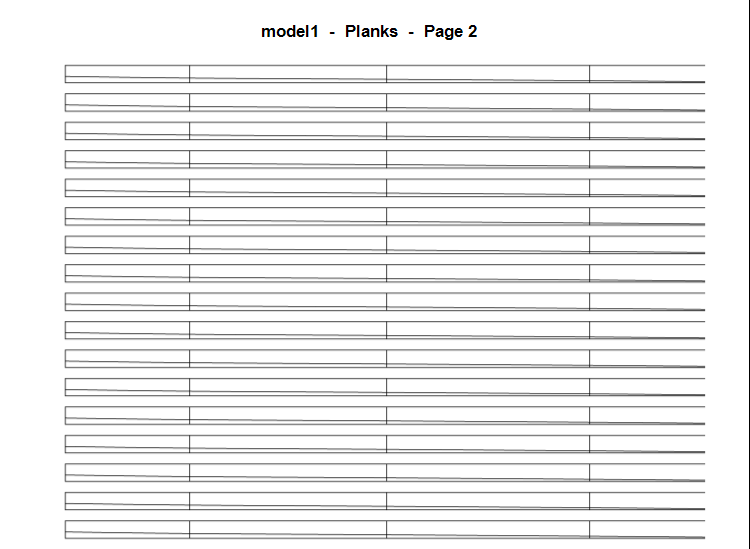
-
Hello, In the interest of aiding in the creation and printing of tick strips and planking templates for wooden model ship hulls, I have created a hull planking calculator. This is free (as in beer) desktop software for the Windows OS, created simply out of curiosity and research into model wooden ship hull planking. If you are interested in checking it out or testing it please download the latest release from GitHub using the link below. There is no install just an .exe that can be placed where desired. I usually keep it on my desktop. Download and unzip to your desired location. You may be asked by Windows to allow the .exe to run on your machine. Repository: GitHub - mintgum/HullPlankingCalculator: A calculator to print tick strips and plank templates for wooden model ship hulls. Download: https://github.com/mintgum/HullPlankingCalculator/releases/download/Release/HullPlankingCalculator.zip Please read the included help text by clicking the large (?) icon on the right side of the form. Any feedback is welcome and I will do my best to answer any questions. Thanks, Mint



Our Emblem ®