
robert952
-
Posts
920 -
Joined
-
Last visited
Content Type
Profiles
Forums
Gallery
Events
Everything posted by robert952
-
 Pantyhose/stocking/tulle/nylon make great camera filters. (I know...slightly OT...but they work well as a diffuser filter.)
 -
Ryland's (#21 above) serves as an excellent method.
-
Thanks for the tip about JB Weld. As I get closer to finishing an area I may look at that. (Like while I can still get to the insides of the model, before I mount the bottom hull.
-
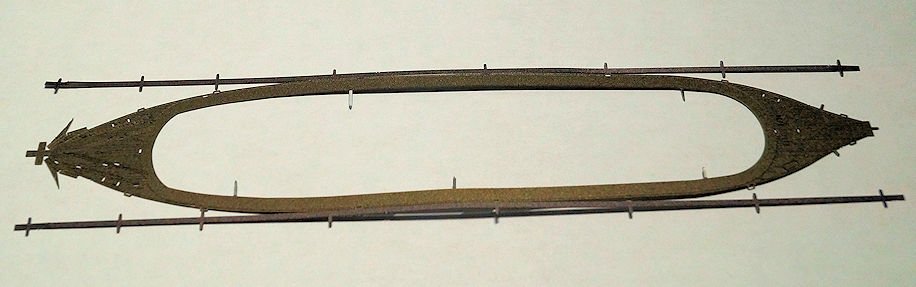
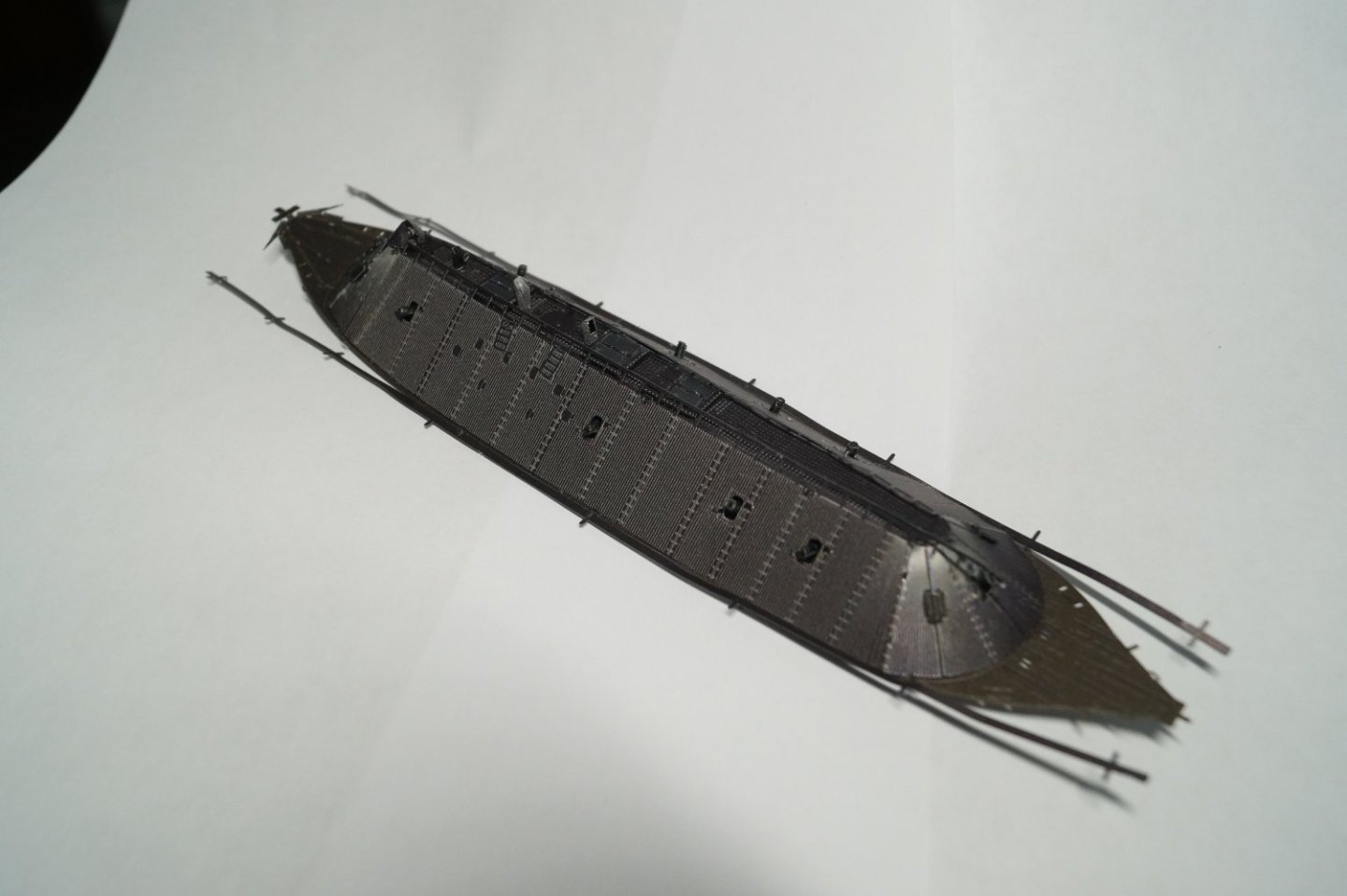
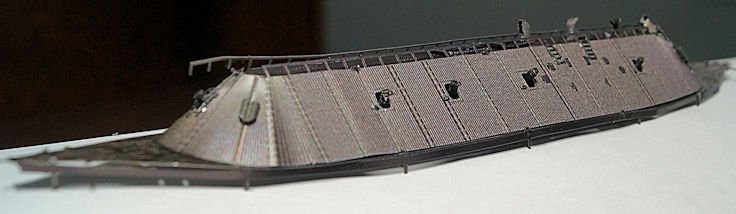
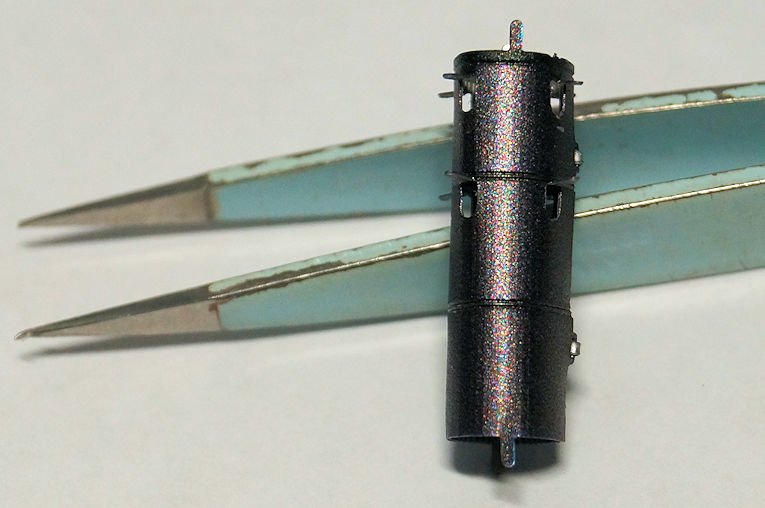
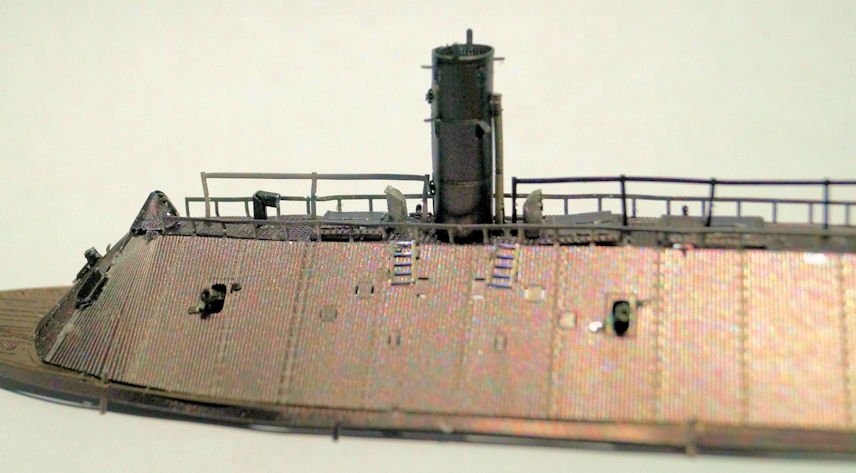
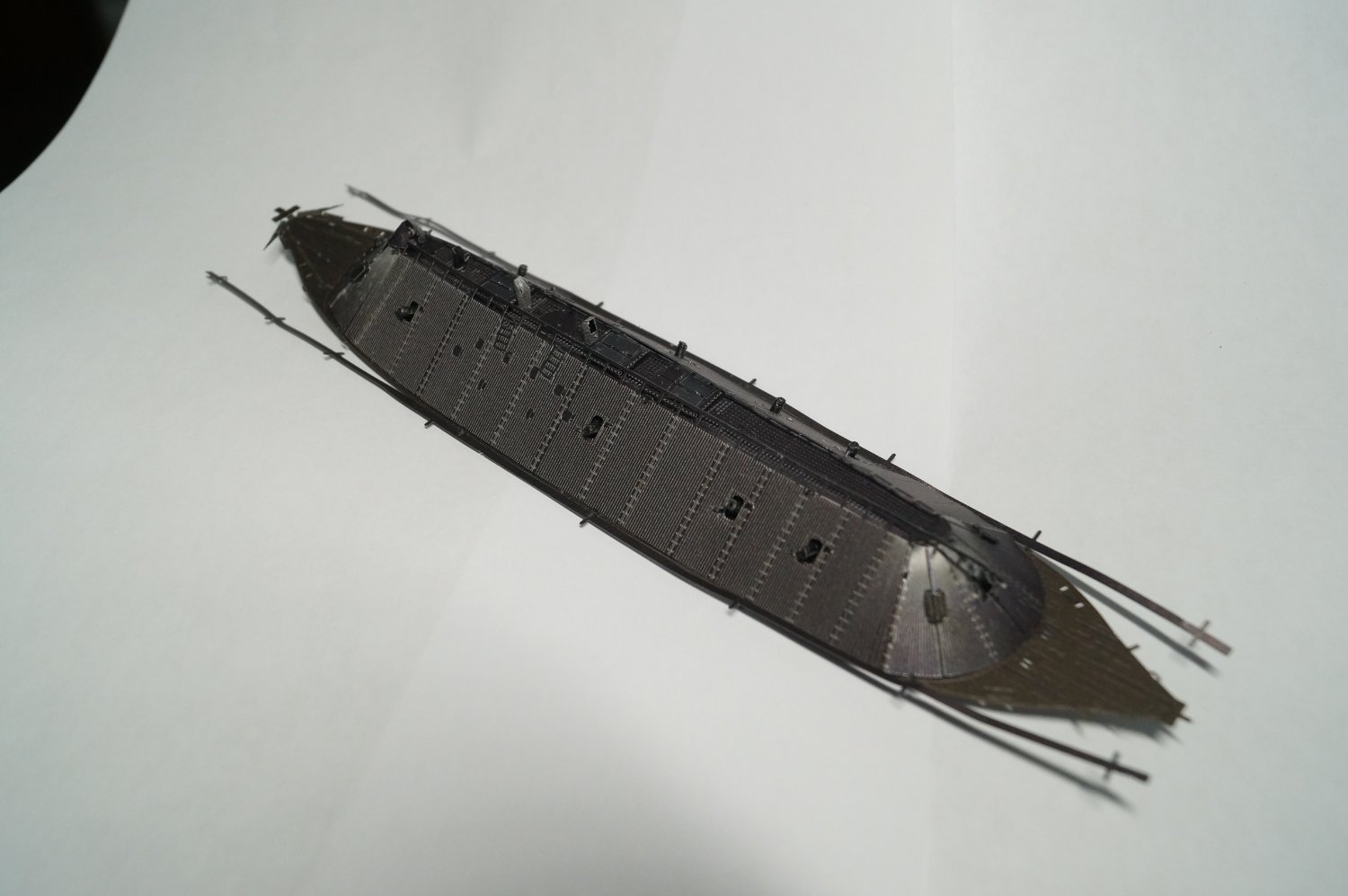
Step 06 Outer deck with edge Step 07 Bending the deck edge; adding the smoke stack and center rails Some of the steps require only a couple of operations. So, I will combine these two on this post. Here's the deck piece removed from the frame. After putting the deck in place, I did do some minor bending of the edge for test fitting. The above ends step 06. Step 07 starts with bending the edge, curving along the bow and stern, and bending the tabs. On an subsequent evening after taking the above photo, I tweaked the bends a bit more to get a better shape and fit. The smoke stack was formed using a 3/16" bolt as a mandrel. The stack is installed on the upper deck. A support piece for the stack required bending and installation. As before, PVA glue on these two pieces help secure them into proper position. Finally, rails that run along the centerline was installed. With this done, I will get back to working Step 08. Again, during this build, I have contractors in and out doing a downstairs renovation. I'll probably do more on step 08 since the painters will be doing their thing over the next couple of days. As a preview, Step 08 covers bending and attaching the davits, life boat support, life boat, and smoke stack supports for the port side. Step 09 repeats the process for the starboard side. Thanks to those following this build. I hope you find it interesting.
-
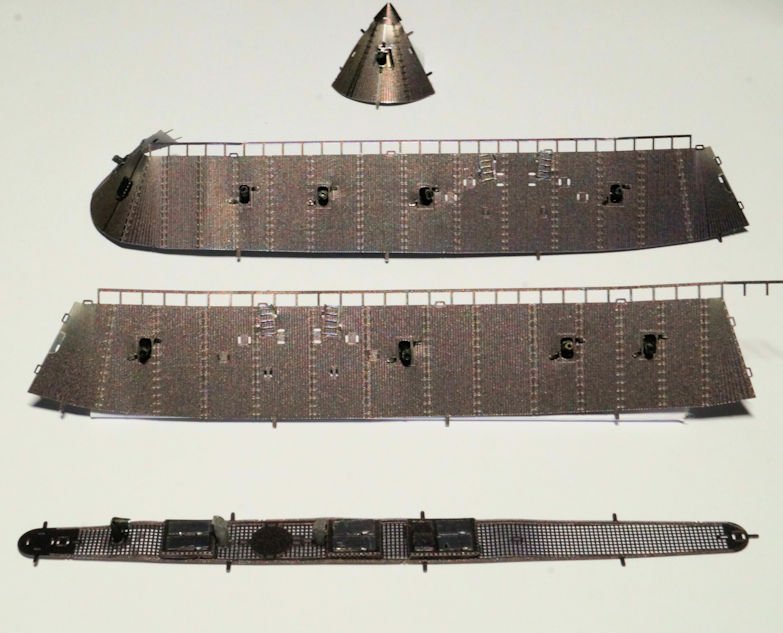
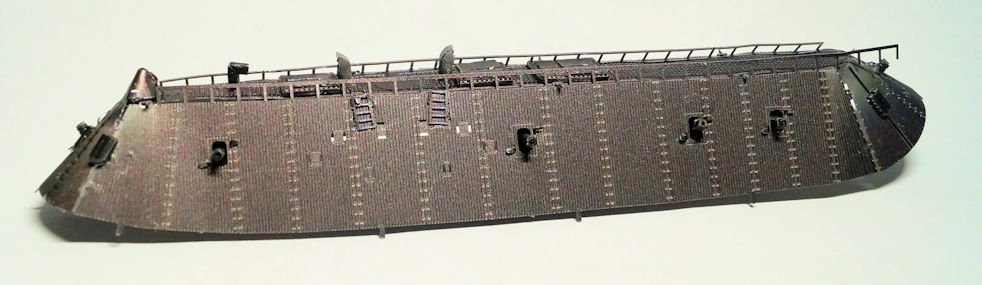
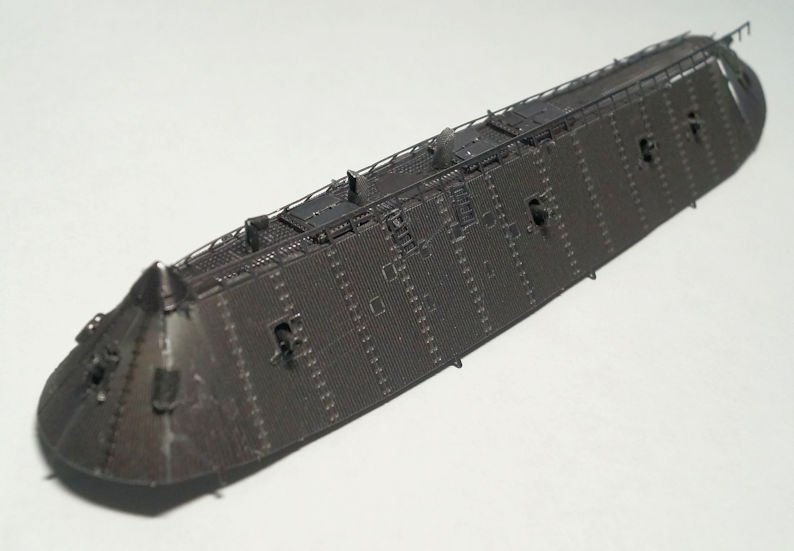
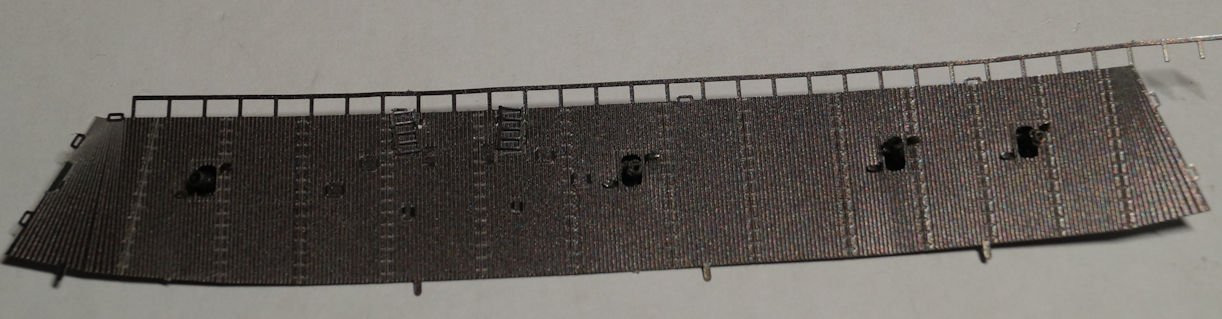
Step 05 Putting sub-assemblies 1 through 4 together. The step is simple sounding enough. Remember that adage about reading the instructions through before starting assembly? It pays off. You can see potential issues and they won't be as likely to surprise you. When I assembled the cannons and other bits to the bow and stern bulkhead sub-assemblies, I anticipated quite a bit of adjustments to get all the Tab A's to line up with Slot B's. I was not disappointed and the amount of work was as expected. So, with a lot of jiggling and wiggling along with a bit of cussin' and fussin' I got the parts to bend and fold properly. Here's the four pieces to be assembled. And a couple of views of the final results. Port side view. (Yes, the step to bend and fasten the rail on the aft portion of the deck comes later. I keep worrying about that piece as it has been bent a couple of times. ) A more oblique view of the assembled upper portion.
-
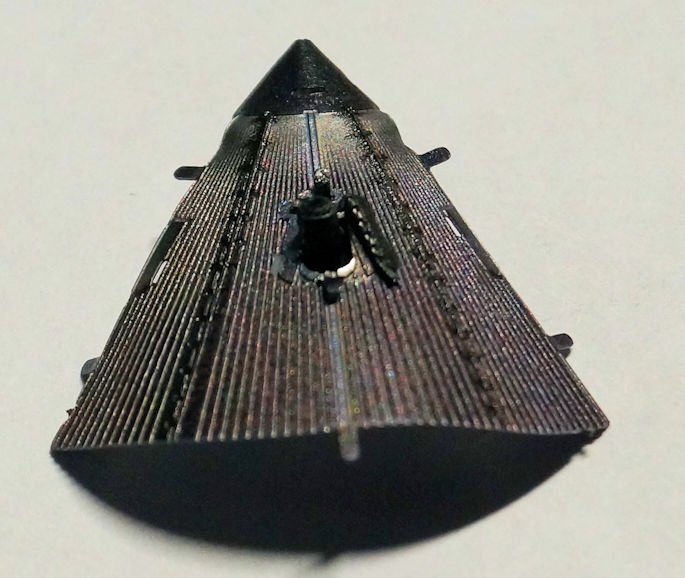
Step 04 Forward bulkhead with pilot house This is very short and quick. The step shapes the bow bulkhead with pilot house. As before, enough bending of the piece to generally fit as the next step (Step 05) joins all the assemblies of Steps 01 through 04. I figured (and correctly so) this step will take a lot of finagling and finesse to get everything to fit. But, I did have my first catastrophe. In shaping one of the gun port shutters, the piece broke. Not sure why. I bent it once, but must have applied too much pressure. It was a 180 degree bend. So, the image shows the one gun port in place. At the end I may be able to use a scrap piece and create something that looks like the shutter and match colors with paint. (Or I will call it battle damage if anyone asks.)
-
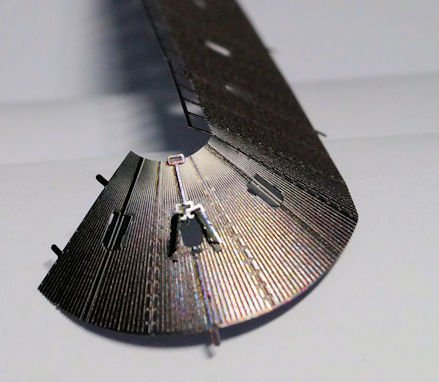
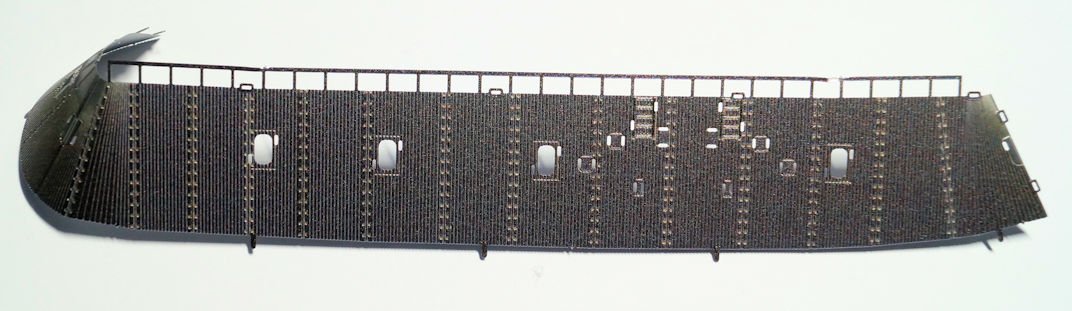
Step 03 Starboard side I'll quickly cover this step. For all intents and purposes, the steps for starboard duplicate the port with ladders and four cannons. There is a bit of a curving of the bulkhead for the aft. I didn't do a lot of bending because, having done the right thing of looking at all the instructions before starting, the bend will have to match the deck curve and line up with the port side. The ladders and guns followed the previous methods for assembly and installation. Two shutters were added to the aft gun port. Completed starboard side (crooked ladders and all).
-
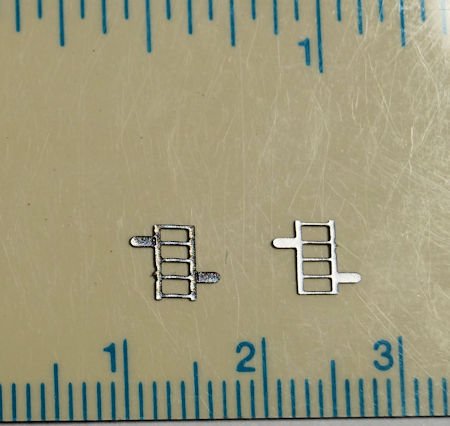
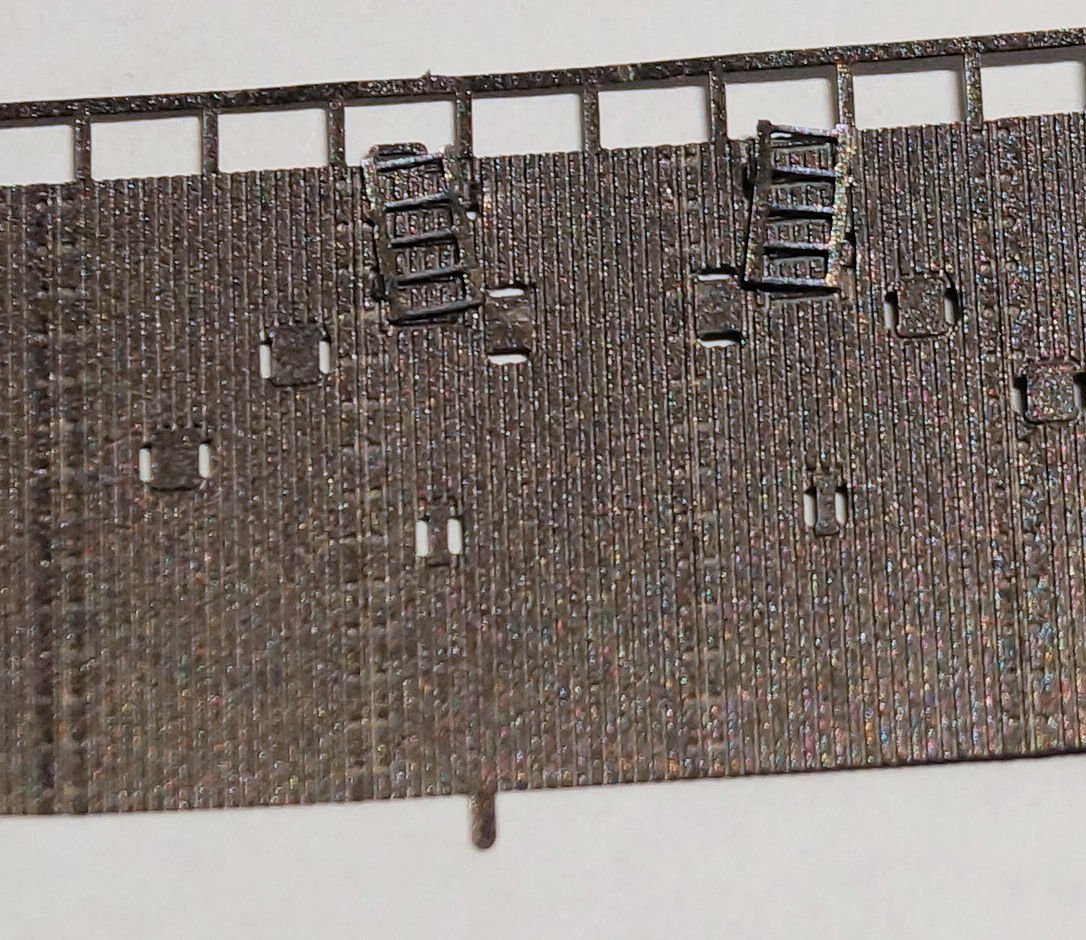
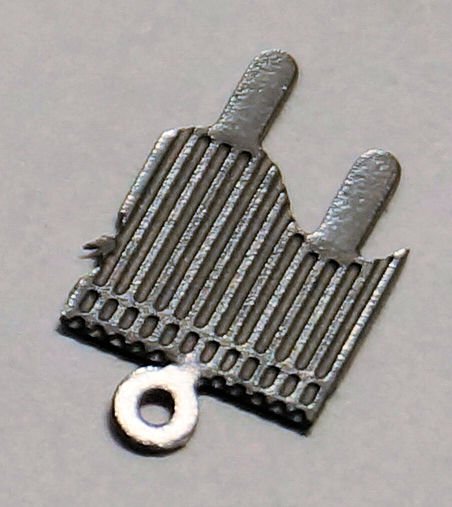
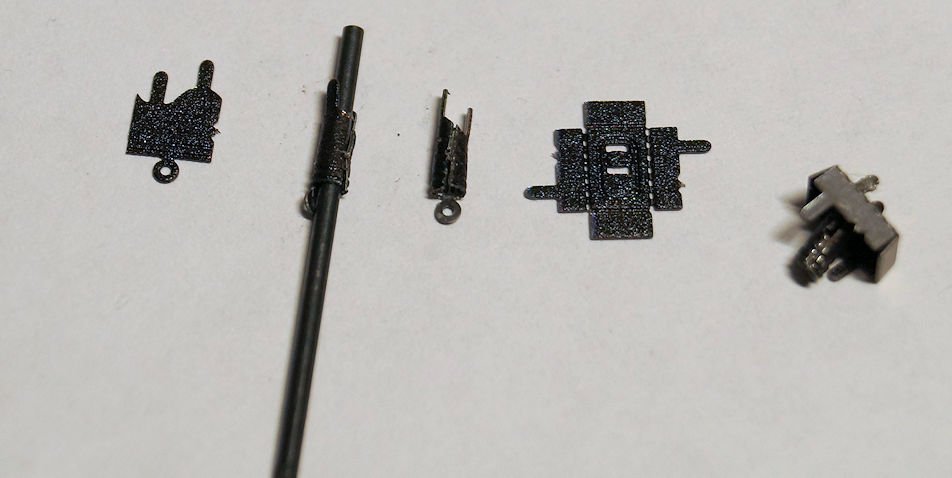
Step 02 Ladders and cannons This step works on the port side of the model. I get to install the ladders and cannons. Again, as is usual with model building, each step of the process has several sub-steps. First, the size of the ladder pieces. The one on the left shows the 'etched' side and the right side the back side. You need to keep these in mind when putting the model together. Now the part that probably requires having done many of these metal models to learn a good technique: keeping things straight. You will note the ladders are not quite straight (OK, the lean a lot.) No matter what I did, during the process of bending the tabs, I couldn't keep them straight. A tiny shift creates a big visual difference. I didn't want to push my luck with 'unbending' and 'rebending' the parts. The instructions warn that more than two times bending and straightening risks breaking the part. (Spoiler alert: The starboard side won't be any better. I am a slow learner.) Now come the four cannons for this side of the ship. Here is the cannon in flat form. The grooves help roll the barrel. My method used a 1/16" drill bit as a mandrel. The front of the barrel gets bent over after forming the barrel The cannon barrel then mounts to the box which in turn gets folded and mounted to the bulkhead from the inside of the model. I did that four times and completed Step 02.
-
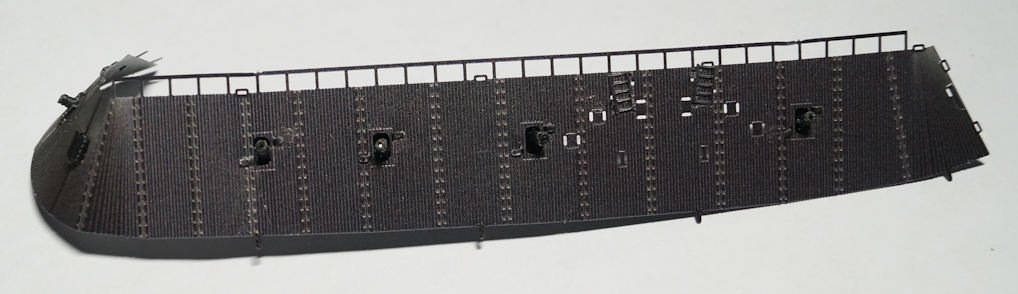
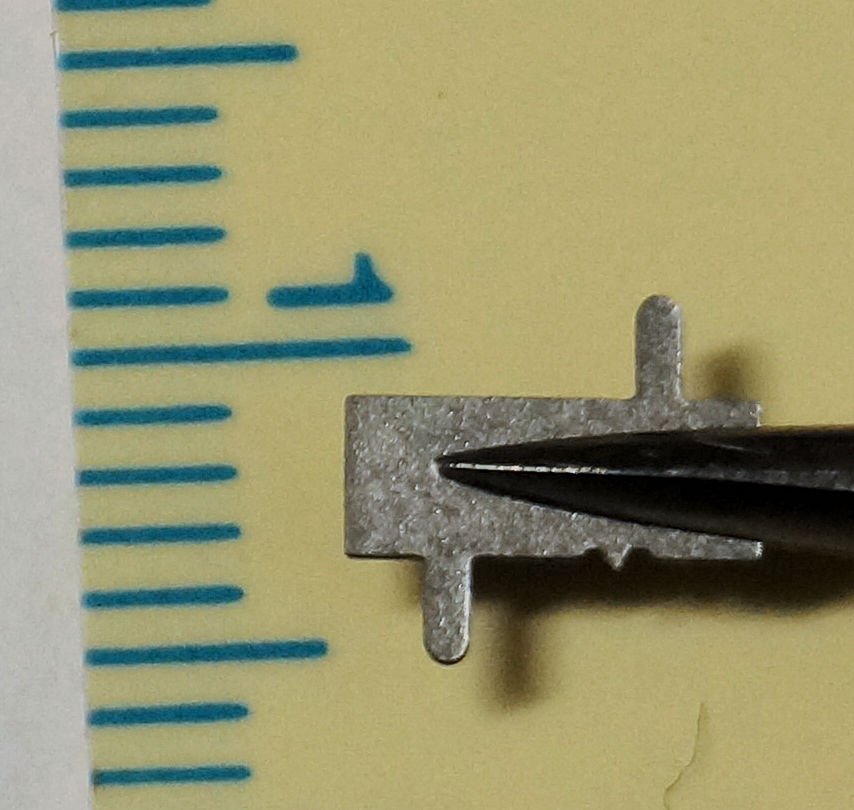
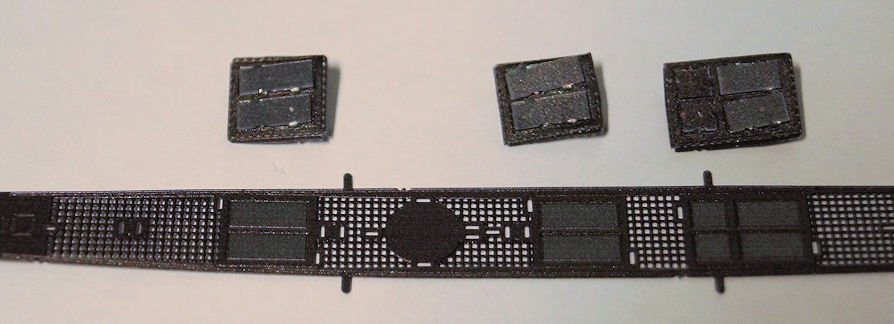
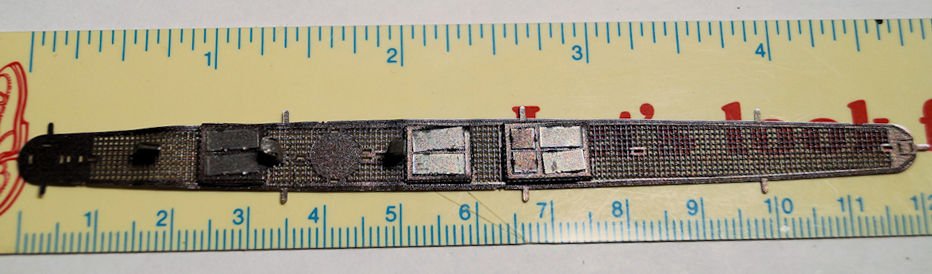
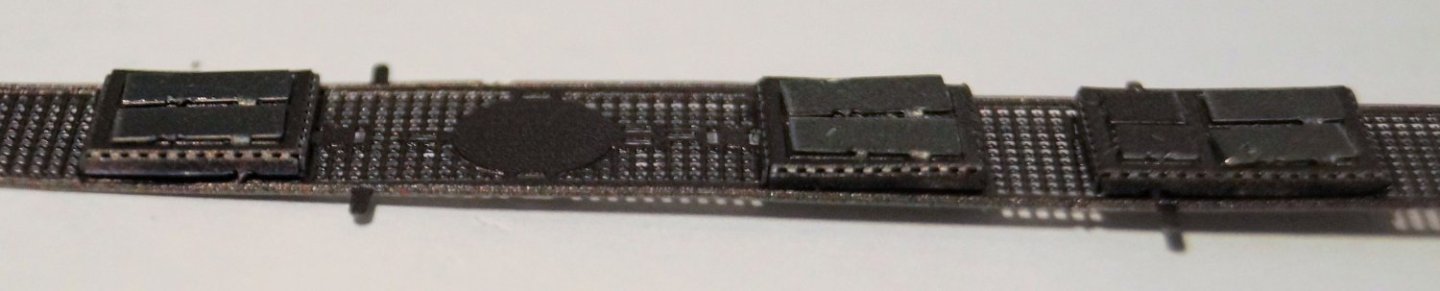
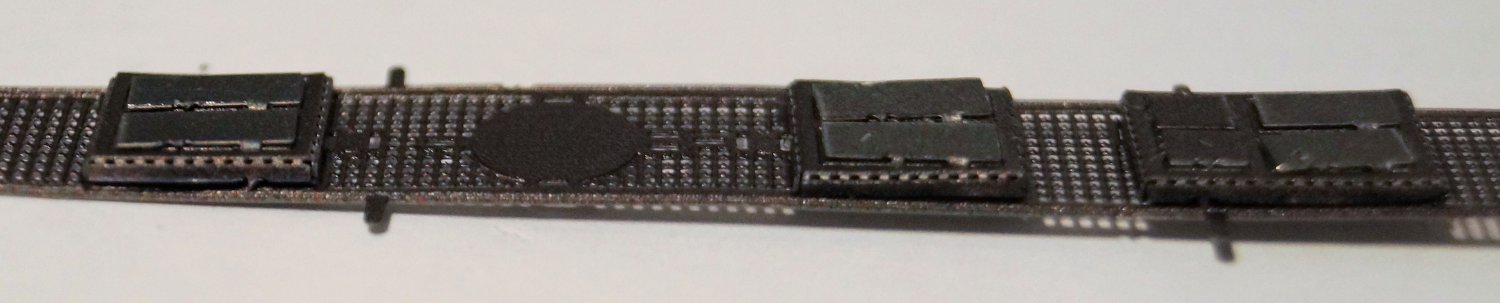
Ok... More than "a day or two" has passed. RL getting in the way a bit. (Minor issue with subfloor during reno, family gathering over the weekend). Step 01 Hatches and vents The process begins with the roof deck of the Merrimack. (Yes, I know that to be accurate this is really the CSS Virginia at the time of the battle. I am just keeping with the nomenclature used by Metal Earth.) I do want to illustrate the scale of the model (1:393). Besides being a strange scale, the parts are small. You might ask "How small are they?" Glad you asked. The first piece to put in place are covers (millimeter scale) for hatches on the deck. Two of these go onto two small hatches. On a larger hatch there's four similar (but smaller) pieces. Here's the three hatches placed in approximate location. And installed... That completes Step 01. (The instruction sheet calls it step 1 but use leading zeroes with the correct number of significant digits. A habit I developed in my software writing days to keep track of variables, file names and other things that may need to be sorted. ) Again, the true size of the model is shown.
-
Just a thought...Are there enough logs on this model to justify a 'Group Project' thread?
-
Thanks, Ken. I'll look into those. I don't have issue with CA but figure a PVA or something like you mention will do the job.
-
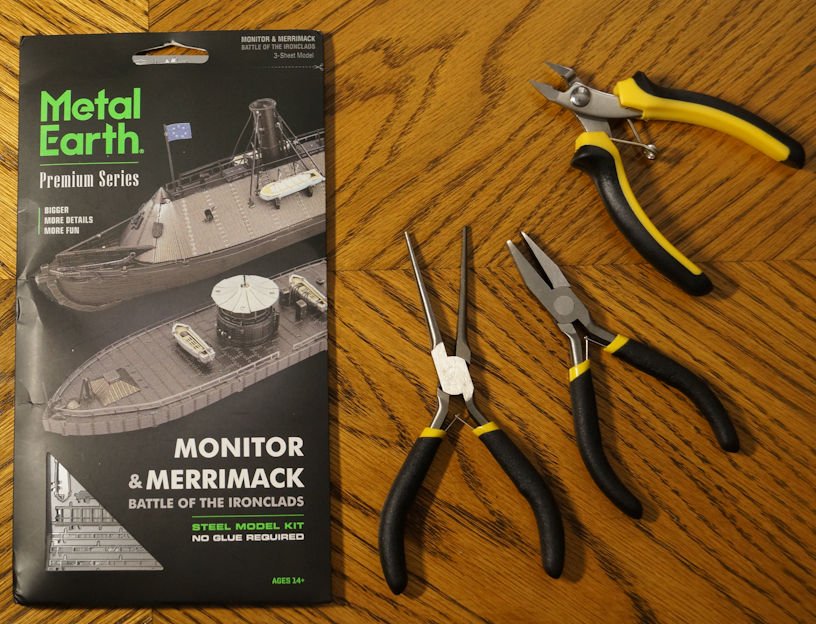
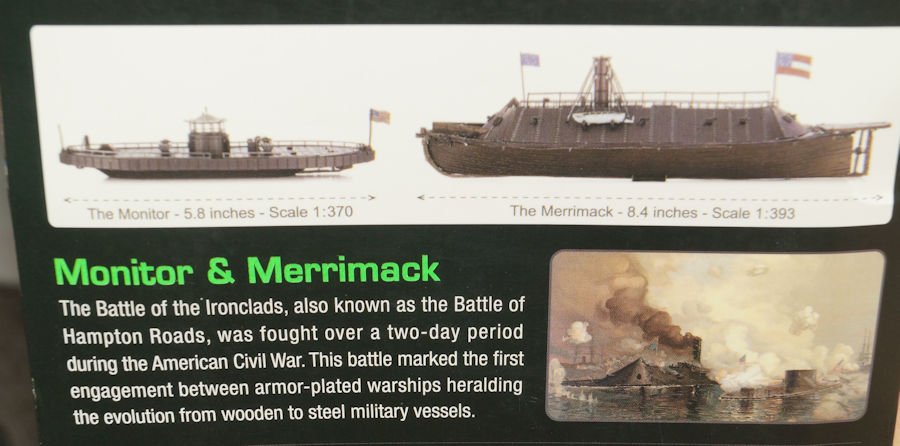
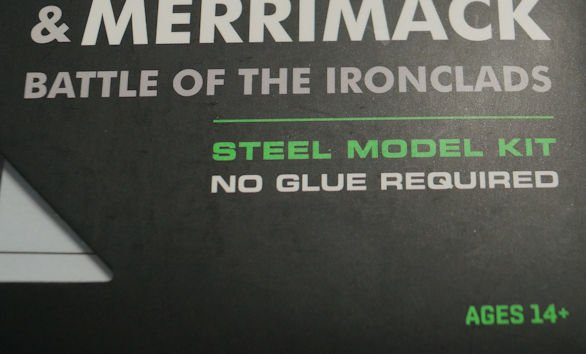
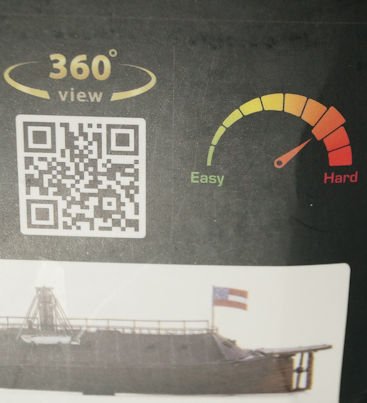
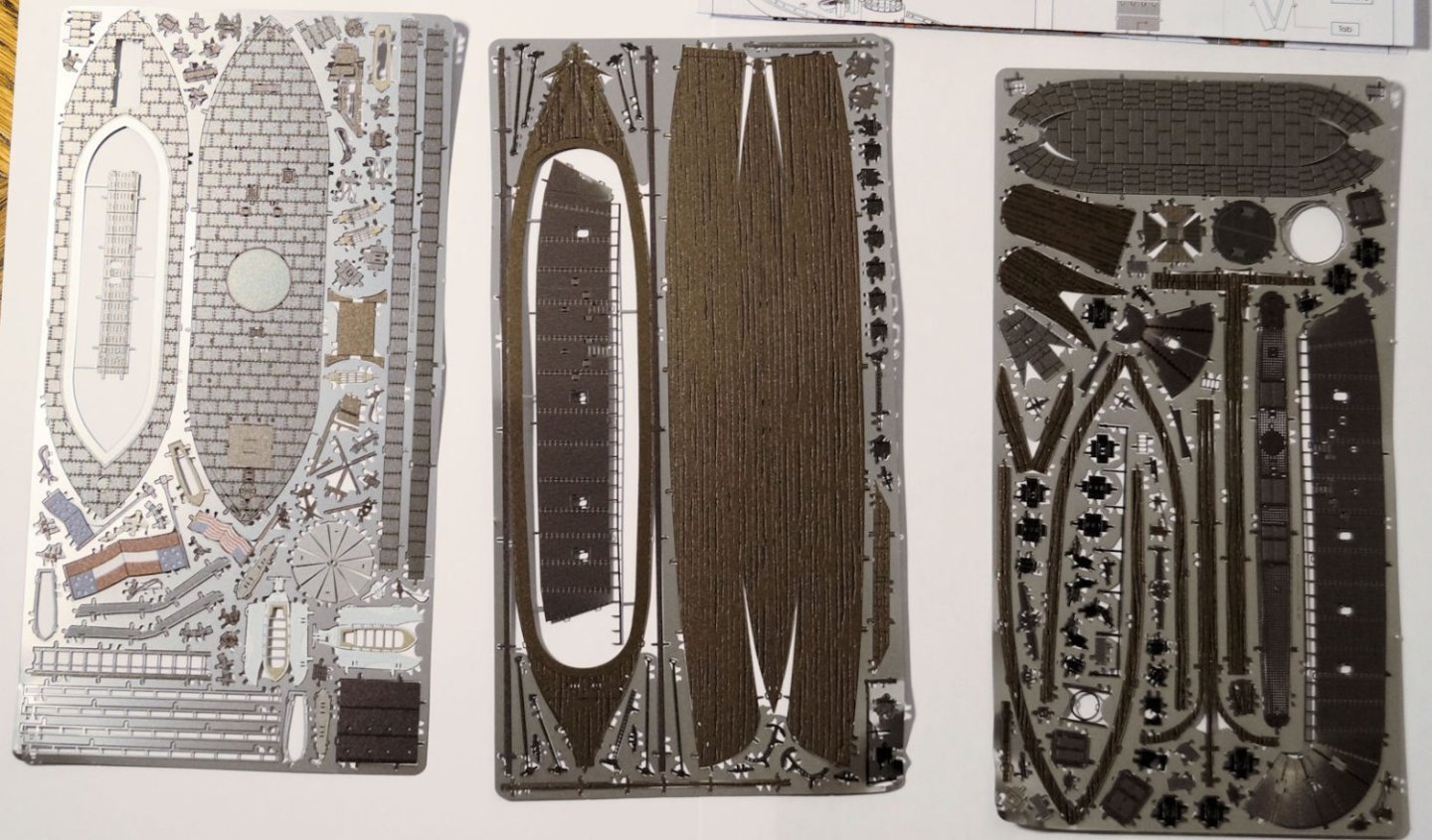
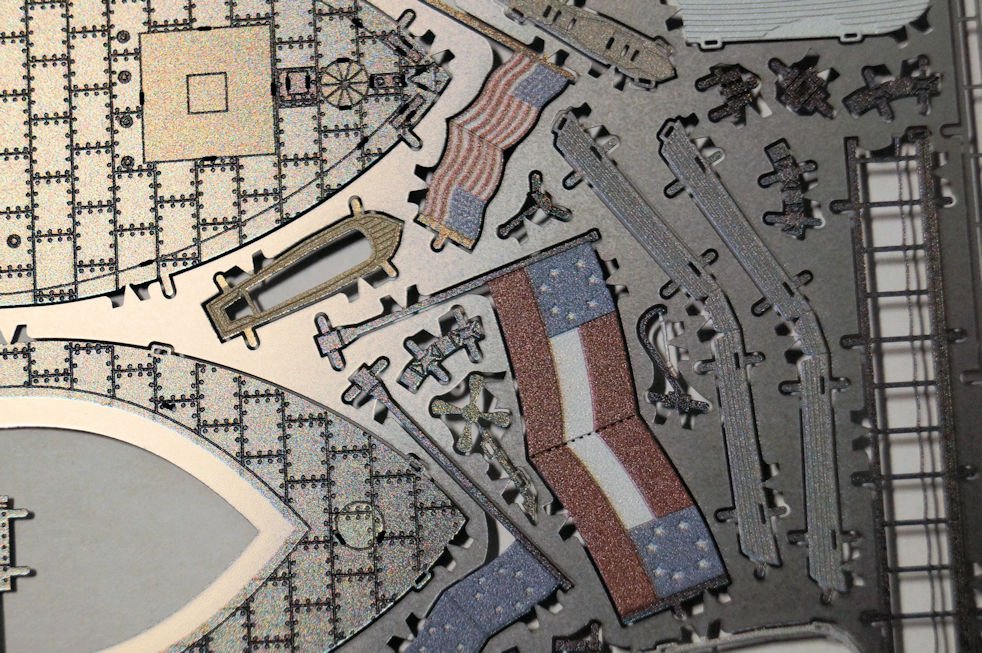
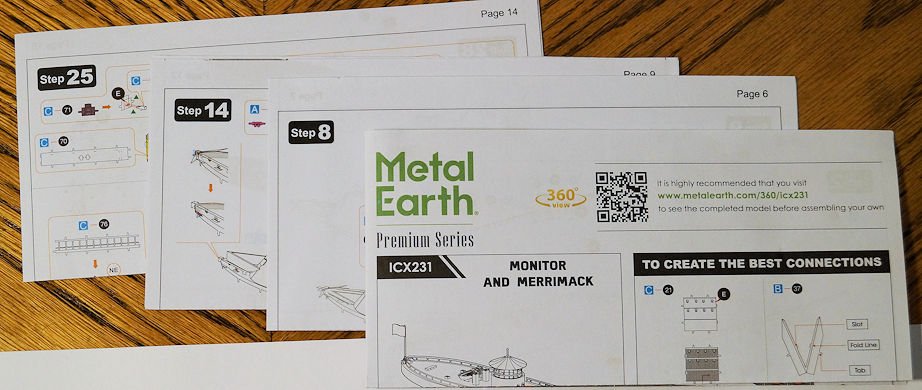
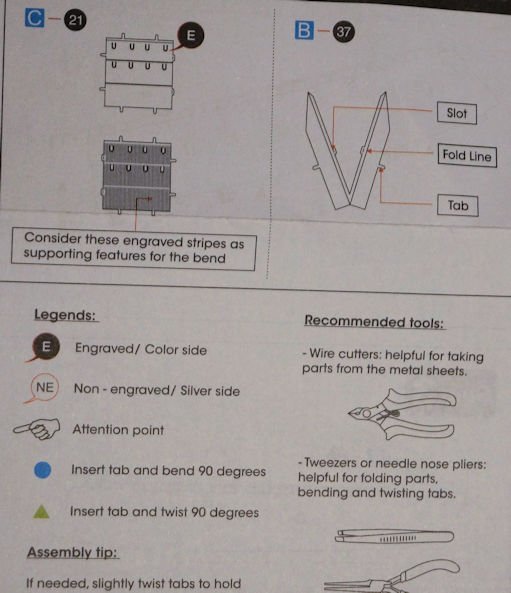
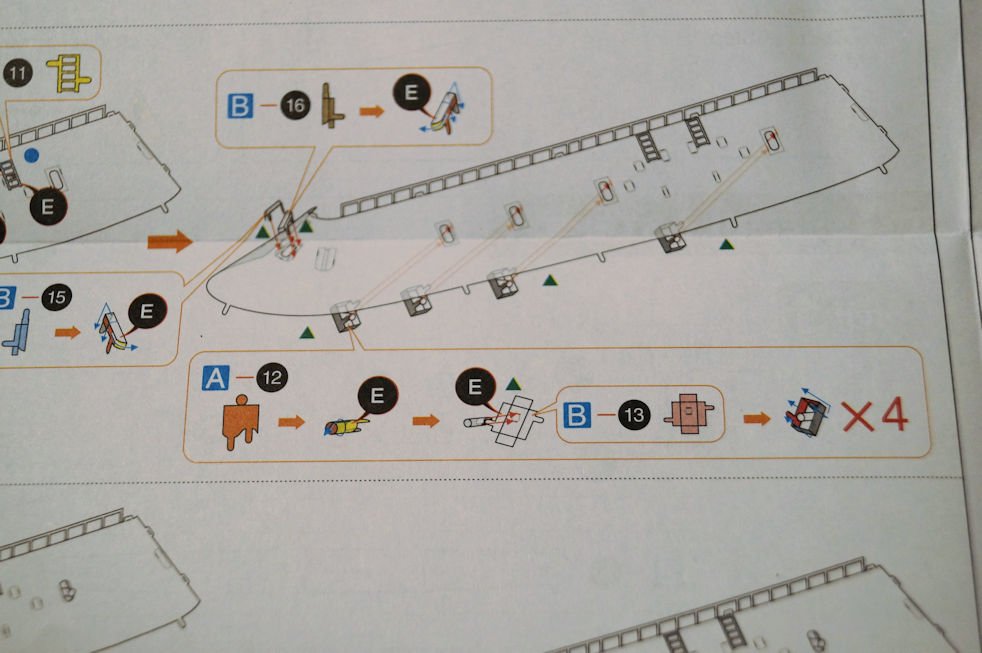
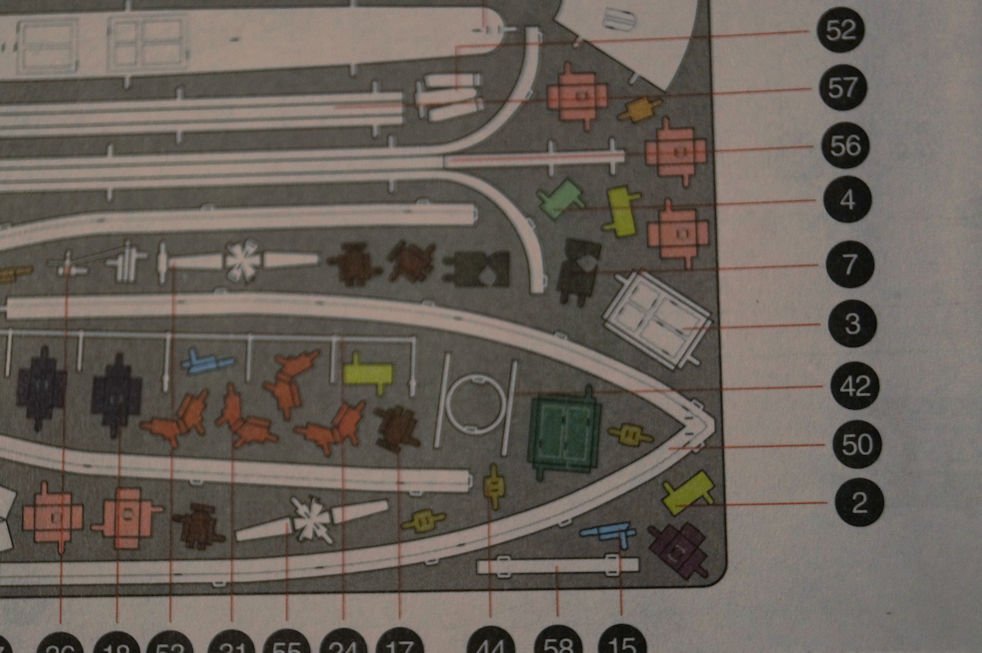
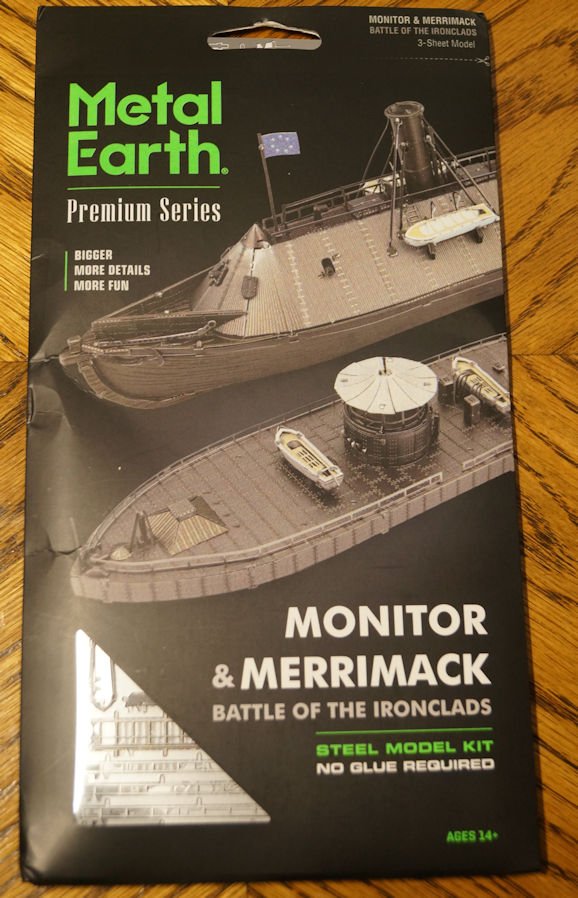
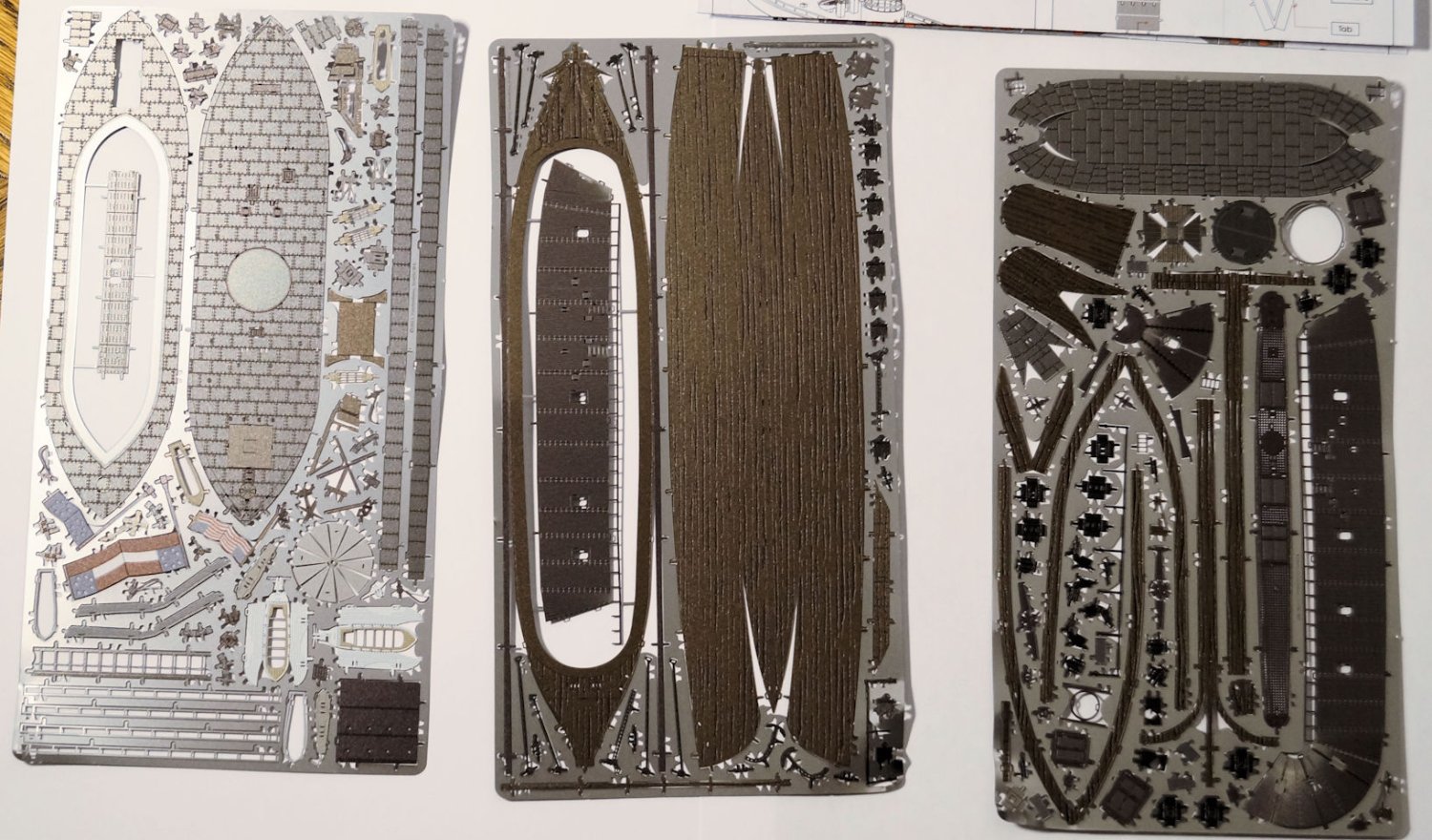
Step 00 - Review of the package contents. I realize this isn't the usual model build by virtue of the kit I am using. However, I think the uniqueness will provide a different modeling experience. This post will give a detailed look at the model’s components and instructions I am going to call this Step 00 since the actual assembly starts with Step 1, which I will call Step 01 later. Side note: the Merrimack has 22 steps; the Monitor has 9. Each step may fit several components together, so there may be several sub-steps. Example: The first step will cover hatch covers (3) and vents (3) which each have to be formed/assemble and then installed/assemble to a larger part. Not unusual for those of use who build models of any kind. But I didn't want to give the impression or oversimplify the build. This is the package – tools sold separately. The tool kit is available through Metal Earth. I bought the tool kit when I got one of the previous models. I use the tools in the photo as a sense of scale for the package. I made sure to have plenty of decent tweezers on hand, too. Any fine needle nose works, the finer the better. If you have a smaller cutter, that would be helpful as this tool barely fits in where the cut is required. They chose to use two different scales for the ships: Monitor - 1:370; Merrimack – 1:393. Not too far apart, but one would wonder why. I would assume it has to do with supplying parts in a laser etched format while staying to a specific size for the laser cut sheets. Time for a skill set check. Age 14+: Check plus, plus, plus. The instructions are clear and easy to follow for this age. If they can handle LEGO instructions, these instructions will be no problem. The skill set is a bit more complex than LEGO. Difficulty level: 8 on their 1 to 10 scale. They call it challenging. The Golden Hind I did previously was 'moderate' which is 3-5 on the scale. I think I can handle the challenge. The kit includes three sheets of laser etched metal sheets. They call them (but do not mark them) A, B, and C; that becomes important later. I think the detail very nice and includes colors on the various pieces. There was an issue with the corners being bent. But I did not run into an issue as a pair of flat pliers from the tool kit fixed any bends of the small piece. Here’s a detailed look at one section of sheet A. You can see the sheets are colored/etched which should add visual appeal to the model. They include 4 double-sided sheets of instructions, all symbols, and detailed drawings. Only a bit of text as shown below. The only text shows up in the 'general instructions.' To attach the pieces together it’s the ole ‘put the tab A into the slot B.’ You then either bend the tab over (the blue circle callout) or twist the tab 90 degrees (the green triangle callout). I found that without really deforming the metal (which will occur anyway), the small pieces never get secured. They always wiggle a bit with few exceptions. Consider that you attempt to bend something on a curved plane and expect it to be a tight joint. I think you can understand the problem. The metal will get deformed as you assemble pieces. That deformation may loosen some other pieces more. Hopefully, I will be able to straighten the pieces out. But that leaves the loose/wiggly pieces. The solution: PVA. I put glue on the tabs to hold them in place. Fortunately, most of the glue sites are internal to the model when it is completely assembled. My sloppy gluing will not be seen. In several cases the glue broke free as I progressed. Those times required I clean the joint and reapply the PVA. Also, I had to clean out some of the slots because I was messy with the glue. (In my defense, you will see the tininess of these components.) In summary, Glue Not Required is true. However, I highly recommend the use of glue PVA or 'Superglue' to help hold the tabs in place. Here’s detail of one of the sub-steps on the instruction. This aspect of visual instructions proves to be an excellent method. Remember that A, B, C aspect I said would be important? Here’s why. You see the letters in a blue box. That points you to the proper metal sheet. Then they provide a number which identifies the part. I followed the adage that the part number represents the assembly sequence. So far that works. You will also note that the piece is colored. Another aid to finding the parts you need. Here’s a detail from the instruction page which locates the part on the sheets. In the above photo, I call your attention to number two at the bottom left column. Note it points to a color-coded piece. The color is the same as on the instruction step. Further note that for this part you will see multiple pieces of the same shape and color, though rotated to fit the metal sheet. When the instructions say something like X2 or X4, that’s the number of assemblies/pieces you will need for that step. You then just locate the piece(s) on the appropriate metal sheet, cut them from the metal sheet and assemble as pictured in the instructions. Though I have done several steps, I will pause here as I do a bit of photo editing. I will post in the next day or two a couple of the next steps. Any feedback on this log presented so far will be appreciated.
-
As I write this, contractors work downstairs doing a kitchen and living room renovation. Since I have to stay out of the way, I decided to work on a model. This is my first build log. I intended to use another model for that. However, we some times have to go with the flow. This will let me get my feet wet in the process of logs. I have an unconventional workspace for this project since so much stuff is in storage during the reno work. I am working on an end table while sitting on the floor or bent over from a chair. I find it hard to work on the model for very long. However, the steps are relatively short. The model I chose comes from Metal Earth (Link). They produce models of many items, genres, and scales. They have a few ship models in their portfolio. When I bought the kit that includes the Monitor and the Merrimack, I thought the model an interesting interpretation and concept. The number of tools needed for their models is minimal: cutters, needle nosed pliers, and tweezers. Add in some form of work magnifier and good lighting. And while the packaging says, “no glue required,” the key word is ‘required’ but with a caveat. (More on this later.) That answers the question, why this model at this time, which is good question to ask yourself before a building project. Additionally, I had assembled a previous model (Golden Hind) from Metal Earth. That process went well with decent results. I also want to point out that while the models have a sense of authenticity, I am building it for display over historical accuracy. As a point of interest to some: I paid $25.00 (US) at a game/hobby shop for this model of the Monitor and Merrimac. As I start posting I am up to step 9 of 29 steps outlined in the instructions. So, I will have some hindsight and previews of upcoming parts. I will 'post' with logical breaks in the flow so it's not one long thread. This is such a stop point.
- 42 replies
-
- 10
-

-
For what it's worth... I use OneNote for OCR conversion: MS app included with Office365 subscription. Does a good job from jpeg or png (which also means screenshots). Can be edited (fine tuned) and saved to text/doc editor. Short learning curve to take full advantage of the tool.
-
Planking Help Needed
robert952 replied to JDillon's topic in Building, Framing, Planking and plating a ships hull and deck
@starlight the article link links back to this thread. You may want to edit the link to point to the planking article. The planking article can be found as you described via the Articles Database link you provided. -
Just as a few other 'options'... and a bit OT but hopefully useful. Yep, images from a phone can do strange things when transferred to a PC hard drive. However... In File Manager (Windows - not sure if other operating systems to this), right click a photo icon (jpg, png, etc.) and you have options in the drop down menu to rotate right or left (90 degrees per click) . The file just rotates and 'overwrites' the original without having to specifically tell it to save the file. You can also use Windows Photo Viewer to open a photo file. WPV doesn't require the computer overhead of larger photo editors. Advantage of this software: if you have several images in your directory which need rotation, you can use WPV to rotate a file (which is automagically saved in the new orientation as with above) then use the right or left button to move to the next image. Rotate is the only 'editing function' here. AND...Windows includes an app called Snip and Sketch. The main purpose of this app is to do a screen capture as an image (not a video). But you can also open an existing file and rotate it. Plus you can crop it to remove background stuff to focus on what you want to show. You do have to do a file save. That allows you to maintain the original image and have the edited image. S&S has a few other tools that can be helpful in some very specific uses but not full fledged photo editor. (And for those fluent in PowerPoint - there's actually some pretty decent photo editing tools there. But I have hi-jacked this thread enough for one day.)
-
Auto login failure
robert952 replied to Dr PR's topic in Using the MSW forum - **NO MODELING CONTENT IN THIS SUB-FORUM**
Since you reference 'Firefox,' this may not be of help. I use Google Chrome. Even though I do click 'remember me,' I get a pop up that says (in effect), 'You changed your login for this site' and it shows the login id and the asterisks I used for all my passwords. I forget the exact prompt that is basically yes/no. It's something like Accept/Cancel or Update/Cancel.) If I hit cancel, I have to change the PW again to get the popup. Not sure how to force the popup other than change the PW again for the site. Also in Chrome, you can edit all your login IDs based and even add to the list. It's under Settings/Autofill in Chrome. Not sure what or if such is in FireFox. -
Thank you for the video. A good way to show the method for fairing the frames. Your videos show a lot of technique on building models. Question: Do you dilute the PVA? If so, how much? I am looking forward to this build.
-
Just now jumping on board this log. I appreciate the details in this log. Also, thanks to those contributing their experience and tips. Nice looking ship. As you said, interesting history to go along with it.
-
@amateur and @Paul Le Wol Thank you for your input. I appreciate you responses. As you see, my bad. (Am I old enough to plead old age and senility?)
- 7 replies
-
- 2
-
-
- photo gallery
- photos
- (and 1 more)
-
Apologies. My keen sense of non-observation succeeds again. I am not sure why I wanted to tie the "New Images" sub-banner to the upper images. My best guess is that the space between the links and the 'New Images" is less than space between New Images and the photos below. That's all I can figure happened. Further analysis would mean a trip into my inner brain and that is not a trip anyone should make. Thank you for the quick response.
- 7 replies
-
- 1
-
-
- photo gallery
- photos
- (and 1 more)
-
I see the stats showing 21.6k images in the Gallery. When I click on the "Gallery" link in the masthead I see 'new images' and a list of recent contents. But I do not see a way to get to other galleries to see more of the 21.6k images. I know I often miss the obvious. I looked through this thread and searched other things. I did see a couple of threads about the Gallery in this sub-forum. But nothing that points me to the whole gallery. I can search for ship names, member names, etc. to get to subsets of the galleries. But just to peruse the gallery, I don't see a link/direction. Any advise? Am I not seeing the obvious?
-
A great thread for those of us with restricted work shop options. @wool132 Thanks for posting and labeling the picture of the miniature planes. It's tidbits like this that make this site a valuable resource tool. I've been pondering the issue of sawdust with my next project. I would probably would have found Lee Valley site...eventually. But, it might have taken a long time to find that specific treasure trove. The Admiral says I can use some of the money collected from our garage sale to buy something. (I may have convinced her of how much money I can save by buying a collection of tools. 😁 ) The Admiral liked your warning and made a comment that she would hate to restrict my access to these adult sites.
-
Having played my fair share of wargames (including a few Napoleonic era battles) with miniatures, this is a fun thread to follow. A Waterloo game was one of the early wargames I purchased (well, it came with a copy of Strategy and Tactics magazine). We didn't have a lot of 'dead soldiers.' We just put a piece of a drinking straw on the stands to show reduced firepower. Nice work, great details. Thanks for sharing.
-
Great progress. I am enjoying this build. From an 'estate sale' I bought modeling books Some were on miniatures, and several on the Golden Hinde. I doubt I will model the ship, but your work gives me more appreciation on the vessel. Thanks for updating the thread.


Our Emblem ®