

thibaultron
-
Posts
2,954 -
Joined
-
Last visited
Content Type
Profiles
Forums
Gallery
Events
Everything posted by thibaultron
-
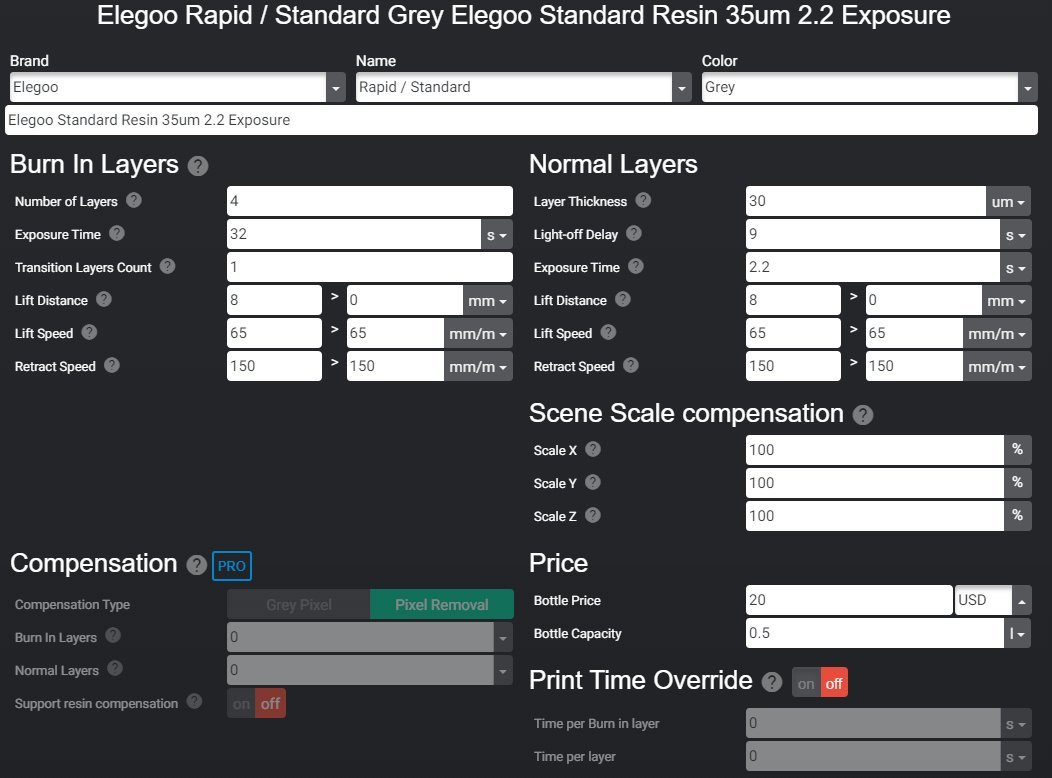
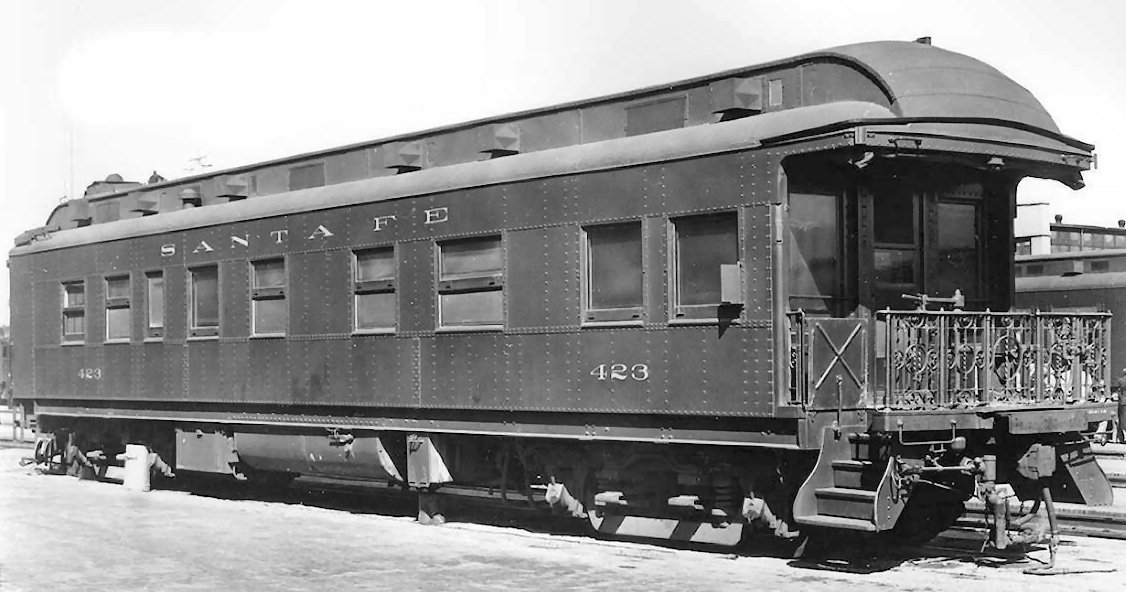
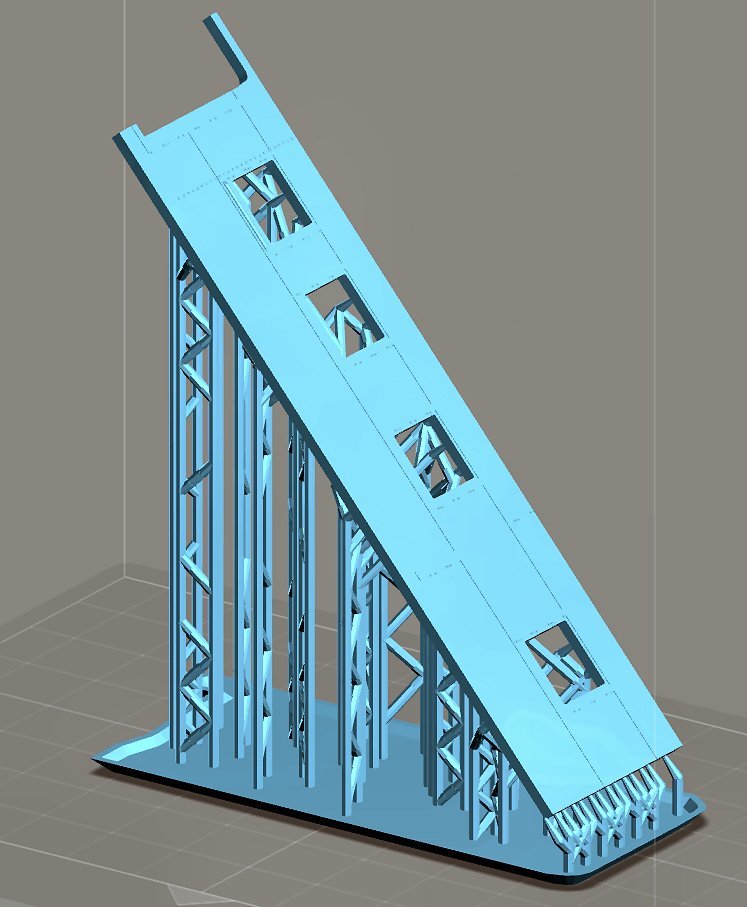
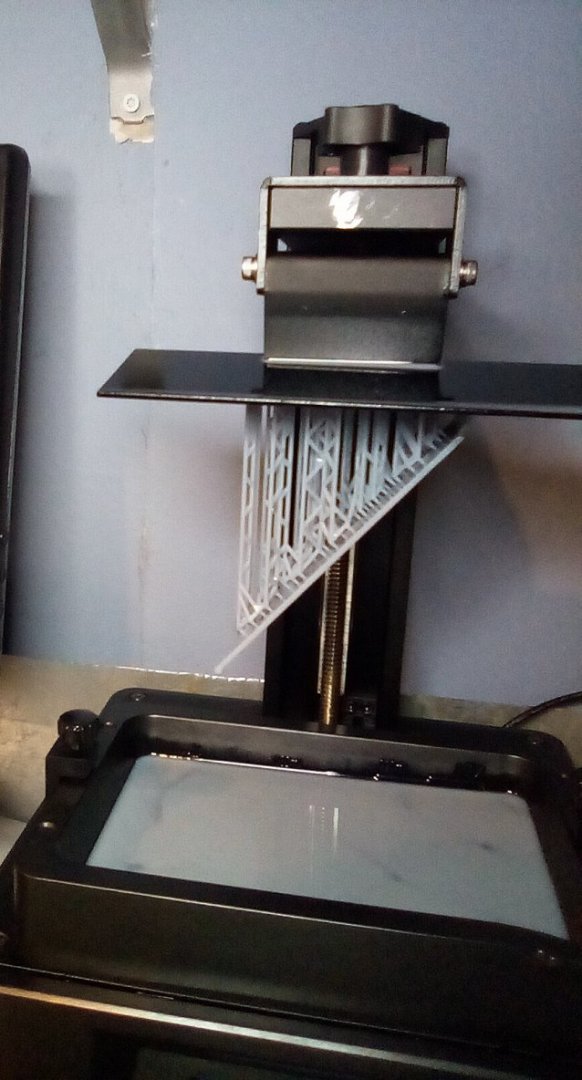
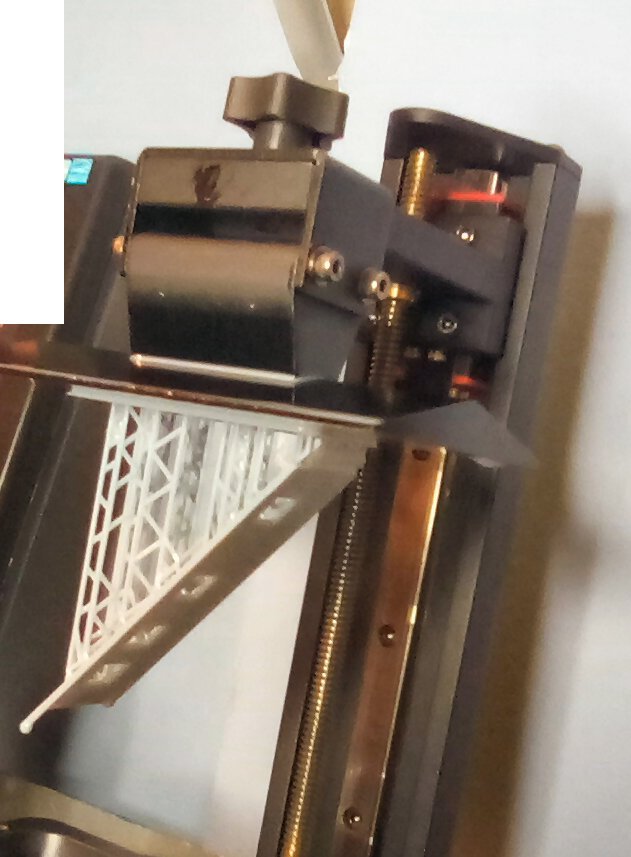
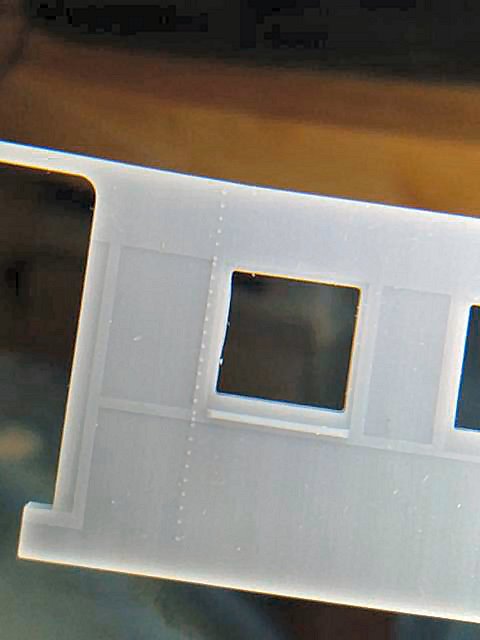
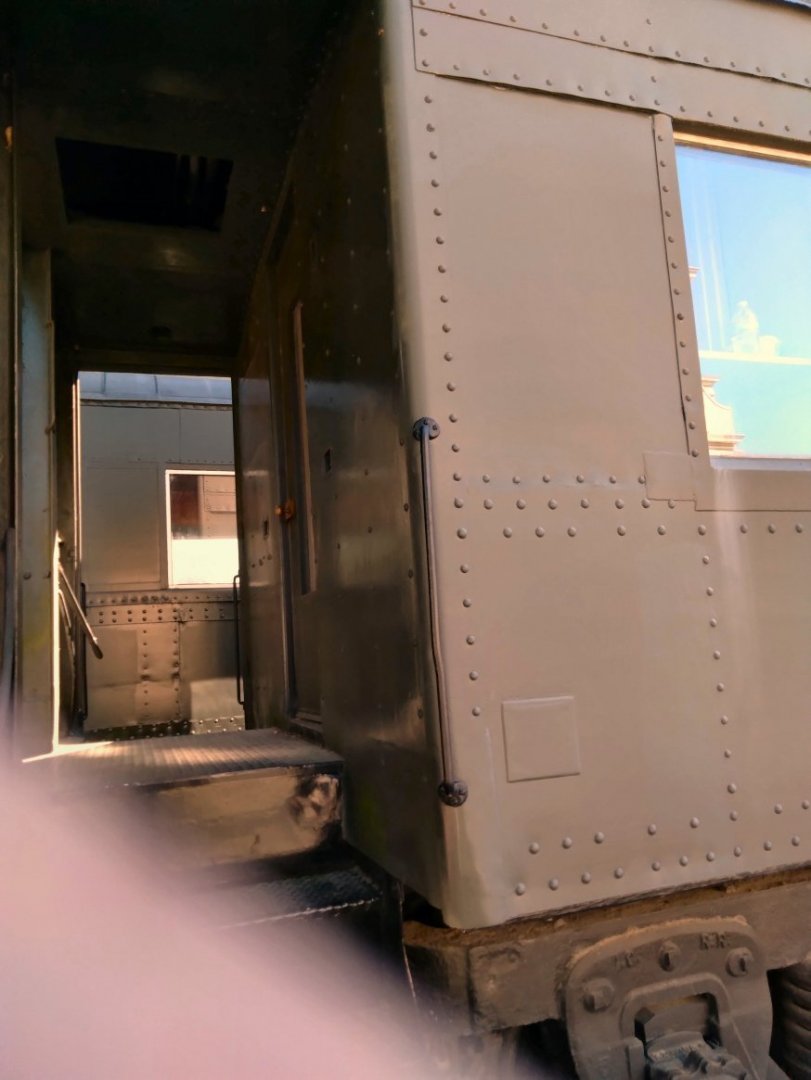
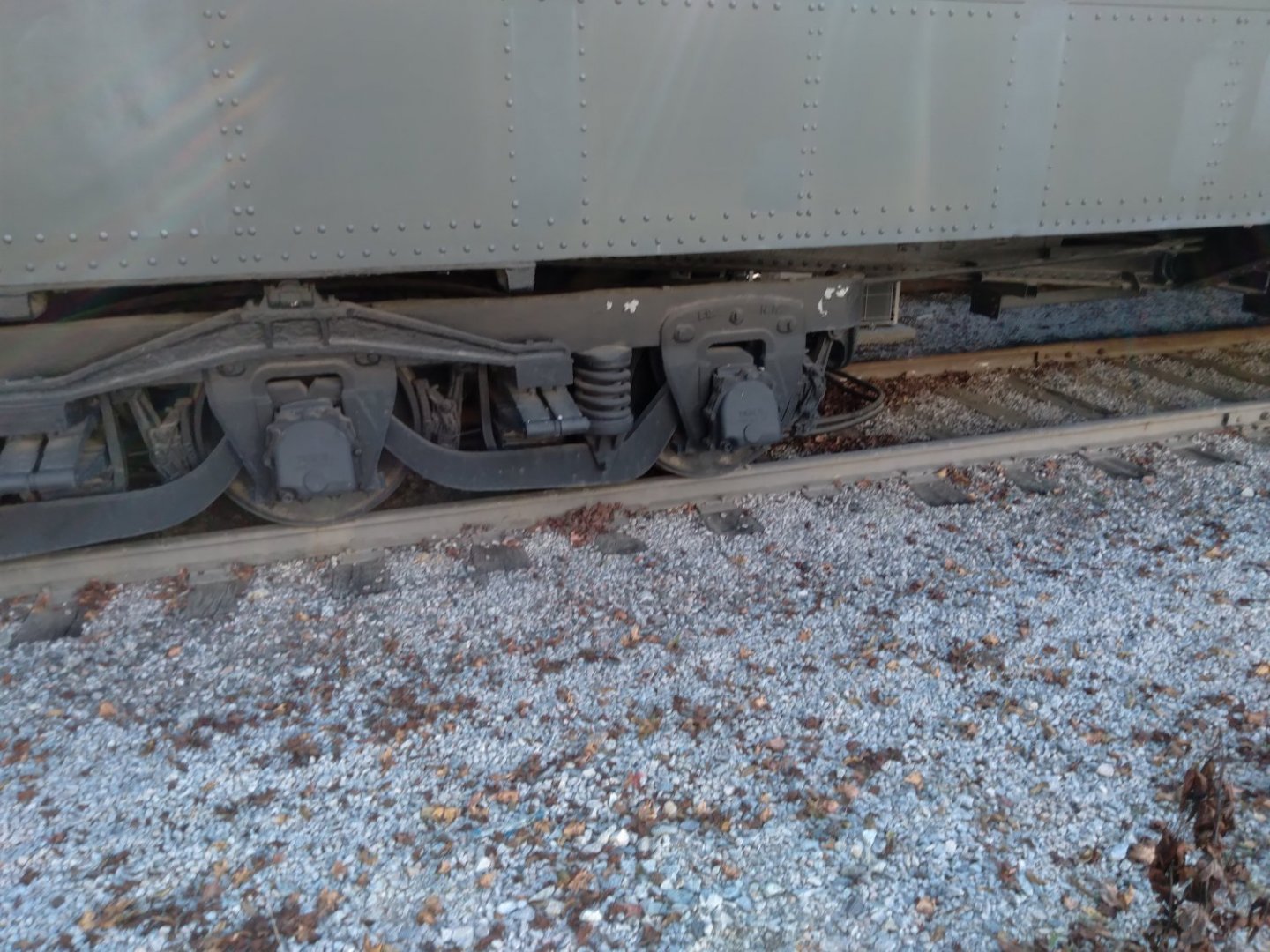
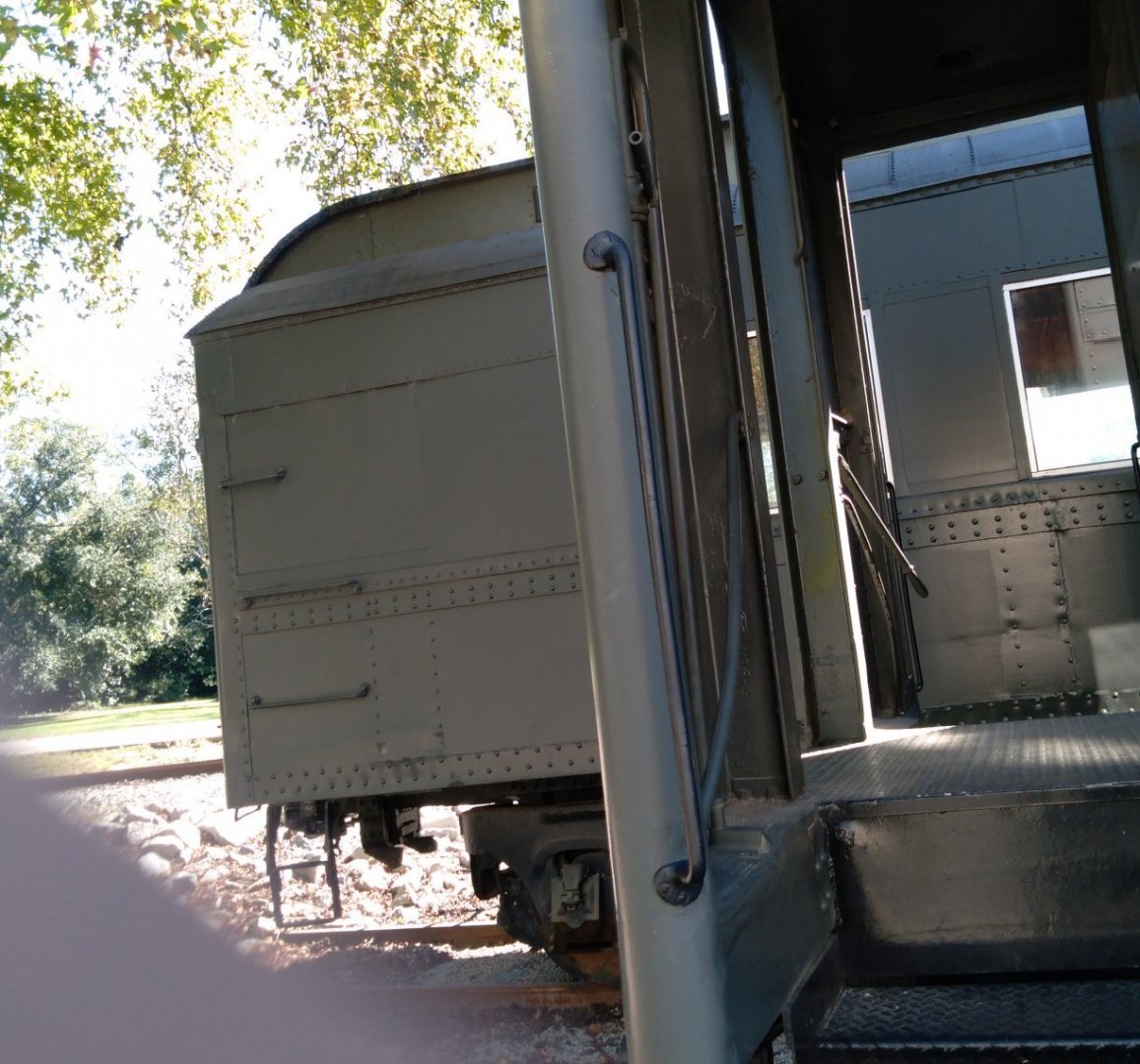
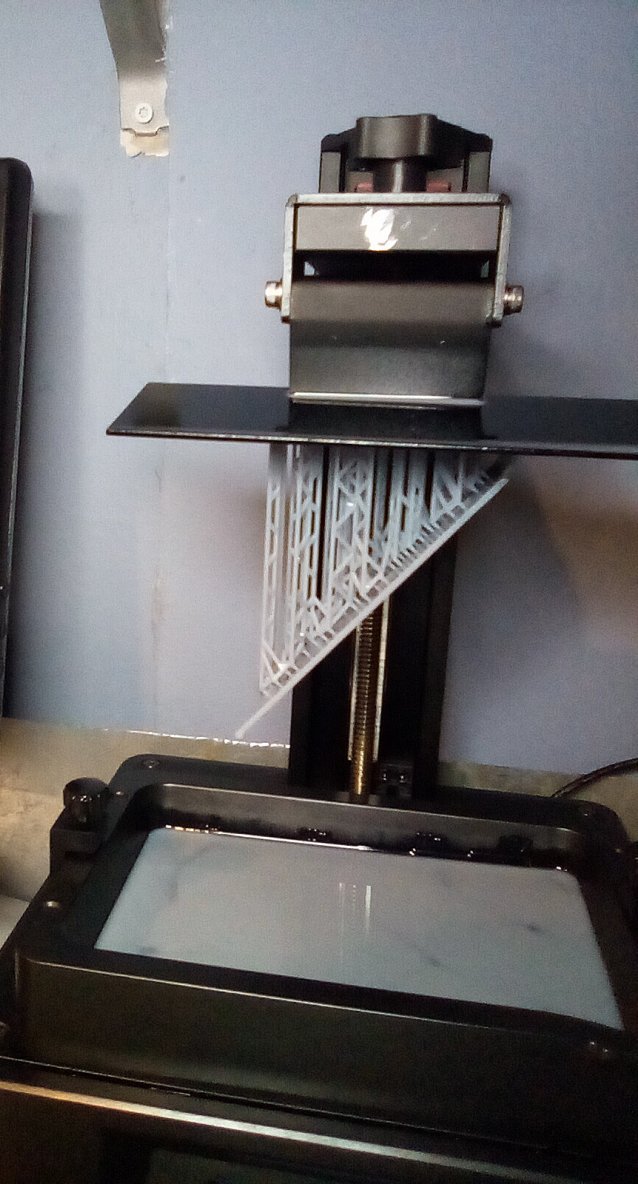
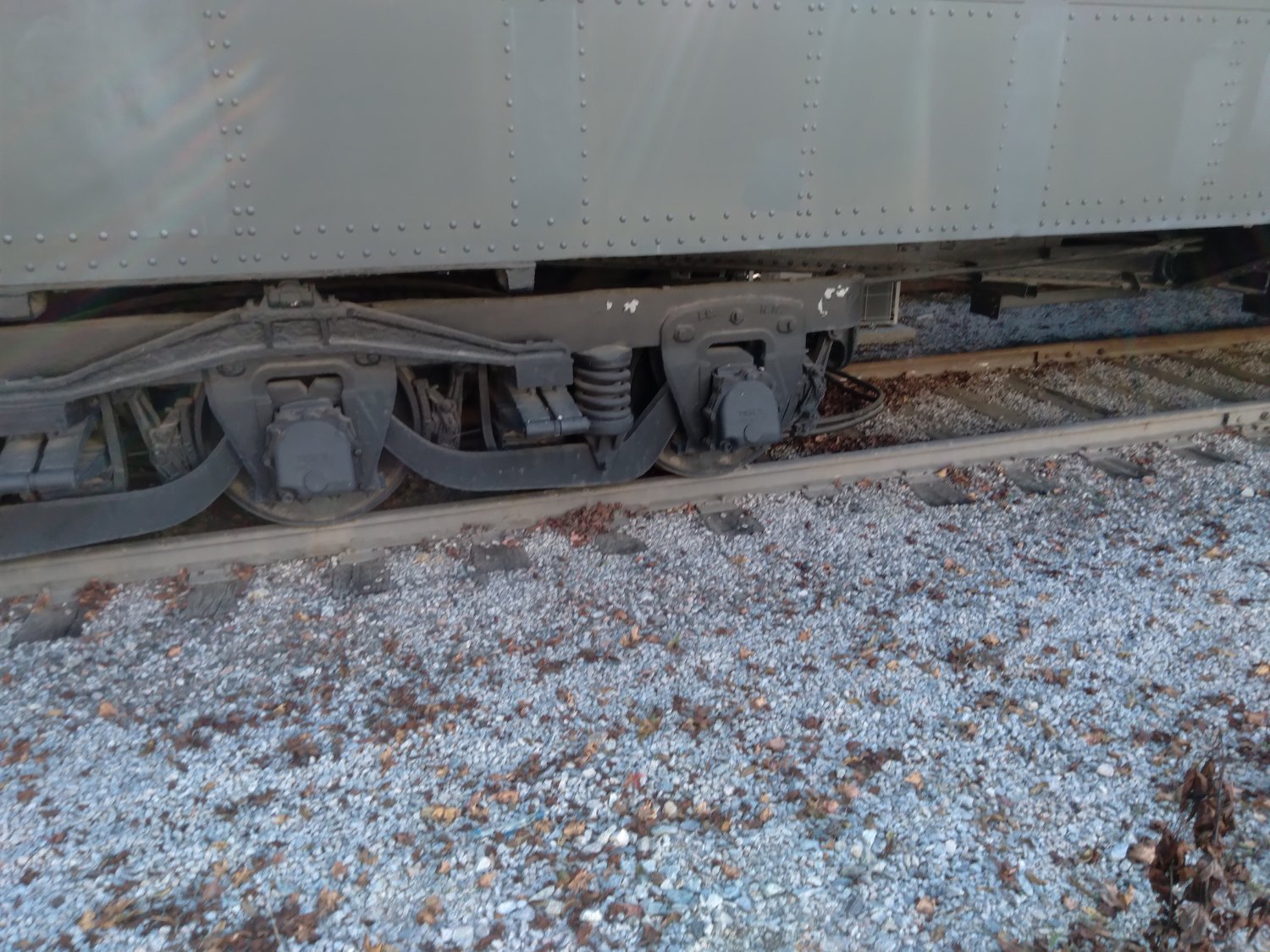
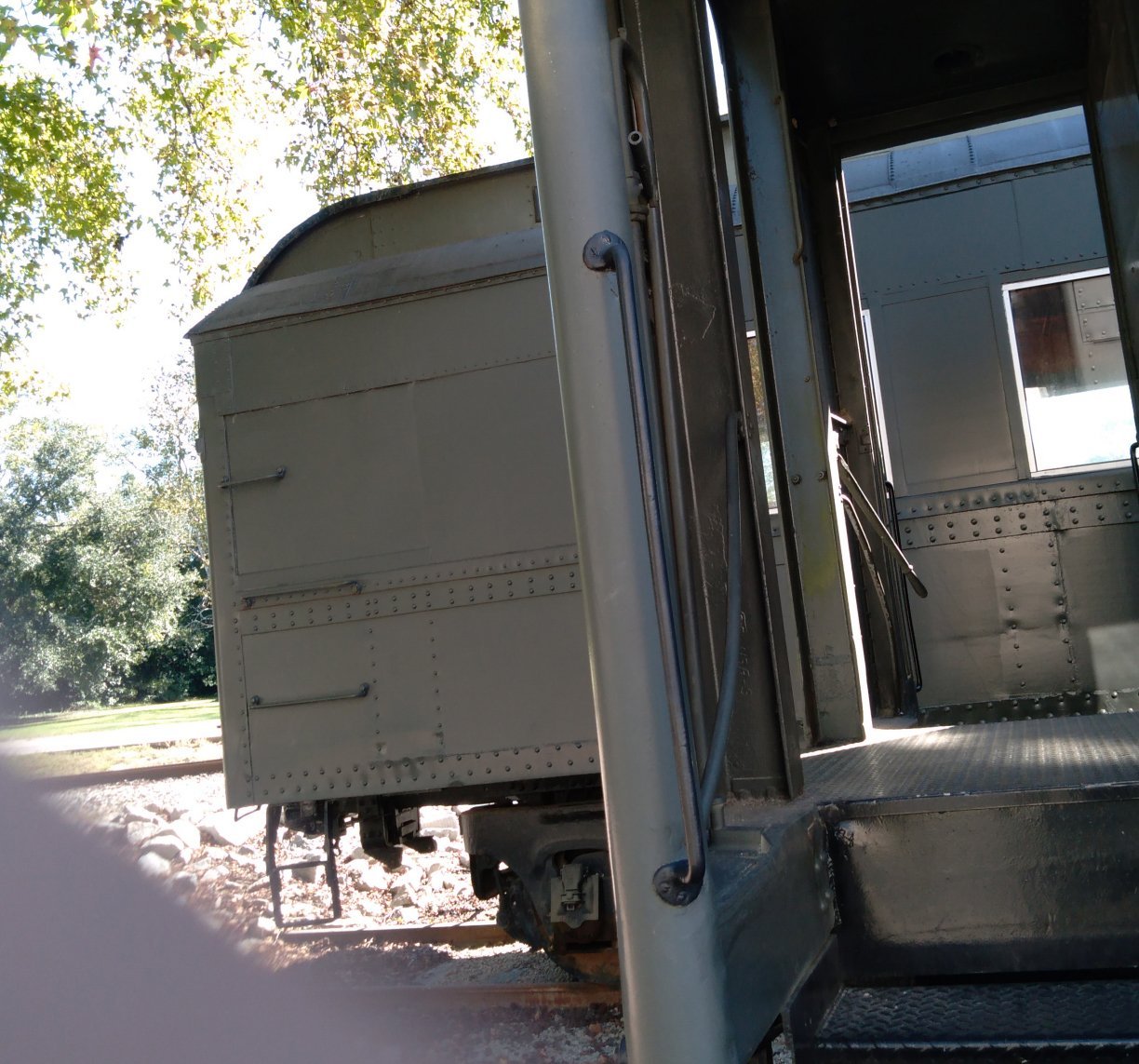
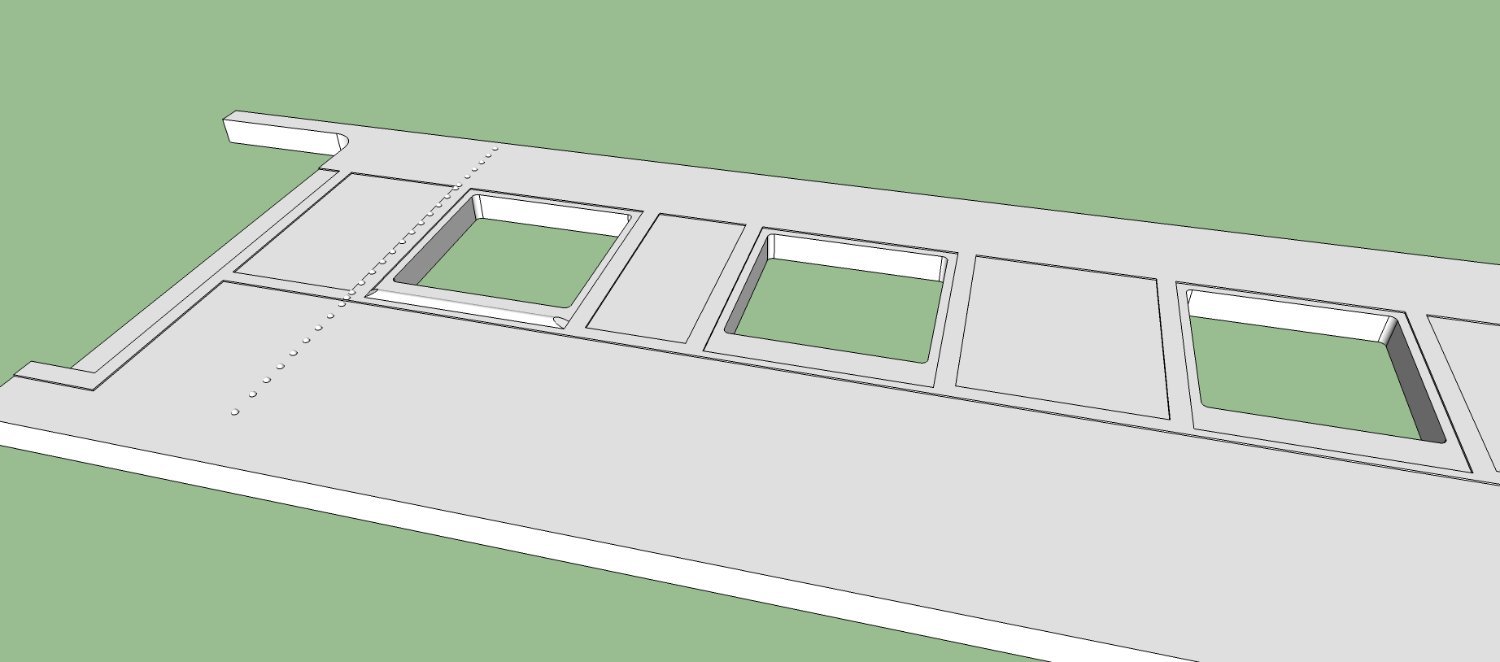
As promised, here is a more detailed write up on my passenger car test print. Santa Fe Superintendent’s Car In Ho Scale Finally got a test print of the rear of the car printed! I wanted to make sure the 1” scale rivets would print out on my Anycubic Mono 4K printer, as well as seeing how some of the other features appear. The short answer is, fantastic! Maybe too well in fact. Anyway, let’s start at the beginning. The railroads used Business Cars for the travel of the upper management during railroad related activities, and the occasional personal ones also (the perks of position). These resembled regular passenger cars, but were better outfitted. The Santa Fe in addition had smaller slightly less fancy cars for their division supervisors, that were used as they traveled back and forth across the tracks they were responsible for. There are only a few HO Scale models of these cars, two offerings from brass importers, and an old somewhat crude (by today’s standards) 1960s vintage stamped metal sided kit, all out of production. The brass models, when you can find them are expensive, and one model from Hallmark, only represents one of the 20 or 30 cars in the class. During their lifetimes (1920s through early 70s), they were modified, many extensively when air conditioning was added, and some changes were made when different groups of cars were delivered in the 1920s. These cars were also shorter than the regular 80 foot long business cars, at about 60 feet long. Anyway, after many months of drawing and correcting as I found new information, I’ve final reached the point being able actually 3D print something! In this case just a test print of about half of one side. I wanted to test both the printer’s ability to print details such as HO scale 1” rivet heads, and the height difference between layers of steel sheets, and the visibility of those features. I didn’t want to lay down several hundred rivets on top of two differ height layers, only to find that they didn’t print at that size! The 3d file for this test is shown here in a screen shot from the Lychee slicer I used to create the print files. This has one row of vertical rivets along the left side of the leftmost window, as well as the various levels of steel sheets and trim. That window also has the window frame recessed and the half round outside window sill. The section of the car side is 30 feet long. The print took about 16 hours to print, at a 30um layer height. The 30um height was chosen as one full length side fits inside the printer’s print volume at about 50 degrees of tilt, and with this printer placing the print at 49.4 degrees with that layer height gives the smoothest surface finish to all those large flat areas. Just take my word for it. I developed a nice spread sheet based on some Web write-ups and videos, to calculate those settings. The print was done at an exposure of 2.2 seconds per layer using Elegoo Standard Rapid Gray resin. When you go to thinner layers, you need to reduce the exposure time by ½ of the percent difference in the layer height. So from my standard exposure of 2.75 seconds for the standard 50um layer height (30 being 40% less than 50), I reduced the time to 2.2 seconds or 20% less (technical jargon portion finished). After about 16 hours of printing I had this finished print (Yea! No failures) hanging from the build plate. Settings And the important end of the printed side. I have, unfortunately misplaced my camera (messy shop) and this is the best shot I could get using a magnifying lamp and my cell phone camera. The rivets and layers printed out perfectly! Unfortunately, they may be too fine to actually be seen, once a car is painted! So I’ll have to paint this and see what it looks like. Here are some photos of an actual passenger car, I took at my local museum, and the rivets stand out much more in person, even though the printed rivets are completely scale and the same size as the ones on this car. There is a problem with the print itself. If you look closely at the photo you can see that the left side of the window ID bowed out a little towards the inside. I’ll have to add some additional supports to these surfaces. The part came out to within about a scale ¼ inch over the 30 feet, so I’m satisfied. The print is also flat, and over the last few hours has remained so (sometimes a problem with resin parts). And a shot of the car behind this on to show a view from a slight distance These pictures were taken with the sun behind me, so that could be adding to the contrast.
-

1/200 Trumpeter IJN YAMATO - issued by MRC/Gallery Models
thibaultron replied to yvesvidal's topic in REVIEWS: Model kits
Accourding to an article in Naval Proceeding in the 80s. The Japanese ships used WWI era technology for armor and shells, giving for thickness of armor per inch less protection than the American WWII era battleship armor. The shells also had less penetrating power. So the larger guns on the Yamato, and thicker armor only had better performance at long range where the larger heavier shell would have better performance in plunging shots. The US ships had better radar controlled firing systems, and better speed, allowing them to better set the field of battle. At closer ranges the US ships armor and shells held the advantage. But we will never know for sure.- 104 replies
-
- 5
-

-

-
- MRC/Gallery
- Yamato
- (and 1 more)
-
Figured out Lychee's problem with the car side. I imported it into Netfab, and the problem was in the supports Lychee added!. Netfab fix, whatever it was, and now Lychee's happy.
-
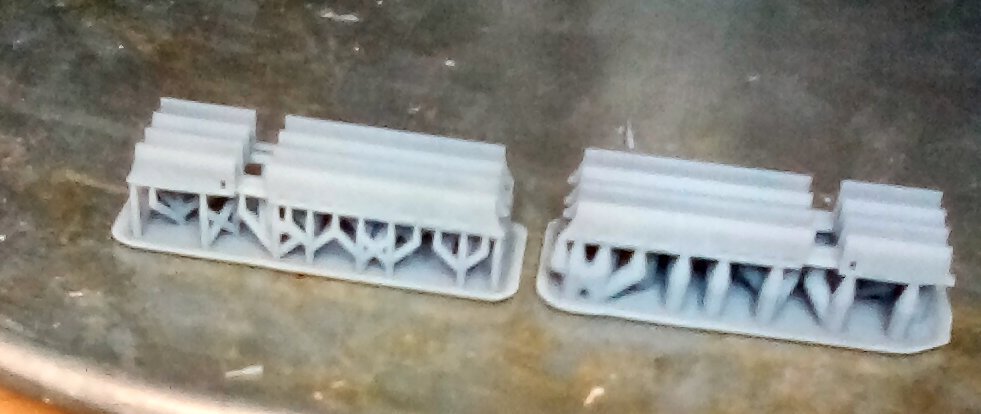
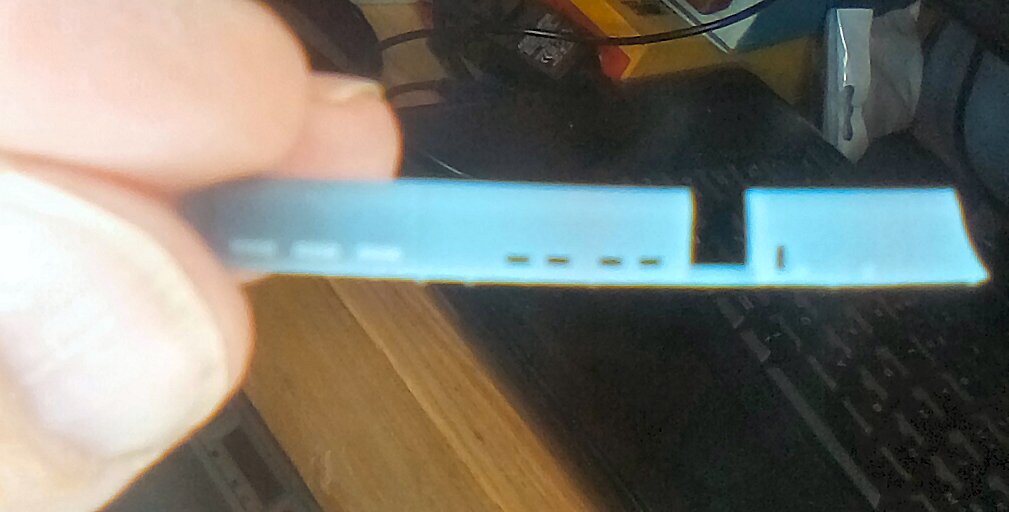
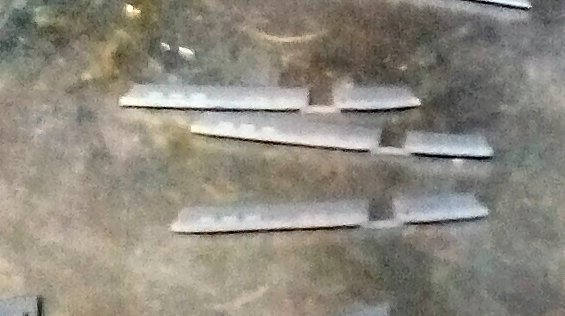
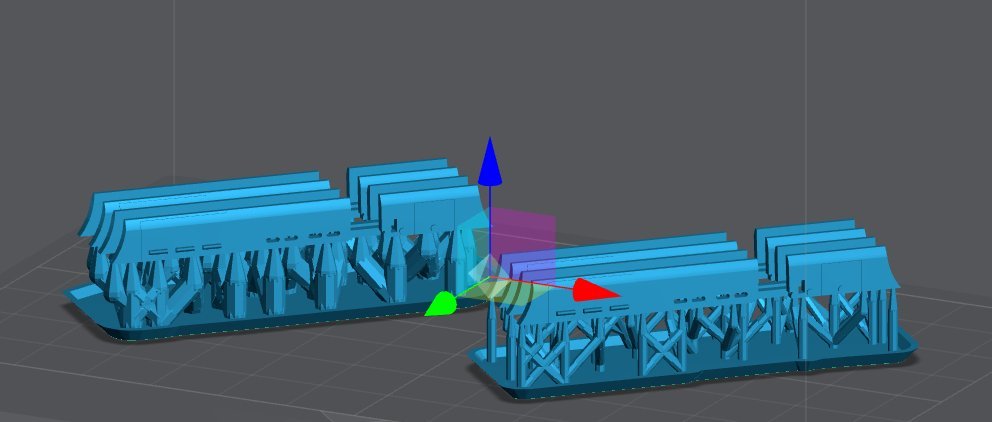
Well the second print of the skirts came out much better! These were done at a 2.75 second exposure, 50um layer height, and 1 minute cure time. Again the pictures are blurry, due to the limitations of my Kindle camera. My phone camera does much better, but a couple of months ago my computer stopped recognizing it, I suspect after one of the MS updates.. Again here is the sliced file Here is the print of both the medium (left) and Heavy (right) support versions. If you look at the tips at the far right, you will notice that bottom of the tip is curved up. I forgot to add supports for the tips at that end. Here is the best I was able to do for a close up of one of the skirts. Trying to hold the part behind my magnifying light and balance a Kindle in front was quite difficult. And finally here is three of the skirts. The other 5 turned out to be in shadow when i looked at the picture on the computer. I will have to slightly modify the final print, as the bar across the two sections broke when I removed the prints from the supports, and I will add the extra supports and tilt the print, to perhaps help with the tip problem. The fact that I forgot to remove the supports before I cured the prints may have added to the bar breaking. All together though I'm pleased with these, they were just test prints. When I go to print the final ones, I will have to use a better resin, this one is to brittle. Probably I'll use Siraya Tech Build, which is a bit more durable. I would like to thank my cat for helping me write this, the blocking of the monitor, and keyboard, as well as the random key hits was enjoyable, Not!
-
The car section I am having problems with, has been checked with Netfab, and passed, and Lychee said it had no errors when I imported it. It is the supported file that Lychee saved as a STL that Lychee is having problems with. I used the Anycubic R_E_R_F file results to get the 2.3 second value, but at 100% light level, I forgot that I had reduced it to 80% to save on wear of the LEDs and LCD screen. These are small parts (2" long by .05" thick each), so I didn't angle them, if the next prints fail, I'll try that.
-
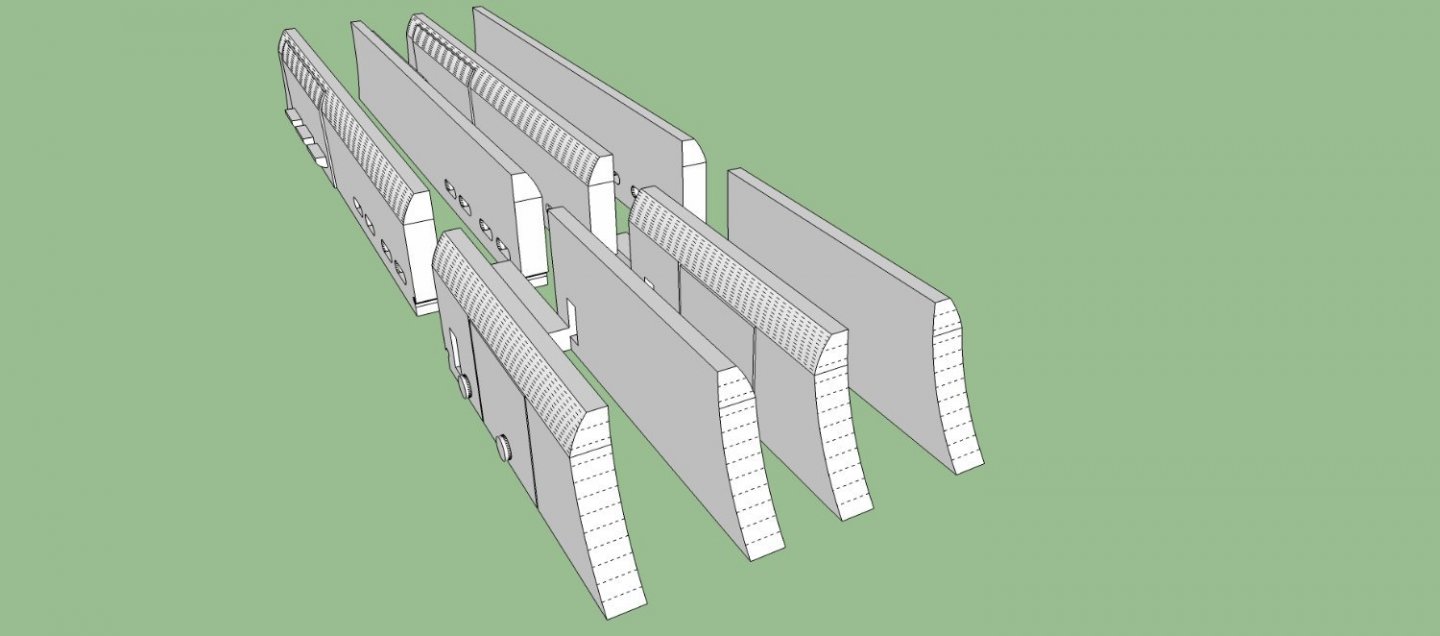
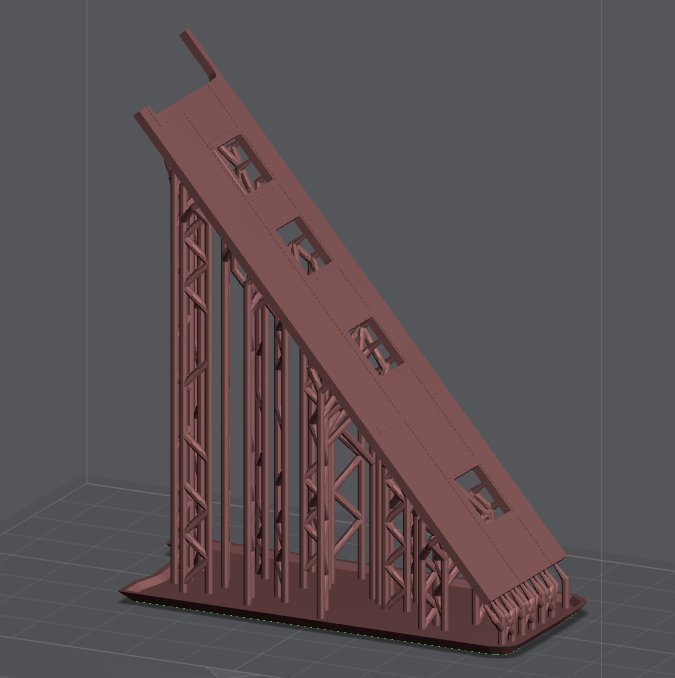
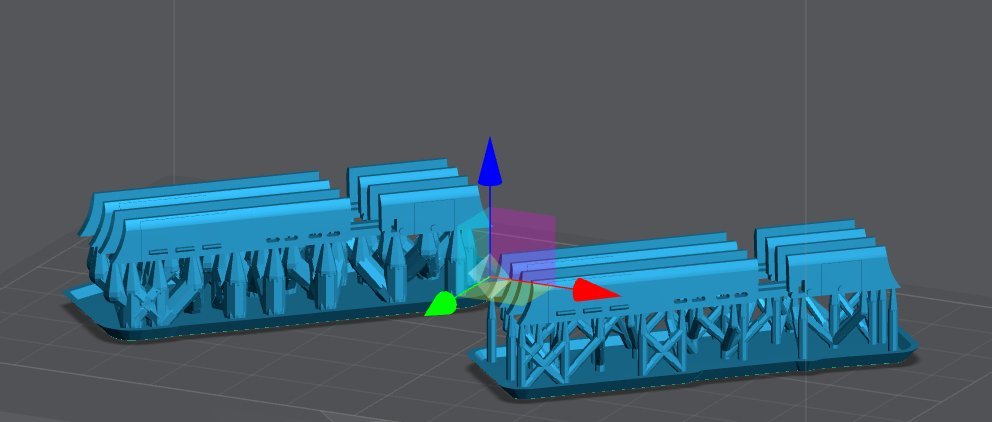
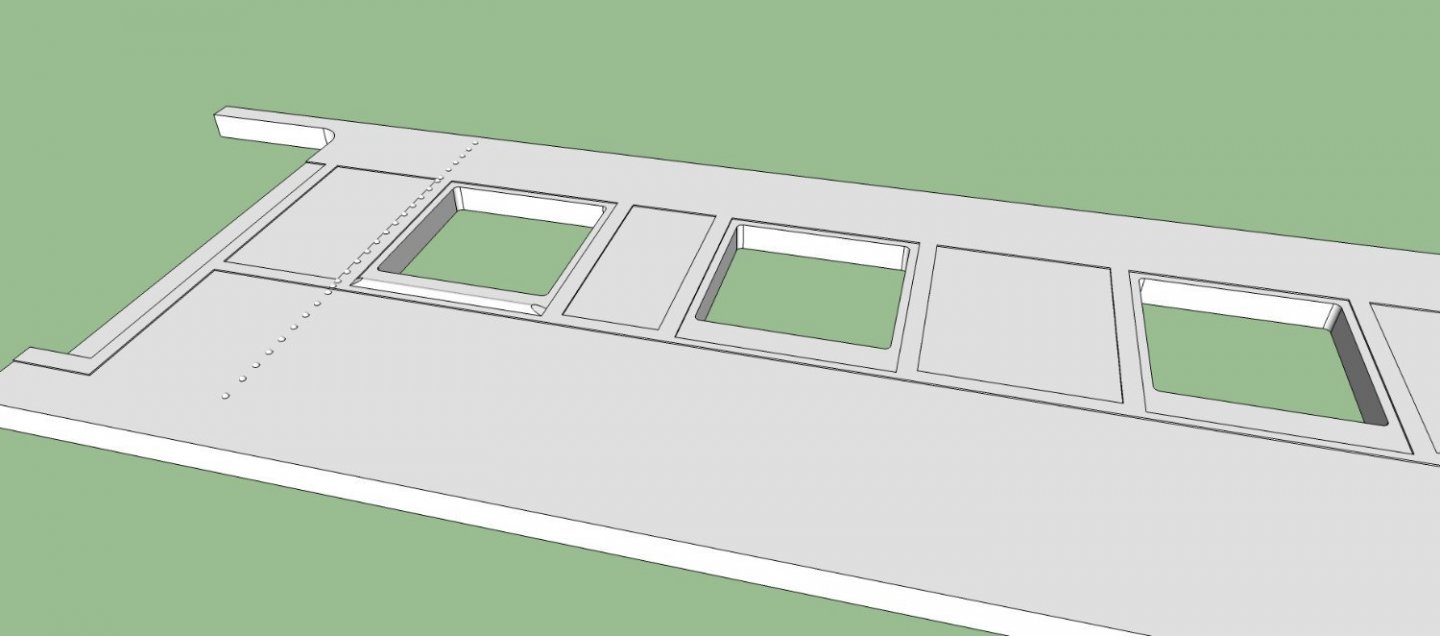
Well, tried my first "real" print today. Fail! I think there were a couple problems. 1. This is the first file I sliced a month or so ago, and I'm not sure I even got the supports close, I think I modified them to reduce the diameter of the supports where they intersect the print, and they were too weak. 2. I forgot I had reduced the light output from the factory 100% to 80%, and I ran my R_E_R_F print at 100%, so my exposure setting was too low. I re-supported the file using both the default medium, and heavy supports at the first exposure (2.3 seconds), and another file at 2.75 seconds exposure. I'll try the 2.75 first tomorrow, If that is successful I'll retry it at 2.3, just as an interesting test. This is what the print should look like after the supports are removed. This is what printed. Sorry about the blurry picture, I can't find my camera, and my Kindle is really pour at close up photography. The finished print should be about 2+ inches long. This is a screen shot of the Lychee file for the above locomotive skirts with both the medium and heavy supports. I'm going to print both at the same time. Once I get a good print, the next one is a short section of the side of the HO passenger car I'm designing. I just want to see if the rivets, and the various layers of steel on the side come out alright, as well as determining if I have to adjust for the resin changing size as it cures. I'd hate to lay out a few hundred rivets, only to find out I need to make them slightly larger to print well! Here is a picture of the section of car side. The rivets are a scale HO 1" in diameter. The various layers are a scale 1/4 inch thick, and one window (left one) has the half round sill. The whole side is a scale 5 inches thick., and the section is 30 scale feet long. Here is the Lychee file for it. This will also test how smooth the surface of the side is, as I used the ArcTan spreadsheet program to calculate the angle (49.4 deg) for a 35um layer height. I'm also running into a problem with this file in Lychee. I import the STL for the section, it says there are no errors. I add the supports, and it is happy. I save the sliced print file, and it is happy. I save the STL of the supported part, and it is happy. Then when I import the supported STL, it says there are errors! If I tell it to fix the errors, it crashes! Then it keeps restarting Lychee, and crashing in cycles. I have to restart the computer to get it to stop! The print is in red, because I imported it for this screen shot.
-
Joe, you are not wrong, but like any material you use in a hobby, learning the materials is part of the process, be it wood plastic, resin, etc.
-
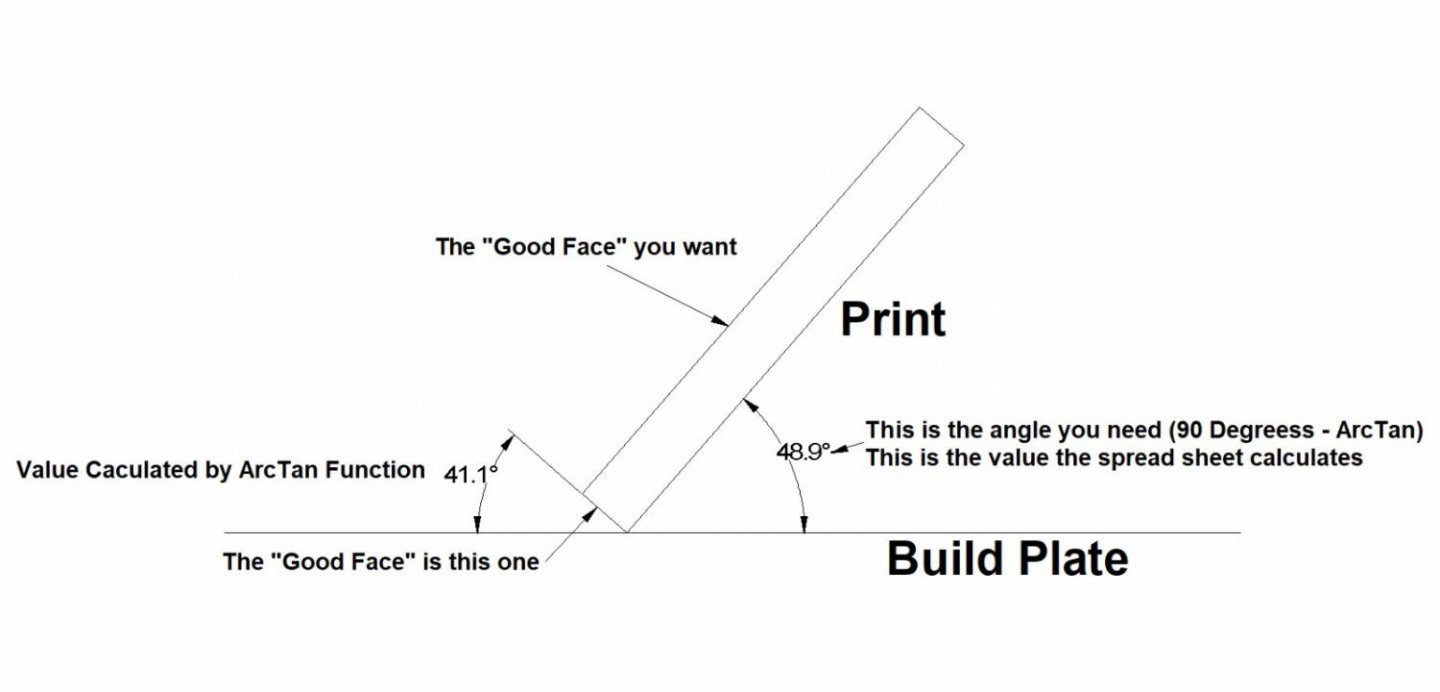
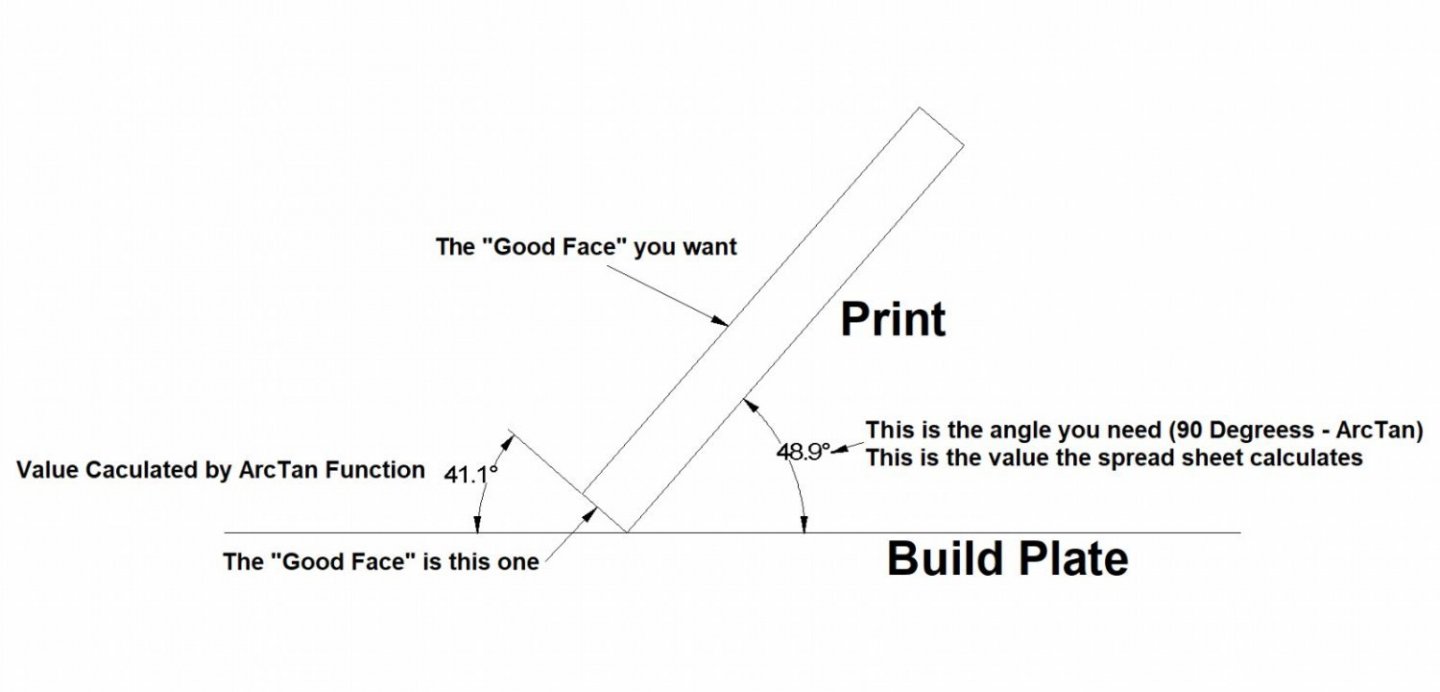
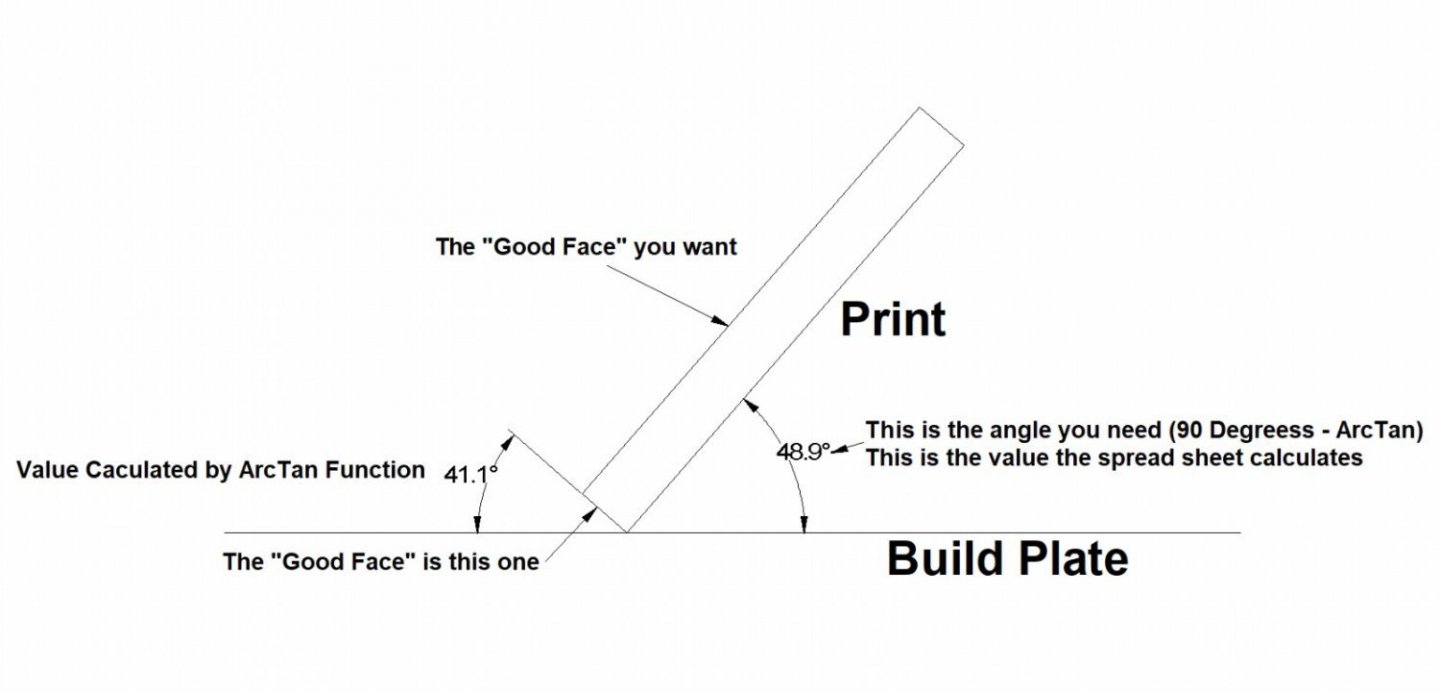
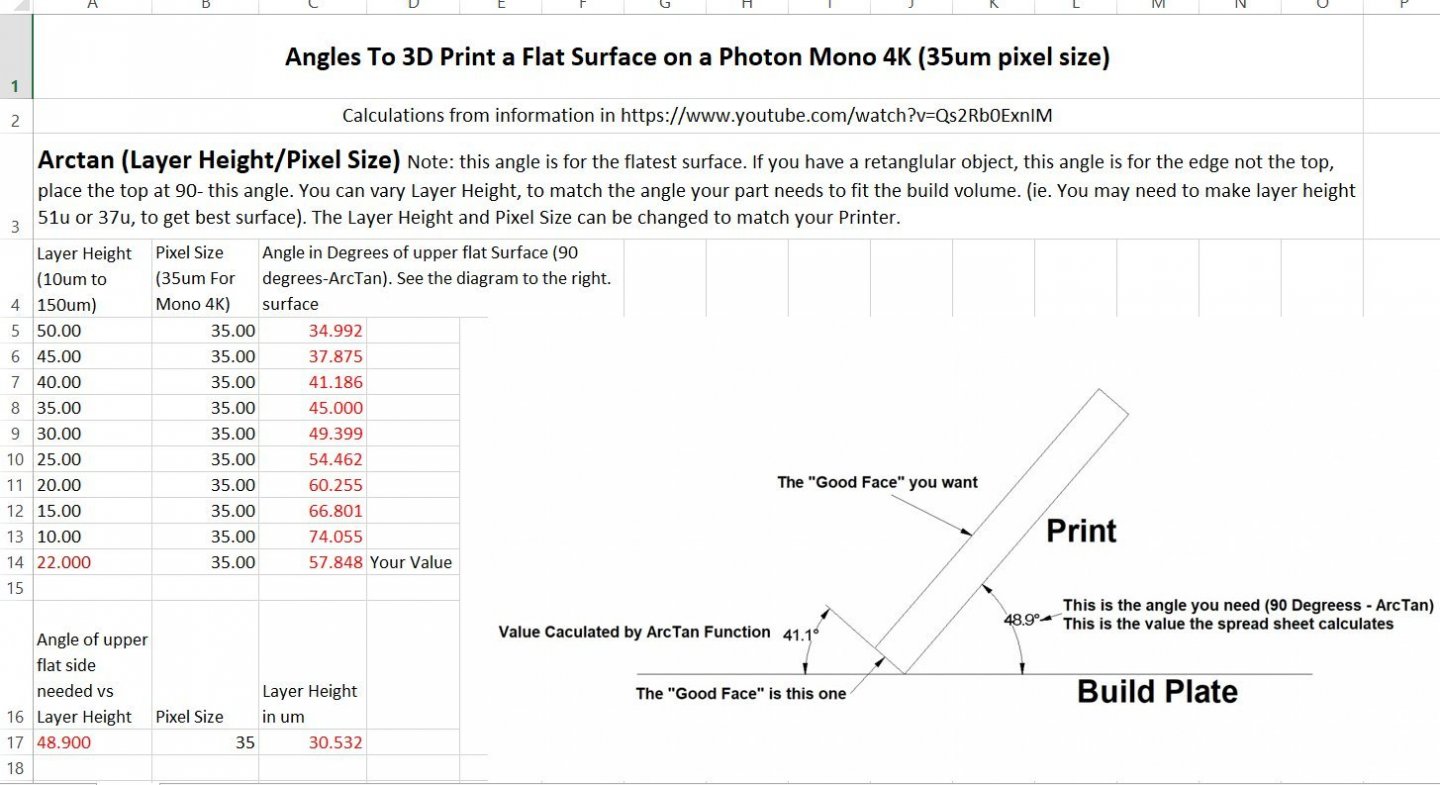
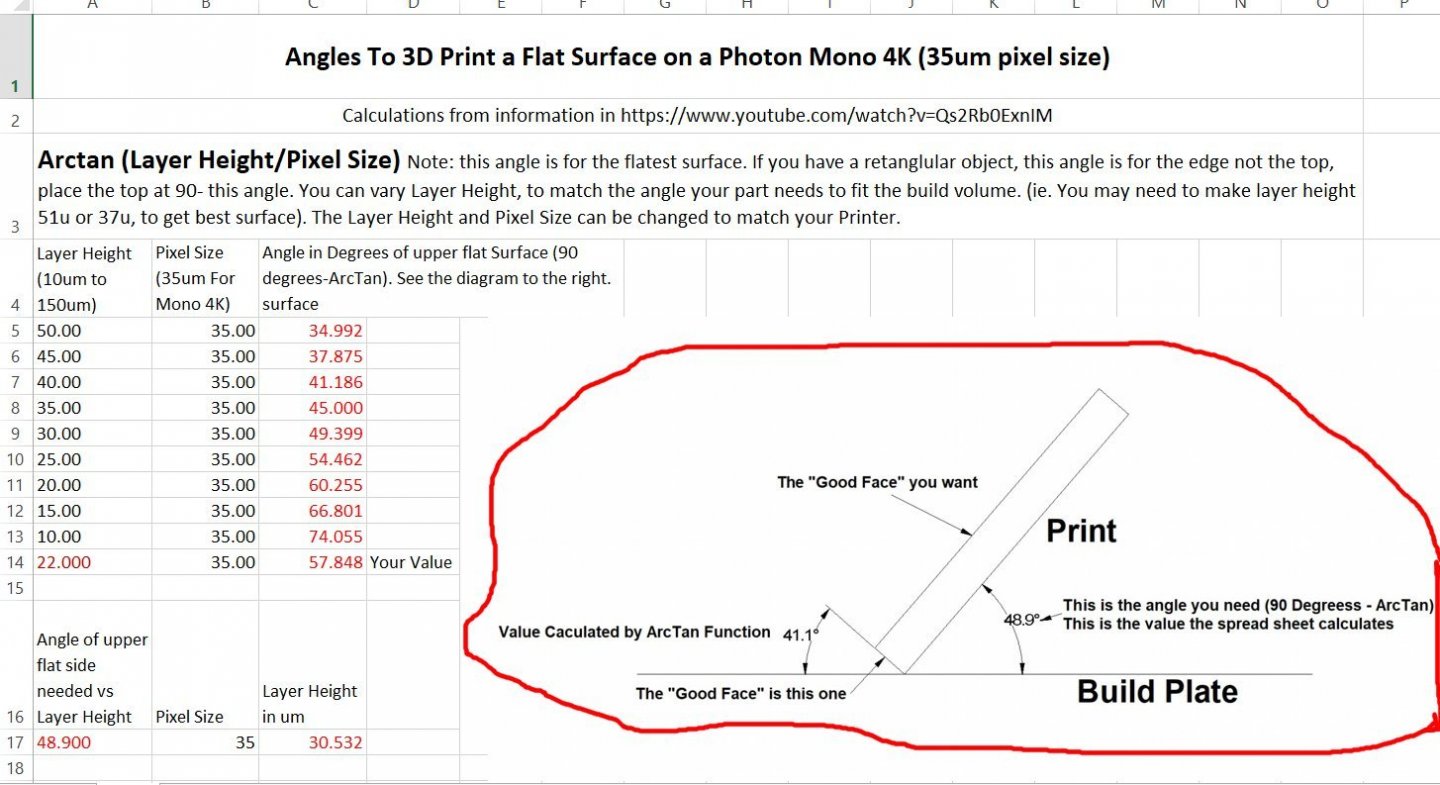
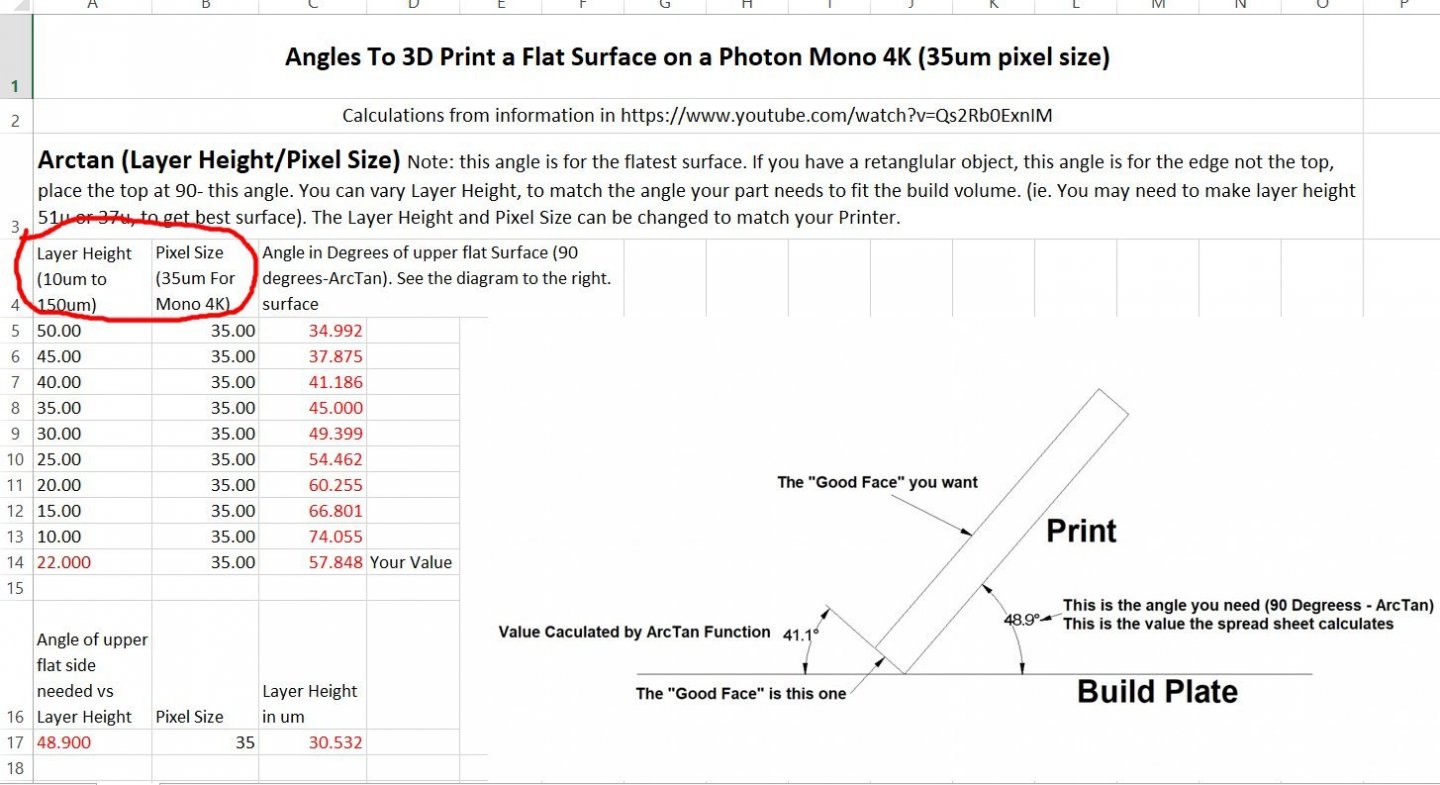
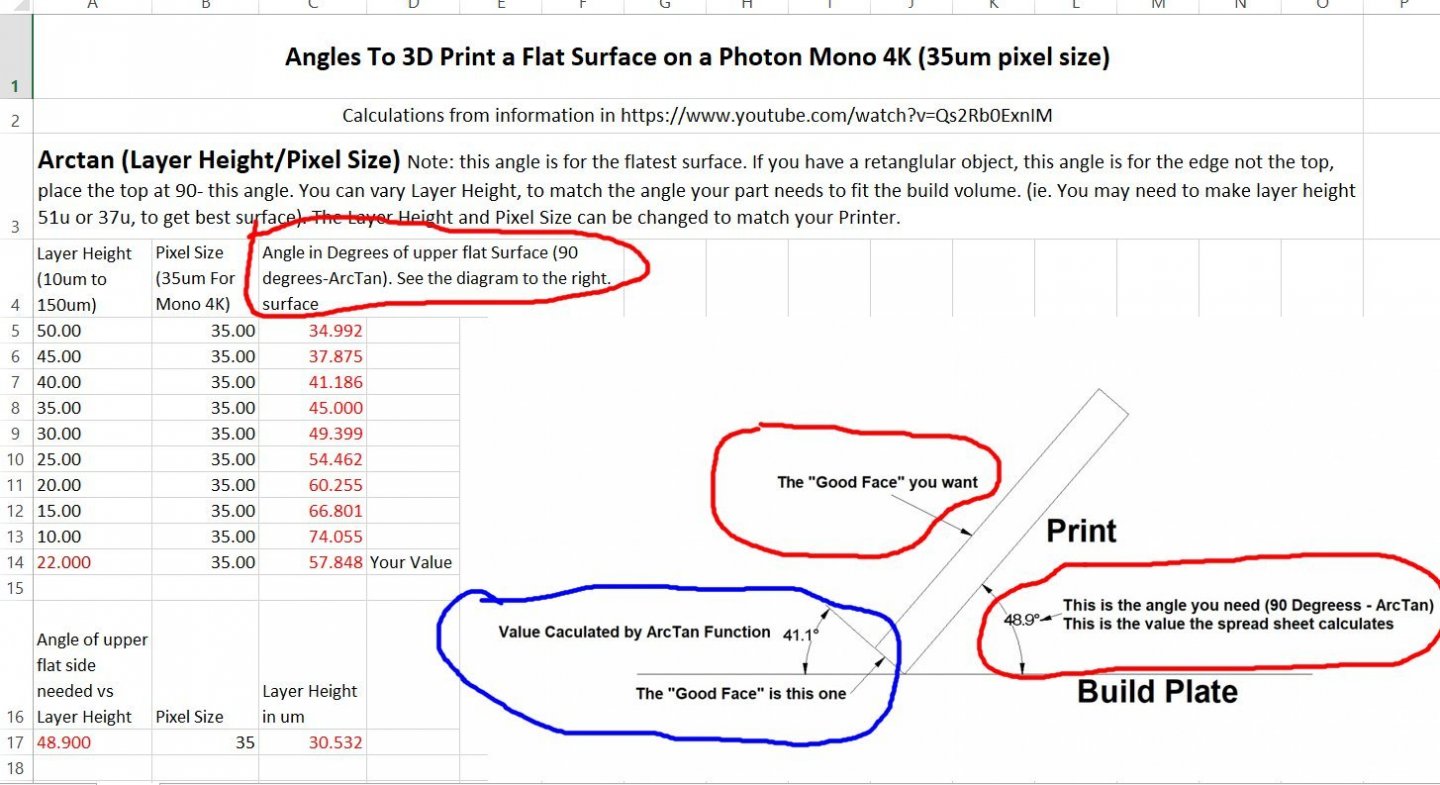
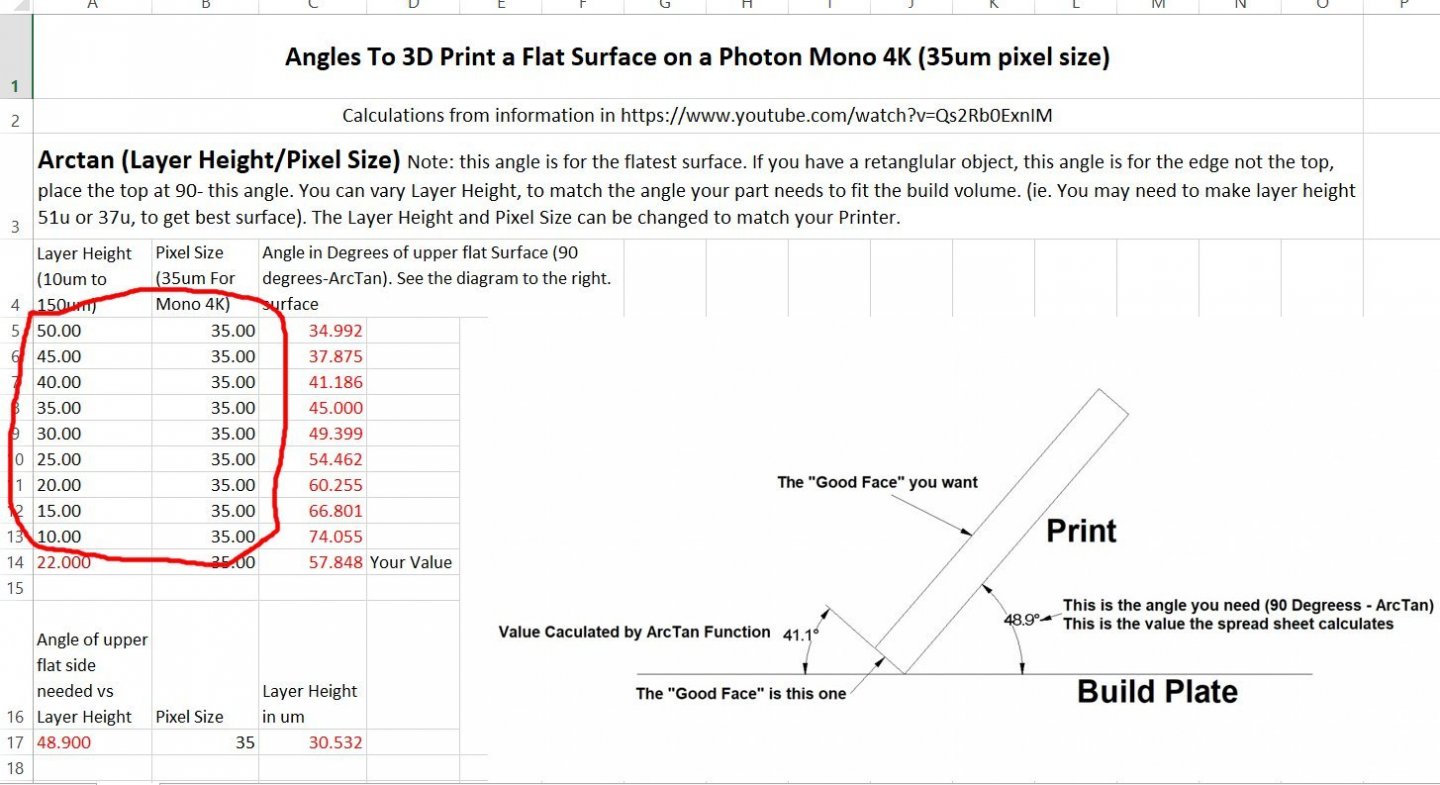
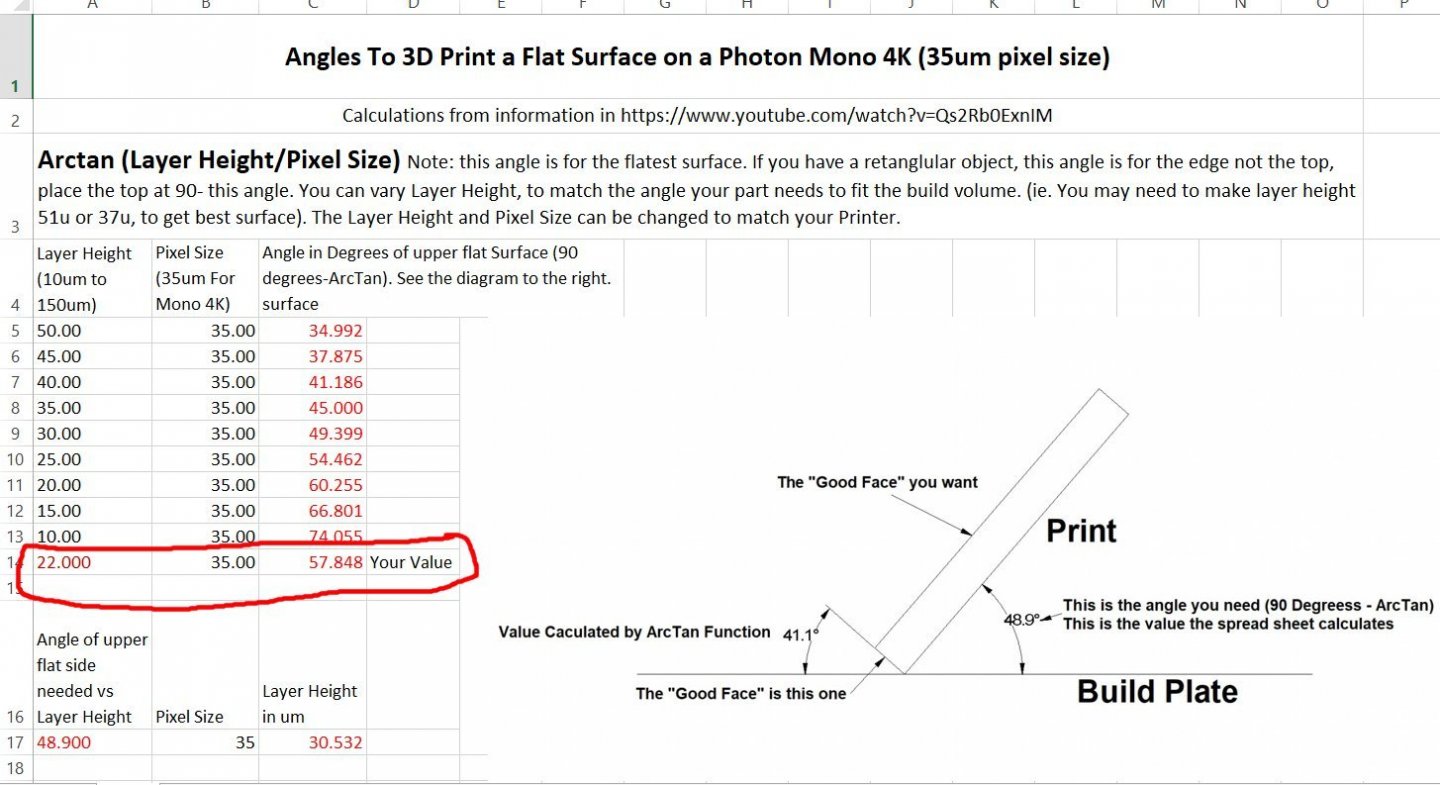
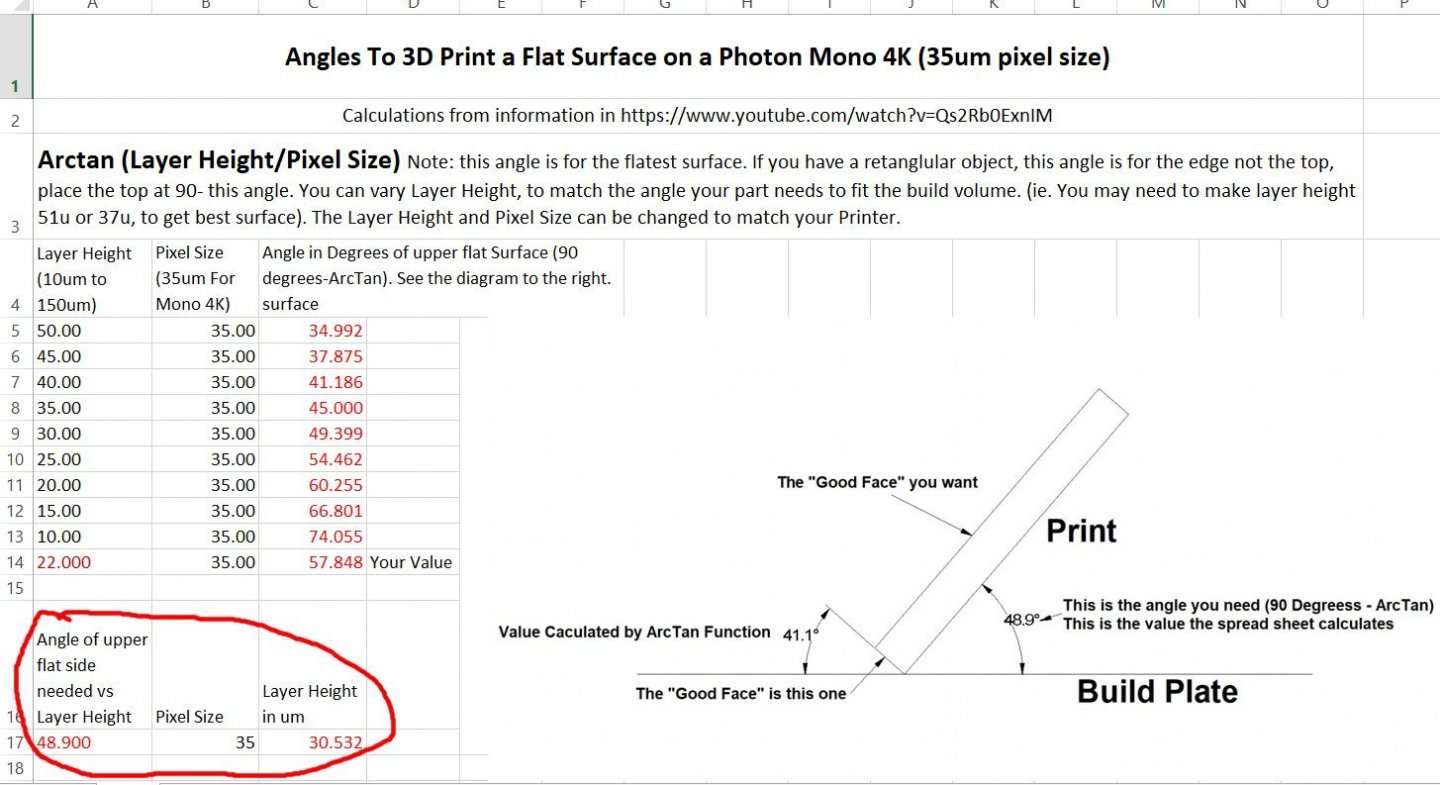
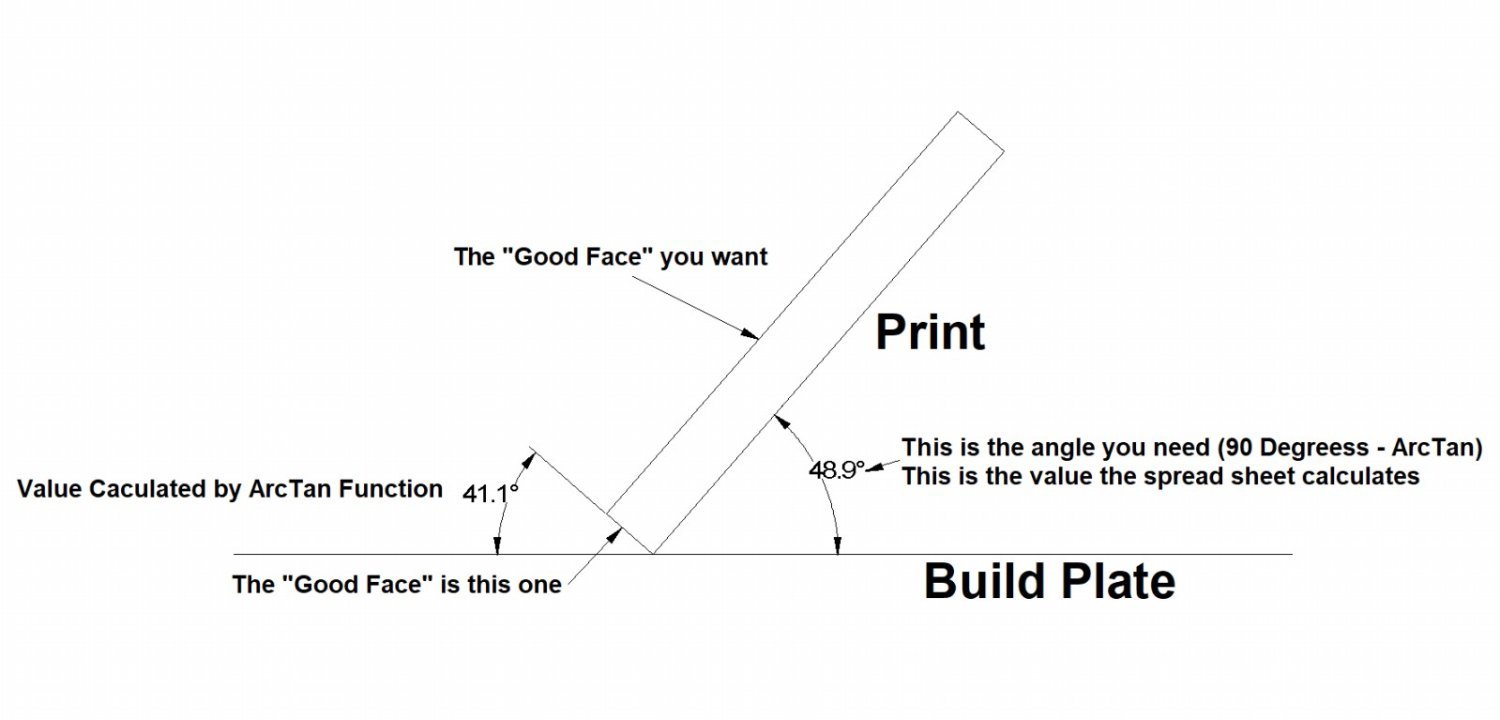
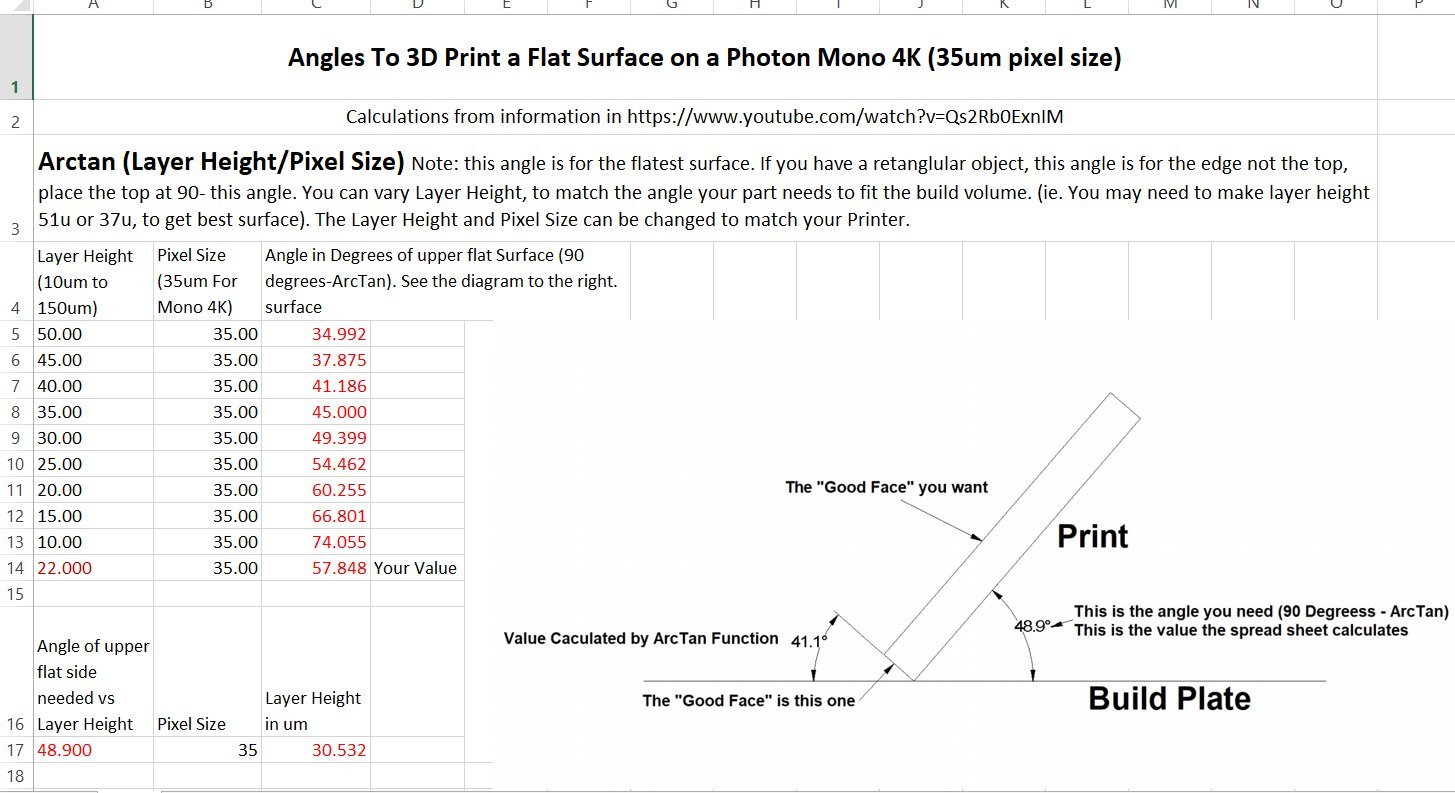
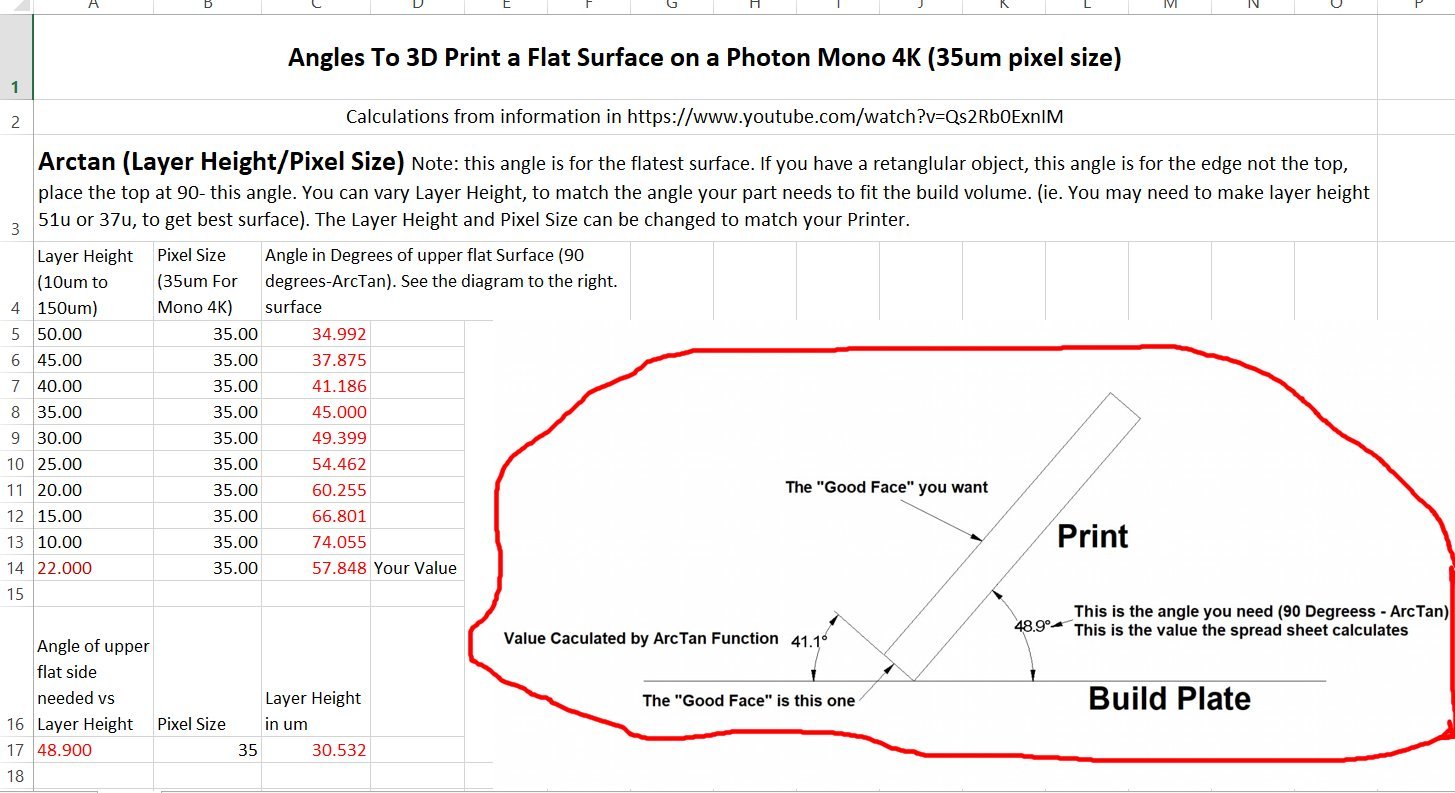
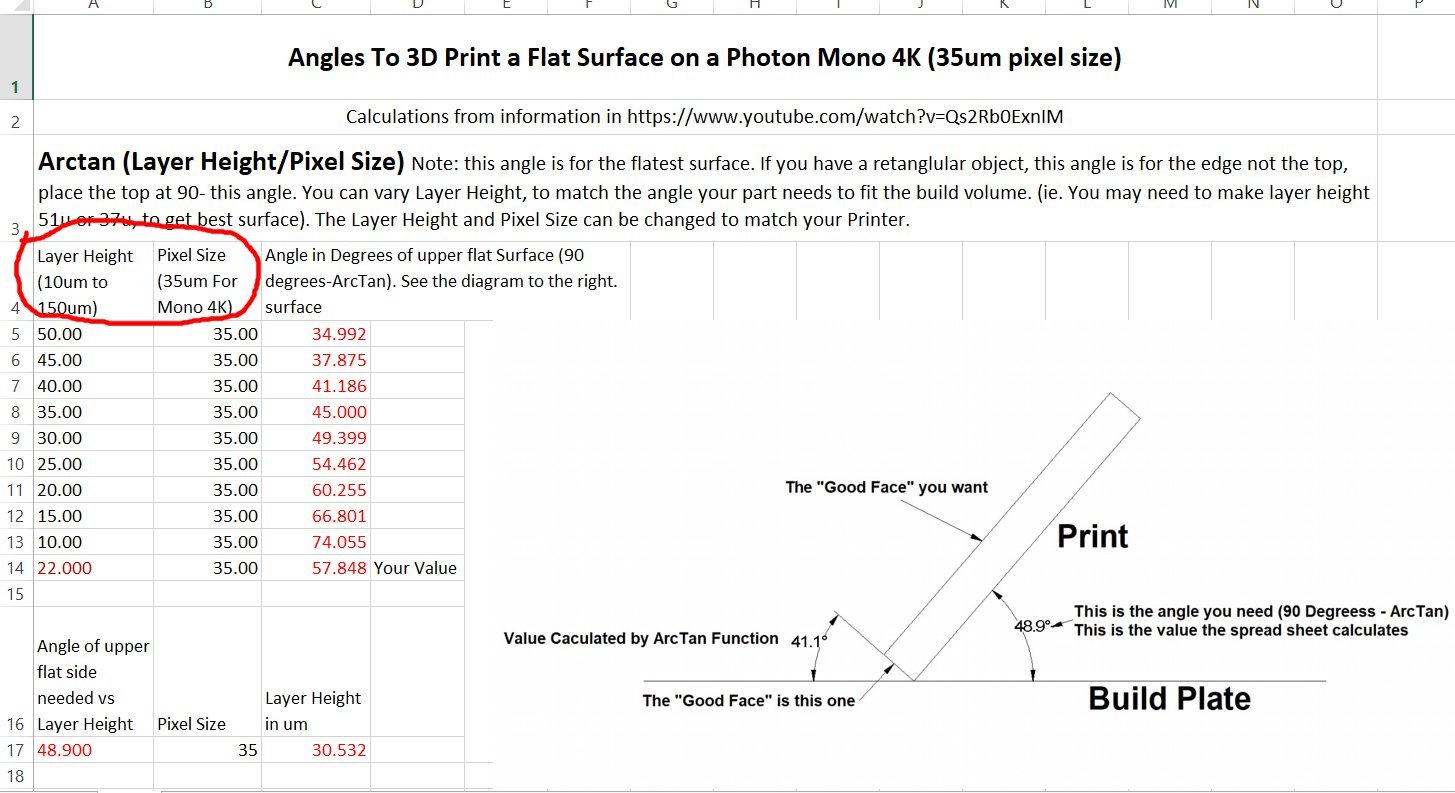
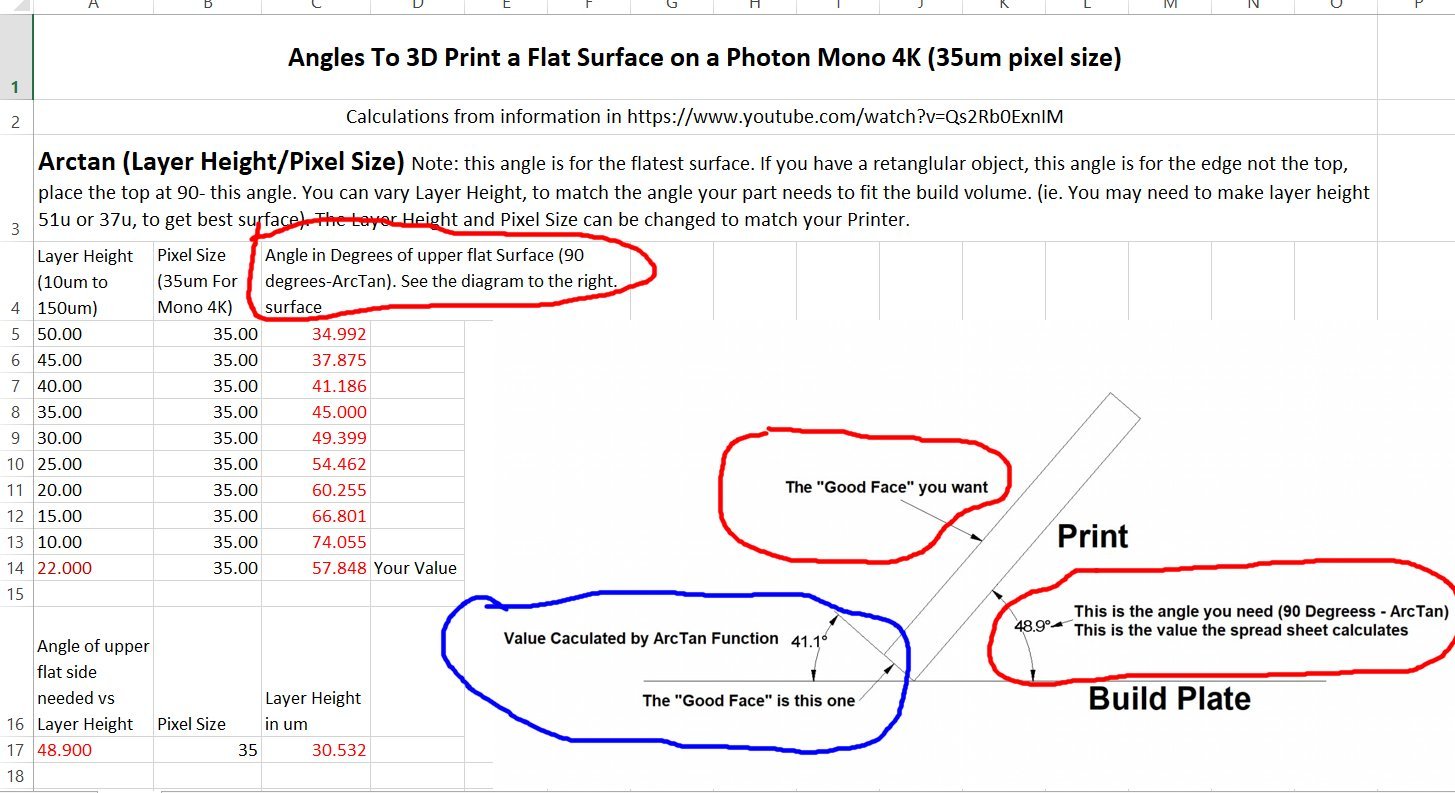
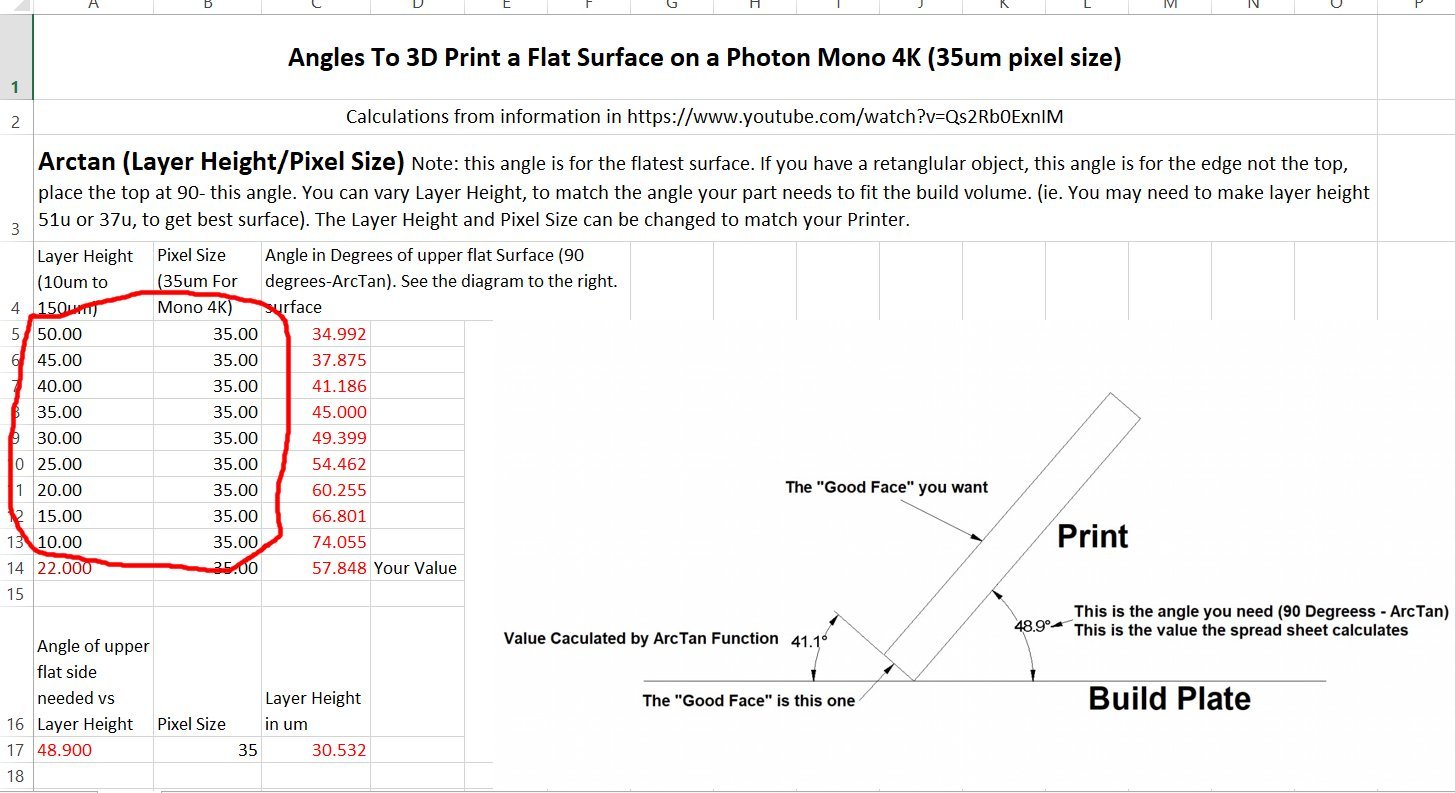
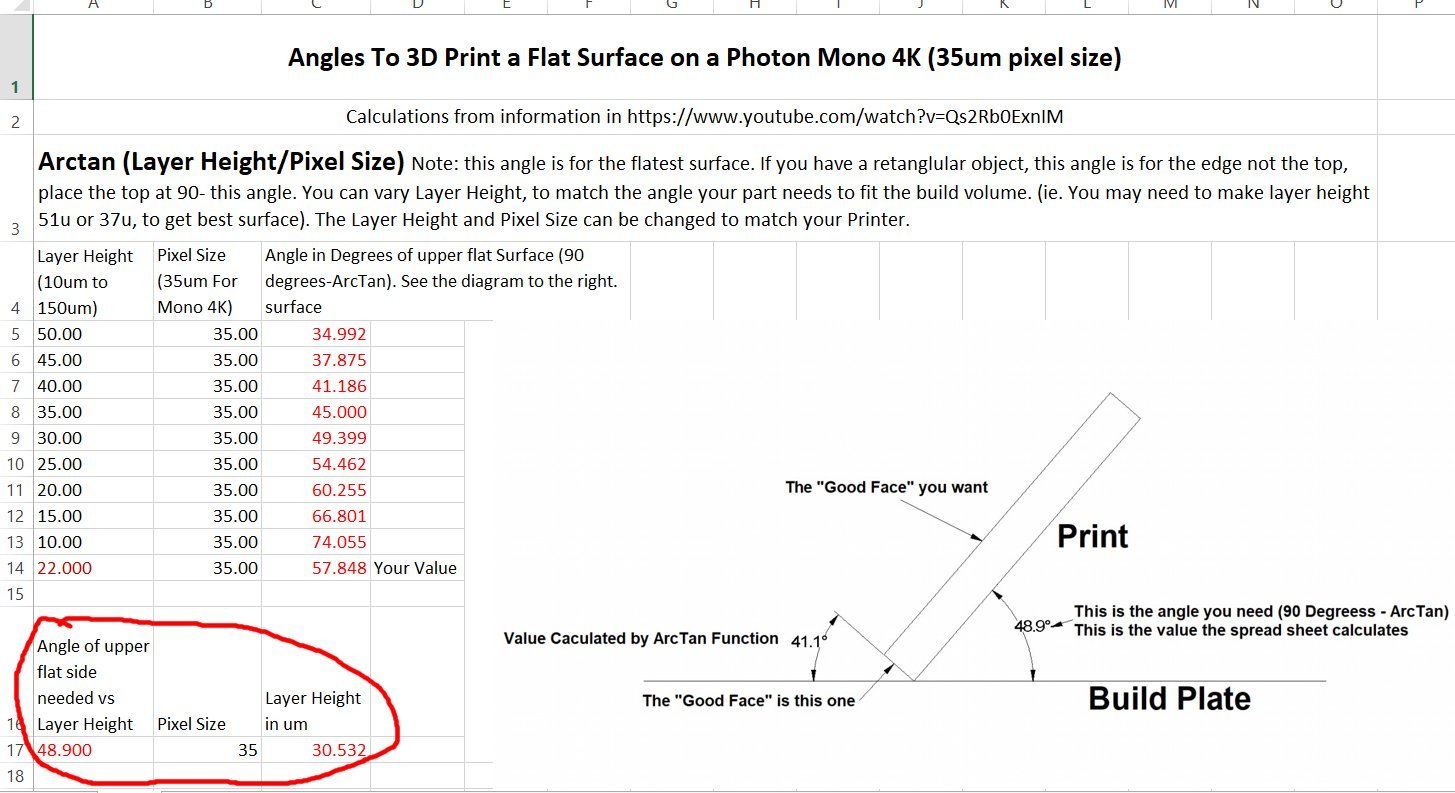
After watching the video about how to calculate the best angle for a print to be placed at, to get a smooth surface, I created a spreadsheet to do the calculations. This means I don’t have to rewatch the video every time I want to find the angle! The formula involves finding the angle of the Arctangent of the layer height/pixel height. Don’t run away yet, I know trigonometry hurts, but it will be worth it! The video is at: https://www.youtube.com/watch?v=Qs2Rb0ExnIM Here is a diagram of the calculations The video explains it more but the diagram sums it up. I developed a spreadsheet to do the calculations. This is a screen shot of the spreadsheet. As you can see I pasted a copy of the diagram into the spreadsheet to remind me of what I’m looking for. The first section takes the Layer Height and Pixel Size values and uses them to calculate the (90 degrees - ArcTan) value that is what you need to rotate your model to, in your Slicing Software. In the spreadsheet I’ve entered the pixel size for my Anycubic Mono 4k printer, the Sonic 4K uses the same pixel size. I found the value by looking at the specifications on the Manufacturer’s site. The Layer Heights I entered are a range of the standard ones for most newer printers. You can replace these values with those of your printer, just be sure not to mix up the pixel and layer values. The last line in this section (with the Red text), is for use if you have some special layer height you need to use. Sometimes you need to place your model at a certain angle to make it fit in the total print volume. For instance, I am designing a model of a specific Santa Fe business car, and a side will just fit diagonally inside the print volume. Therefore I can only print it at a fixed orientation. The second section calculates the Layer Height I need to print this at to get the best surface. You enter the angle in the Red text area, and the spreadsheet calculates the correct layer height to use. In the example I used the angle shown in the diagram. Naturally, by picking one surface to be the best, the others will print with more artifact lines, but at least you can determine which surface is the most important. For example, in either the above video or another the YouTuber used a tank body as an example. He wanted the top to be the smoothest surface, as this is the most visible one. He accepted that the back and front might have a slightly rougher finish. I hope this spreadsheet helps you! General Angle Values For Printing Aflat Surface on a Resin Printer_002.xlsx
-
Does anyone know if we can post an Excel file on the forum? I have developed one to calculate the best angle to print your model at to give the upper surface the smoothest finish, based on a couple of YouTube videos. I would hate to try to explain how to create it for yourself, as it gets into some deep "things" to insert the formulas, into the spreadsheet.
-
Soak the bow in isopropyl alcohol to lossen the glue, then you can correct the alignment and reglue.
- 63 replies
-
- 4
-
-
- Finished
- Khufus Solar Boat
- (and 1 more)
-
M3 Lee Tank by CDW - Miniart - 1:35 Scale - FINISHED
thibaultron replied to CDW's topic in Non-ship/categorised builds
Could you install the tracks, then the drive gear? -
https://www.boatinternational.com/yachts/news/sailing-yacht-eleonora-e-sinks-in-spain
-
Something "interesting" I found out about Sketchup today, at least mt 2017 version. Well really two but one lead to another. I'm designing an interior for a brass HO passenger car I have. So I designed it to a scale 10 7/8" length on my regular CAD program, and transfered it to SketchUp using an old Pro version I have, just for such activities. I had earlier discovered that when I do this, I use inches in my regular CAD, but when I import the drawing (DWG) into my older version converts it from inches (say 100") to feet (100')! So for this interior, I went ahead and shrank it back to the 10+ inches. Then I started to work with it, SketchUp does not like to use fractions of an inch smaller than 1/16th or 1/32!! This makes generating small parts difficult, you start to run into gainyish issues.! I can manipulate the original I imported, but sometimes trying to generate new "things" causes it ti cought. So from now On I design my stuff Full scale, then shrink it down!
-
Use acid free paper, though I'm sure regular paper would probably be good for 10 or 15 years, before it starts to yellow.
-
I finally go there! I had to Google Naval Academy Museum and go through their menus.
-
For some reason I can't seem to get to it on my computer. Strange, I tried Firefox and Edge.
-
M3 Lee Tank by CDW - Miniart - 1:35 Scale - FINISHED
thibaultron replied to CDW's topic in Non-ship/categorised builds
Yes, leave a way to see all that detail! -
M3 Lee Tank by CDW - Miniart - 1:35 Scale - FINISHED
thibaultron replied to CDW's topic in Non-ship/categorised builds
And they can bury me with it, after the admiral kills me for buying it! -
According to the information I found on the movie, that King Kong was, like the original, supposed to be about 25 feet high, if that helps for scaling.
-
Roger, which ship are you building?
-
I can see a 3D CNC carving of this in my near future.
-
M3 Lee Tank by CDW - Miniart - 1:35 Scale - FINISHED
thibaultron replied to CDW's topic in Non-ship/categorised builds
The Sherman used a radial engine also. If the engine in your kit is as detailed as the illustrations show, you might want to display it next to the tank, rather than hide it inside. -
This was posted on another thread, but I think it fits.
- 488 replies
-
- 22
-
-

-
- Indefatigable
- Vanguard Models
- (and 1 more)






Our Emblem ®